Managing Holiday Delivery Expectations on Shopify: Dates You Can Keep
Most holiday delivery complaints start with a promise the store couldn't keep. Here's how Shopify merchants set last order dates, delivery and pickup slots, and checkout rules that match what the team can actually ship.
On this page
- Why Holiday Delivery Complaints Happen
- The Holiday Promise Chain: Five Links That Have to Hold
- How to Set Shopify Holiday Delivery Cutoffs: Work Backward From the Carrier
- Count Handling Time Honestly
- Pick a Cutoff Time of Day
- Publish One Date per Delivery Method
- Set the Promise for Each Delivery Method
- Shipped Orders: Show an Estimate, Not a Guarantee
- Local Delivery: Zones, Minimums, and a Cap per Day
- Shopify Pickup Scheduling: Spread Pickups With Dates and Time Slots
- Made-to-Order and Personalized Items: Give Them an Earlier Cutoff
- Show the Same Date Everywhere: The Five-Place Check
- Stop Checkout From Accepting Dates You Can't Meet
- Cap Orders per Delivery Date and Slot, Not per Order Day
- Close the Side Doors
- Leave Headroom
- What Shopify Does Natively, and When a Shopify Delivery Date Picker Helps
- What to Check Before Choosing a Delivery Date App
- Where OrderRules Fits, and Where It Doesn't
- A Worked Example: One Gift Shop, Three Delivery Methods
- After the Cutoff: Change the Promise, Don't Go Quiet
- Keep Support and Fulfillment on the Same Calendar
- How to Check Whether Your Holiday Delivery Promises Held
- Common Holiday Delivery Mistakes
- Conclusion
- FAQs
It's December 21. A customer bought a gift from your store on December 16 because the banner said "Order by December 18 for Christmas delivery." Checkout showed "Arrives Dec 22–28." The confirmation email didn't mention a date at all. Now she's written to support, and your support person isn't sure which of those dates the store actually promised.
That's how most Shopify holiday delivery problems start. The parcel may not be late yet, but the promise already is. The store said three different things in three different places, or it accepted more orders for a delivery day than the team could ever pack, bake, or hand over.
It matters more in December than any other month. In Narvar's 2025 holiday survey of more than 2,000 U.S. shoppers, 57% ranked delivery date accuracy above shipping cost, and 53% said estimated delivery dates would affect which retailer they chose. A missed date means a ticket, often a refund, sometimes a review, and a customer who remembers.
The fix is simpler than it looks: promise only what your operation can meet, show the same date everywhere, and stop checkout from taking orders for dates that are already full. This guide shows how to work out a last order date from carrier deadlines, set a promise for shipping, local delivery, and pickup, check what Shopify does natively, decide when a delivery date picker is worth adding, and keep selling after the shipping cutoff.
Short answer: Manage Shopify holiday delivery by promising only dates your team can meet. Work backward from each carrier's last ship date, subtract your handling time and a buffer day, and publish that as your last order date. Show the same date on the product page, cart, checkout, and confirmation email, and cap orders per delivery date or pickup slot so checkout can't accept more than you can fill. Shopify shows estimated delivery dates natively, but letting customers choose a date or time slot needs an app such as OrderRules or a Shopify Plus checkout extension.
TL;DR
Most holiday delivery complaints come from mismatched or overbooked promises, not only from carriers.
Your last order date is the carrier's last ship date, minus your handling days, minus one buffer day.
Set a separate cutoff and capacity for shipping, local delivery, pickup, and made-to-order items.
The date must match in five places: product page, cart, checkout, confirmation email, and support replies.
Shopify shows delivery estimates at checkout for eligible rates. A customer-chosen date or pickup slot needs an app or a Plus checkout extension.
After the shipping cutoff, switch the promise to pickup, local delivery, gift cards, or "arrives after Christmas" instead of going quiet.
Why Holiday Delivery Complaints Happen
Shopify holiday delivery complaints usually happen because the store's promise was wrong or unclear before the order shipped, not only because a carrier ran late. Carriers do miss dates in December, but a store can't control that. It can control what it promises.
Delivery is part of what the customer is buying in December, which is why fulfillment and delivery as part of the BFCM offer deserve the same planning as the discount itself. When that planning is missing, the same few problems show up every year:
Promises don't match. The banner, the product page, checkout, and the confirmation email each give a different date, so the customer holds you to the most generous one.
Too many orders for one day. Nothing stops the 40th order for December 23 local delivery when the van can do 25.
Cutoffs copied from the carrier. The store publishes the carrier's last ship date as its last order date and forgets that packing takes two days.
Side doors. Shop Pay, Apple Pay, or a Buy it now button skips the cart where the date rule lives.
Silence after the cutoff. The banner disappears on December 18, and customers keep buying with the old expectation.
Shoppers already expect some of this to go wrong. In Blue Yonder's 2025 holiday shipping survey of more than 6,000 consumers, only 34% said they were very confident their package would arrive by the expected date. That doubt is why good holiday order management treats delivery as an order rule, not just a shipping setting.
The Holiday Promise Chain: Five Links That Have to Hold
A holiday delivery promise is really five decisions that have to agree with each other. If one is missing, the promise breaks at that point.
Link | The question it answers | What happens if it's missing |
|---|---|---|
1. Capacity | How many orders can we make, pack, deliver, or hand over for each date or slot? | Days get overbooked, and orders go out late even with good carriers. |
2. Cutoff | What's the last moment an order can come in and still meet that date? | Customers order after the realistic deadline and expect Christmas delivery. |
3. Display | What do the product page, cart, and checkout tell the shopper? | The customer sees a date you didn't mean, or no date at all. |
4. Enforcement | Does checkout stop orders we can't meet, including express checkout? | The banner warns, but orders still come through. |
5. Follow-through | What do the confirmation email, order details, and support say afterward? | Support gives a different answer, and trust drops. |
The rest of this guide works through each link, starting with the one most stores get wrong: the cutoff.
How to Set Shopify Holiday Delivery Cutoffs: Work Backward From the Carrier
Your last order date is not the carrier's last ship date. Work backward from it:
Last order date = carrier's last recommended ship date − your handling days − one buffer day.
Handling days are the business days your team needs to pick, pack, and hand the parcel to the carrier. The buffer day covers a sick packer, a printer jam, or a pickup the carrier skips. Then publish the result, not the carrier's date.
Here are the 2026 recommended last ship dates for Christmas delivery in the lower 48 U.S. states, from the USPS 2026 holiday shipping dates and the FedEx 2026 last days to ship. They're recommendations, not guarantees, and they can change with weather and volume. UPS hadn't published its 2026 dates at the time of writing, so check ups.com directly.
Carrier and service | Last recommended ship date for Christmas |
|---|---|
USPS Ground Advantage | Thursday, December 17 |
USPS Priority Mail | Friday, December 18 |
USPS Priority Mail Express | Saturday, December 19 |
FedEx Ground/Home Delivery (3-day transit) | Monday, December 21 |
FedEx Express Saver | Monday, December 21 |
FedEx 2Day | Tuesday, December 22 |
FedEx overnight services | Wednesday, December 23 |
Now apply the formula. This example is for a store that needs two business days to pack, ships Monday to Friday, and keeps one buffer day:
Service | Carrier ship-by | After 2 handling days | After 1 buffer day: your "order by" date |
|---|---|---|---|
USPS Ground Advantage | Thu, Dec 17 | Tue, Dec 15 | Mon, Dec 14 |
USPS Priority Mail | Fri, Dec 18 | Wed, Dec 16 | Tue, Dec 15 |
FedEx 2Day | Tue, Dec 22 | Fri, Dec 18 | Thu, Dec 17 |
FedEx overnight | Wed, Dec 23 | Mon, Dec 21 | Fri, Dec 18 |
The difference matters. A store that publishes "Order by December 17 for Christmas" for ground shipping is promising three days it doesn't have.
Count Handling Time Honestly
Count the days your team actually packs, not calendar days. If nobody packs on weekends, a Friday evening order has the same handling clock as a Monday morning order. Look at last December's real numbers: on your busiest days, how long did it take from order to label? Use that, not your normal-week average.
Personalized, engraved, printed, and made-to-order products need their own production time added before handling. A two-day engraving queue moves those products' last order date back two more days.
Pick a Cutoff Time of Day
A last order date also needs a time. If you promise same-day handling for orders placed by noon, say "by 12 pm ET" and mean it. Shopify's own delivery date estimates at checkout use a business-day cutoff of 12 pm in the shipping origin's time zone, so orders after noon start counting from the next business day. If your team works to a different time, make sure the estimate and your banner don't disagree.
Publish One Date per Delivery Method
One "last day to order" banner for the whole store rarely works. Ground shipping, express shipping, local delivery, and pickup each have a different last date, and pickup often runs until December 24. A single date either cuts off sales you could still make or promises shipping you can't deliver.
Set the Promise for Each Delivery Method
Each delivery method needs its own promise, its own cutoff, and its own capacity. Here's how they compare.
Method | What to promise | What to cap | Typical holiday cutoff | Native Shopify | Where an app helps |
|---|---|---|---|---|---|
Shipping | An estimated delivery range | Orders per day you can pack | Carrier ship-by date minus handling and buffer | Delivery date estimates at checkout for eligible rates | Estimate on the product page; per-product lead times |
Local delivery | A delivery date, sometimes a time window | Orders per delivery date or route | The day before, at a set time | Zones, minimum order, delivery price | Customer picks a date and time slot; cap per date |
In-store pickup | A pickup date and time slot | Orders per slot | Same day or the day before | Pickup per location with a "ready in" time | Customer picks a date and slot; cap per slot; closed dates |
Made-to-order or personalized | A ship or ready date that includes production | Orders per production day | Earlier than everything else | Fulfillment time on shipping profiles | Separate lead time and cutoff by product or collection |
Shipped Orders: Show an Estimate, Not a Guarantee
For shipped orders, show a date range and say how you calculated it. Shopify can display estimated delivery dates at checkout natively when you set a fulfillment time and use supported rates, such as flat rates with transit times or Shopify Shipping label rates for USPS, UPS, Canada Post, or DHL Express. It adds your fulfillment time to the carrier's transit time to produce the range.
There are limits. The native dates don't work with shipping rates from third-party apps, and they only show for products with inventory above zero. They also appear at checkout, not on the product page, so a shopper deciding whether to buy a gift won't see the date until late in the journey. A product-page estimate needs a theme feature or an app.
Shopify's Shop Promise badge is a separate thing. It marks qualifying products with "Trusted delivery" based on your fulfillment performance, but Shopify is clear that it isn't a delivery guarantee.
Local Delivery: Zones, Minimums, and a Cap per Day
Shopify's native local delivery settings let you set delivery zones by postal code or radius (up to 100 miles), with a minimum order and a delivery price for each zone. You can add price rules, such as free delivery above a certain order value.
What it doesn't directly support is the customer choosing a delivery date or time window, or a limit on how many orders you accept for one day. For a florist or bakery, those are the two things that matter most in December. A van that can make 25 stops on December 23 needs checkout to stop at 25, not a note in the confirmation email asking customers to be patient.
Two native details are worth testing before the rush. Shopify's local delivery isn't shown to customers who pick Apple Pay, Google Pay, Amazon Pay, or PayPal in the first checkout step (Shop Pay works), and B2B checkouts don't support local delivery.
Shopify Pickup Scheduling: Spread Pickups With Dates and Time Slots
Shopify's native Pickup in store lets each location offer pickup with a processing time shown at checkout and a "Ready for pickup" notification. It doesn't directly let the customer choose a pickup date or time slot. That's fine on a quiet Tuesday. On December 23 it means everyone arrives at 5 pm.
Shopify pickup scheduling with dates and slots spreads that crowd out. Customers choose when they'll come, and each slot has a limit you set. A simple way to size a slot: count how many orders your counter can hand over per hour on a busy day, then set the cap a little below it.
For example (illustrative numbers), a bakery with two people at the counter might hand over about 30 orders an hour. It could offer four slots a day from December 21 to 24, cap each slot at 25 orders, and close December 25 and 26. That leaves a little headroom for the customer who arrives early with a question.

Pickup is also the best answer for late shoppers. In Blue Yonder's 2025 holiday shipping survey, 53% of shoppers said they were willing to use in-store pickup to receive online purchases faster.
Made-to-Order and Personalized Items: Give Them an Earlier Cutoff
Anything you make, print, engrave, or assemble after the order comes in needs its own last order date, set by production time first and handling second. Use a rule that applies only to those products or that collection, so the rest of the store isn't held to the earlier date.
The same thinking applies to wholesale. B2B buyers who order in bulk before BFCM usually need a separate, earlier ship window than retail gift orders, because one large order can use a whole day of packing.
Show the Same Date Everywhere: The Five-Place Check
A delivery promise only works when every place the customer looks says the same thing. Run this check once with a test order for each delivery method.
Place | What it should say | How to check | Pass? |
|---|---|---|---|
Product page | The last order date or an estimated delivery range for this product | Open a regular product and a made-to-order product | ☐ |
Cart or cart drawer | The same date, plus the chosen delivery or pickup date if you use one | Add both products; check the drawer and the cart page | ☐ |
Checkout | A delivery estimate or the chosen date, matching the cart | Check out normally and with Shop Pay or another wallet | ☐ |
Confirmation email and order status page | The promised date or range, in writing | Read the test order's email and order status page | ☐ |
Support replies and FAQ page | The same dates per method, updated when the date changes | Ask your support person what they'd tell a customer | ☐ |
This five-place check is the delivery part of testing delivery promises before your sale goes live, and it takes about 15 minutes.
The most common failure is a date chosen in the cart that never reaches the order. One merchant asked in a Shopify Community thread about cart delivery dates, "How can I fix this so the delivery date selected in cart carries through the checkout process and into the order confirmation page?" This usually happens when the date is stored by theme code that express checkout or a Buy it now button skips. Test every path a customer can take, not just the main cart.
Also check the email. Shopify's order confirmation shows a delivery estimate only if you edit the notification template to include it.
Keep the wording short and consistent. For example:
Product page: "Order by Monday, December 14 for Christmas delivery with standard shipping."
Cart: "Your local delivery date: Wednesday, December 23, 10 am–1 pm."
Confirmation: "We'll deliver on Wednesday, December 23, between 10 am and 1 pm."
Stop Checkout From Accepting Dates You Can't Meet
A banner tells the customer the rule. It doesn't stop the order. To make a cutoff or a daily limit real, checkout itself has to refuse orders you can't meet.
Shopify supports this through checkout validation built with Shopify Functions, which apps can use to block a checkout with a message. That's the difference between a delivery date widget and a delivery date rule.
Cap Orders per Delivery Date and Slot, Not per Order Day
For delivery and pickup, the limit that matters is how many orders are due on a date, not how many came in today. "Ten cakes a day" should mean ten cakes for Friday's pickup, even if all ten were ordered on Monday. If the cap counts by order date, Friday can still end up with 30 cakes.
Plan the busy days separately. December 23 and 24 often need a lower cap per slot than a normal week, because every order is a gift and every customer is in a hurry.
Close the Side Doors
Customers reach checkout in more ways than the cart. Check each of these:
Express checkout: Shop Pay, Apple Pay, and Google Pay buttons on the product page can skip the cart where a date picker lives.
Buy it now buttons.
Checkout links you send by email, chat, or social.
AI shopping agents that place orders on a customer's behalf.
POS orders and orders created in the admin, which checkout validation doesn't check. Count them by hand on busy days.
Leave Headroom
Checkout validation reads availability at the moment of checkout. Two customers who pay for the last place on a date in the same second can both get through. On your tightest dates, set the cap one or two orders below your true limit.
What Shopify Does Natively, and When a Shopify Delivery Date Picker Helps
Shopify covers delivery estimates, zones, and pickup natively. It doesn't directly let customers choose a delivery date or time slot, or cap orders per date, without an app or a Shopify Plus checkout extension.
Need | Native Shopify | With an app (for example, OrderRules) |
|---|---|---|
Estimated delivery dates at checkout | Yes, for eligible rate types with a fulfillment time set | Also on the product page |
Local delivery zones, minimum order, price | Yes | Not a replacement; keep native zones |
Pickup per location with a "ready in" time | Yes | Adds dates, slots, and closed dates |
Customer chooses a delivery date | Not directly; Plus stores can build a checkout extension | Yes, on the product page and cart |
Customer chooses a time slot | Not directly | Yes |
Cap per delivery date or slot | Not directly | Yes, enforced at checkout |
Blackout dates for delivery and pickup | Not directly | Yes |
Date picker on the checkout page | Plus, via a checkout UI extension | Some apps, on Plus |
You probably don't need a Shopify delivery date picker if you only ship parcels, your handling time is steady, and customers care about "arrives by" rather than a specific day. Native delivery dates at checkout plus a clear last order date on the product page will cover most of it.
You probably do need one if you offer local delivery or pickup with limited daily capacity, sell perishable or made-to-order products, sell gifts customers want delivered on a specific day (flowers, cakes, hampers), or have customers who order early for a later date.
What to Check Before Choosing a Delivery Date App
The Shopify App Store has many delivery date and pickup scheduling apps. Before choosing one, check:
Is it enforced at checkout, or only a widget? A widget can be skipped.
Does it cover express checkout and Buy it now?
Can you cap orders per date and per slot?
Can you set lead time, cutoff, and blackout dates by product or collection?
Does it work in your theme's cart drawer?
Is the chosen date saved on the order where your team will see it?
What needs Shopify Plus? Usually only the picker on the checkout page itself.
Where OrderRules Fits, and Where It Doesn't
OrderRules is one way to let customers choose a delivery date, time slot, or pickup time on a Shopify store, and to stop checkout from accepting dates that are already full.
The delivery and pickup features are on the Advanced plan ($19.99 a month or $191.90 a year, with a 14-day free trial). Store hours and holiday closures are on every plan, including the free Starter plan. Here's what the Advanced plan covers for holiday delivery:
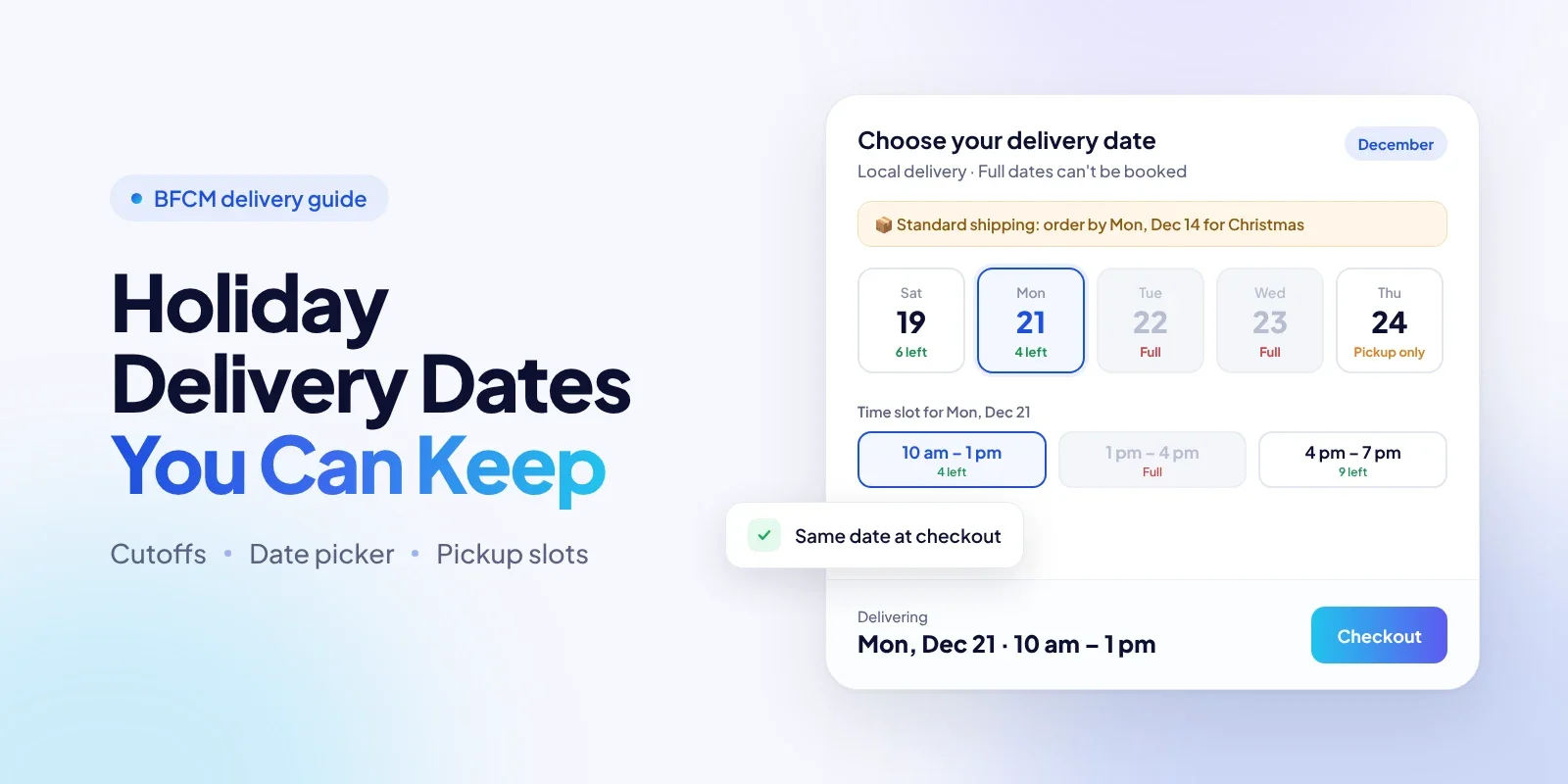
A delivery date and time slot picker on the product page and in the cart or cart drawer, added through the theme editor without code. These pickers don't need Shopify Plus.
Delivery rules for lead time, a daily cutoff time, the weekdays you deliver, how far ahead customers can book, and whether a date is required. Rules can apply to the whole store or to a product, collection, or tag.
Caps per delivery date and per time slot. Full dates and slots grey out on the picker and are blocked at checkout, including express checkouts. A cancelled order frees its place.
Blackout dates, with a one-click import of the store's closed days.
Scheduled in-store pickup for each location, with its own pickup days, lead time, cutoff, time slots, slot limits, and closed dates. Shopify's Pickup in store stays the checkout method; OrderRules adds the date and slot.
Estimated delivery dates on product pages that skip weekends, blackout dates, and national holidays.
Order tags by delivery date and slot (such as
delivery:2026-12-23), so the team can filter each day's orders.

A November 2026 update extended delivery dates to every way of checking out: the chosen date carries through Buy it now, Shop Pay, Apple Pay, and Google Pay wait until a date is chosen on products that require one, checkout links can include a date, and orders from AI shopping agents without a required date can be blocked or accepted and tagged. Customers can also pick a date on the order status page after checkout, or change their date up to that date's cutoff if you allow it.
Be clear about what it doesn't do. OrderRules doesn't ship orders, buy labels, calculate carrier rates, guarantee delivery, or send pickup reminders. As the OrderRules delivery dates page states, dates and slots can't vary by postcode, zone, or country, and it can't tell local delivery from shipping. Capacity is the same number on every date, so you close a busy date with a blackout rather than a lower cap. POS orders and subscription renewals aren't checked, and like any checkout validation, two checkouts in the same second can both take the last place. The date picker on the checkout page itself needs Shopify Plus.
A basic holiday setup takes six steps:
Install OrderRules and turn on delivery date selection.
In the theme editor, turn on the OrderRules Delivery app embed and add the delivery date picker block to the product page and cart.
Add a delivery rule: what it applies to, delivery or pickup, lead time, cutoff time, delivery weekdays, and how far ahead customers can book.
Set a cap per date and per time slot, and add blackout dates for December 25 and 26 and any day you're closed.
For pickup, add each location with its own days, slots, and slot limits.
Place test orders through the cart, Buy it now, and Shop Pay to confirm full dates are blocked.
A Worked Example: One Gift Shop, Three Delivery Methods
Here's how one illustrative store, a candle and gift shop with one physical location, could set its holiday promises. It ships nationwide with USPS, delivers locally within 10 miles, and offers in-store pickup.
Method | Last order date | Capacity | What the store shows | After the cutoff |
|---|---|---|---|---|
Shipping (USPS Ground Advantage) | Monday, December 14 | About 150 orders packed per day | "Order by Dec 14 for Christmas delivery" on product pages; estimate at checkout | Priority Mail until Tuesday, December 15, then "Arrives after Christmas" |
Personalized candles | Tuesday, December 8 | 40 engravings per day | "Personalized items: order by Dec 8" on those products only | Offer a gift card with a note |
Local delivery | 2 pm the day before; last delivery Wednesday, December 23 | 2 time slots a day, 20 orders each | Delivery date and slot picker in the cart | Pickup only |
In-store pickup | 12 pm the day before; last pickup Thursday, December 24 at 2 pm | 4 slots a day from December 21 to 24, 25 orders each | Pickup date and slot picker; closed December 25 and 26 | Gift cards and "pick up after Christmas" |
On December 15, the shop changes the product-page message from "Order by Dec 14 for Christmas delivery" to "Christmas delivery: choose local delivery or in-store pickup." On December 22, it changes again to "Last pickup slots for Christmas Eve," and shipping messages switch to "Ships December 28."
Nothing about that plan needs perfect carriers. It needs the store to know its own numbers and say them clearly.
After the Cutoff: Change the Promise, Don't Go Quiet
When the shipping cutoff passes, change what you promise instead of removing the message. Customers will keep buying, and they'll assume the old promise still holds unless you tell them otherwise.
Good post-cutoff options:
Switch to pickup and local delivery dates in your banners and product pages.
Offer faster paid shipping until its own cutoff, with the date stated clearly.
Sell gift cards or e-gift cards, which arrive instantly.
Let customers choose a date after Christmas for items that will arrive late anyway.
Turn off "arrives by Christmas" wording on any product that can't make it.
Even with all of this, some orders will be late. When that happens, fix the order first, then decide on a fair gesture. DiscountRay's guide covers what to give customers after a late holiday order without giving away more margin than the problem deserves.
Keep Support and Fulfillment on the Same Calendar
The final link in the promise chain is what happens after the customer pays. Support and fulfillment should work from the same dates the storefront shows.
Write one support reply per method and date range. For example: "Orders placed after December 14 with standard shipping will arrive after Christmas."
Keep a short "dates we promised" note your support team can see, and update it when a date changes.
Tag or filter orders by delivery date so the team can pick and pack each day's orders together. Shopify can filter orders by delivery method, and apps like OrderRules can add a tag for each delivery or pickup date.
Tell customers early if a date slips. A message before the promised date is better than a reply after the customer asks.
How to Check Whether Your Holiday Delivery Promises Held
In January, measure delivery against the date you promised, not the date the carrier recorded. That shows whether your cutoffs, capacity, and messages were realistic.
Track these for each delivery method:
On-time rate against your promised date (delivered or picked up by the date shown to the customer).
"Where is my order" and "will it arrive in time" tickets per 100 orders.
Share of orders with a chosen delivery or pickup date, if you use a picker.
Orders placed after the cutoff, and how many of them complained.
Pickup no-shows and late pickups, by slot.
Date-change requests after the order.
One gap to know about: when checkout validation blocks an order, no order is created, so blocked attempts don't show up in your order reports. Ask support how many customers wrote in because they couldn't check out for a date they wanted. That's your best signal for next year's capacity. This review is where holiday order management pays off, because next year's cutoffs come straight from this year's numbers.
Common Holiday Delivery Mistakes
Publishing the carrier's ship-by date as your order-by date. It leaves no time to pack.
One banner for every delivery method. Pickup and local delivery usually run days longer than ground shipping.
A date picker that's only a widget. If checkout doesn't enforce it, express checkout skips it.
Forgetting the side doors. Buy it now, wallets, checkout links, and POS all need testing.
Pickup without time slots on December 23 and 24. Everyone arrives at once.
Estimates that ignore handling time. A "2–3 days" transit estimate means nothing if packing takes three.
No plan after the cutoff. Silence keeps the old promise alive in the customer's mind.
Conclusion
Good Shopify holiday delivery isn't about promising the fastest date. It's about promising a date your team can meet, and saying it the same way everywhere.
Work out your last order date from the carrier's ship-by date, your handling time, and a buffer day. Set a separate promise for shipping, local delivery, pickup, and made-to-order items. Run the five-place check, close the side doors at checkout, and change your message the day the cutoff passes.
Shopify's native delivery estimates, local delivery, and pickup cover a lot of this. If you need customers to choose a date or slot and want checkout to stop at your real capacity, an app such as OrderRules is one way to add that.
FAQs
How do Shopify stores manage holiday delivery?
Can customers choose a delivery date on Shopify without an app?
How do I add a delivery date picker to my Shopify store?
How do I work out my last order date for Christmas delivery?
How do I show estimated delivery dates on Shopify?
Can I limit how many orders I take per delivery day or pickup slot?
How do I let customers schedule an in-store pickup time on Shopify?
Why doesn't the delivery date from my cart show up in checkout or on the order?
Do I need Shopify Plus for a delivery date picker?
What should I do with orders placed after the holiday shipping deadline?

Syeda Rehnoma Tanzom
This article is written by Syeda Rehnoma Tanzom, an SEO content writer with 3+ years of experience specializing in eCommerce content. What makes the work here a little different? A close collaboration with support teams to understand what merchants are actually going through, their frustrations, their questions, and their wins. The goal is simple: write content that speaks to real problems, not just search engines. When not buried in keywords and content briefs, you'll find her nose-deep in a good book, binge-watching true crime documentaries or psychological thrillers, and occasionally switching gears with a feel-good rom-com.
Keep reading
View all articles →
Shopify Personalized Discounts: A BFCM Segmentation Framework
October 26, 2026 • 15 min read

How to Build Shopify BFCM Wholesale Strategy: Survive Bulk Order Spike
October 19, 2026 • 14 min read

20+ Best Shopify Apps for BFCM 2026 to Build a Smarter Black Friday Tech Stack
October 12, 2026 • 196 min read