On this page
- Key takeaways
- Step 1: Name your order pattern
- Pattern A: Open stock, rules per size
- Pattern B: Open stock, rules per style or colour
- Pattern C: Cartons
- Pattern D: Prepacks
- Pattern E: Opening order vs reorder
- Step 2: What native Shopify B2B does for size runs
- Step 3: What MultiVariants adds
- Step 4: Decide by pattern
- Pattern A in practice
- Pattern B in practice
- Pattern C in practice
- Pattern D in practice
- Pattern E in practice
- Step 5: When custom code makes sense
- Other apps worth comparing
- Costs side by side
- Running both: how native and an app share a store
- A 15-minute decision
- A worked example: one brand, three patterns in one season
- Core basics: Pattern A
- Fashion jackets: Pattern B
- Opening order bundles: Pattern D
- What the brand ends up running
- Moving from native rules to an app (and back)
- Retail and wholesale on one store
- Questions to ask before you install anything
- Signs you've outgrown native rules
- Common mistakes when choosing
- What to test before you commit
- FAQ
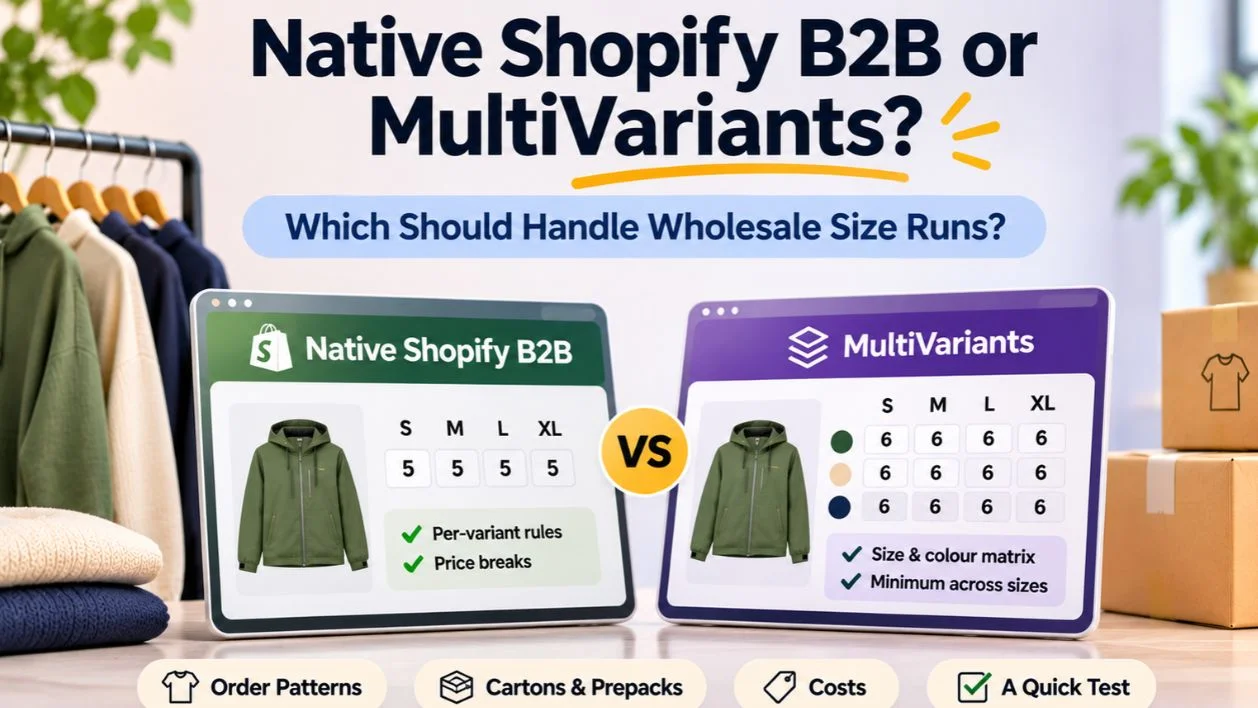
Use Shopify's native B2B for size runs if every size sells on its own terms: its own minimum, its own step and its own price break. Add an app such as MultiVariants when your rules count the whole style or colour: a minimum across sizes, at least so many per colour, or cartons on the total. Neither handles fixed-ratio prepacks, which need prepack SKUs, bundles or ERP logic.
That's the short answer. This guide works through it by how fashion brands actually sell sizes, because "size runs" covers at least five different order patterns, and the right tool is different for each. We make MultiVariants, so we've tried to be clear about when you don't need it.
This post is the apparel follow-up to our guide Shopify B2B bulk ordering: how native features and apps split the work. That guide explains what native B2B includes on each plan and why its rules count each variant on its own. If you're still deciding whether you need an app at all, start with Shopify default settings vs B2B wholesale app. We won't repeat either one here. This post applies them to one question: how should a fashion brand handle size runs?
Key takeaways
Native B2B already gives fashion brands companies, catalogs, payment terms and rules for each size. What it can't do is count sizes together.
In apparel every size is a variant, so "minimum 12 per style" becomes 12 of every size, and a 48-unit price break doesn't apply to 48 mixed sizes (Shopify Help Center).
Decide by order pattern: open stock per size, open stock per style, cartons, prepacks, and opening orders vs reorders.
MultiVariants adds a size and colour matrix (Standard, $12.99 a month) and combined-total, per-option and step rules (Professional, $29.99 a month). It doesn't create fixed size ratios.
Custom code is worth it mainly for Plus stores with rules no app covers, such as prepack allocation from an ERP.

Step 1: Name your order pattern
Before comparing tools, write down how buyers order each style. Most fashion brands use one or two of these patterns.
Pattern A: Open stock, rules per size
Buyers order any sizes, and each size has its own terms: "minimum 2 per size", "price break at 10 of a size". This is common for basics, socks and accessories with few sizes.
Pattern B: Open stock, rules per style or colour
Buyers order any sizes, but the rule is on the total: "12 per style in any sizes", "at least 6 per colour". This is the most common pattern for boutique wholesale.
Pattern C: Cartons
Buyers order in multiples of a carton, counted on the style or colour total: "any sizes, in sixes per colour".
Pattern D: Prepacks
Buyers order fixed size ratios, such as 1-2-2-1 across S, M, L and XL. The pack is the unit.
Pattern E: Opening order vs reorder
Different rules at different points in the season. Prepacks or minimums for opening orders, open stock for reorders. Our post on opening orders vs reorders covers why these flows differ.
Write the pattern next to each style or product type. If everything is Pattern A, you can probably stop reading and use native B2B.
Step 2: What native Shopify B2B does for size runs
Native B2B gives you a lot, and for Pattern A it's often all you need. We list everything it includes, plan by plan, in Shopify B2B bulk ordering, and Shopify quantity rules vs apps covers how the rules work in general. For size runs, only two features matter: quantity rules (a minimum, maximum and increment for each variant) and volume pricing (up to 10 price breaks per product, applied to each variant, with break quantities above the minimum and a multiple of the increment). Both come from the Shopify Help Center.
What that means for apparel:
"Minimum 12 per style" becomes 12 of every size.
A carton step of 6 becomes 6 of every size.
A 48-unit tier doesn't apply to 48 mixed sizes, because each size has to reach 48 on its own.
There's no prepack or ratio setting.
Native B2B also applies only to buyers logged in through a company. If retail customers can buy in bulk on the same store, native rules don't touch them.

Step 3: What MultiVariants adds
MultiVariants is our bulk order app. According to its Shopify App Store listing on 11 November 2026:
Starter (free): variant list with quantity inputs and one-click bulk add to cart, stock display and out-of-stock badges, up to 2,048 variants.
Standard ($12.99 a month, or $124.70 a year): list, grid and matrix layouts, B2B catalog pricing for wholesale orders, a global cart minimum, customer eligibility and login restrictions, and volume discounts through DiscountRay.
Professional ($29.99 a month, or $287.90 a year): minimum and maximum per variant or as a combined total across variants, minimum quantity per option (such as at least 12 red), limits on the number of variants per order, incremental step and bundle quantities, custom options and file upload, volume discounts, and minimum or maximum cart value per product.
Both paid plans have a 14-day free trial. Rules apply on the product page for any customer the rule targets, not only B2B company buyers.

What it doesn't do: fixed size-ratio prepacks. And rules run on your storefront and checkout, so orders a rep creates as drafts in Shopify admin aren't checked by them.
For tiers on the style total, pair it with DiscountRay (also ours): quantity tiers on the free plan, B2B prices by customer group or tag on Growth ($14 a month), and by company or customer list on Pro ($29 a month).
Step 4: Decide by pattern
Here's how each order pattern maps to native B2B, MultiVariants and custom work.
Order pattern | Native B2B | Native + MultiVariants | Custom |
|---|---|---|---|
A: Open stock, rules per size | Best fit | Only if you want the matrix layout | Not needed |
B: Open stock, rules per style or colour | Can't count the total | Best fit (Professional) | Plus only, rarely worth it |
C: Cartons on the style or colour total | Steps per size only | Test step and per-option rules | Plus only |
D: Fixed-ratio prepacks | Prepack SKUs or bundles | Prepack SKUs or bundles | ERP or custom allocation |
E: Opening order vs reorder | Separate catalogs, per-size rules | Different rules by customer group or product | When rules depend on dates or contracts |

Pattern A in practice
A sock brand sells open stock, minimum 6 pairs per size, price break at 24 of a size. Every rule is per size. Native B2B covers it: per-variant minimum 6, increment 1, price break at 24. The quick order list lets buyers enter all sizes on one page. No app needed. If buyers find the quick order list awkward for many colours, a matrix layout is the only reason to add an app.
Pattern B in practice
A jacket brand sells to boutiques with "12 per style, any sizes, and at least 6 in each colour you choose". Native can't count the style total. MultiVariants Professional sets a combined minimum of 12 on the product and a minimum per option of 6 on each colour. Remove any native per-variant minimum on the same product, or the two will conflict and block valid orders.
Pattern C in practice
A knitwear brand packs one colour per carton of 6, sizes mixed. The rule is "each colour's total in multiples of 6". Native increments would demand 6 of every size. In MultiVariants, test whether a step on the total or a per-option rule gives the behaviour you want, because "steps on each colour's total" is more specific than "steps on the product total". If no setting matches exactly, sell colour cartons as their own variant ("Black carton, 6 mixed") or use custom logic.
Pattern D in practice
A swimwear brand sells opening orders in 1-2-2-1 prepacks. No app on this list sets a fixed ratio. The practical options are a prepack SKU per colour, a fixed bundle that draws from loose sizes, or allocation in an ERP. MultiVariants can still handle the open-stock reorders later in the season. Our post on where fashion wholesale orders go wrong compares the three prepack models.
Pattern E in practice
A brand wants minimums of 24 per style for opening orders until March, then open stock with a minimum of 6 per colour. Native B2B can separate buyer groups by catalog but not change rules by date. Options: switch rules manually at a set date, use separate products for pre-book styles, or build custom logic on Plus. Pick the simplest one your team will actually maintain.
Step 5: When custom code makes sense
Custom rules are possible with Shopify Functions, such as Cart and Checkout Validation. Only Shopify Plus stores can run custom apps that use Functions; public App Store apps that use Functions work on every plan (shopify.dev).
Custom work is worth considering when:
You're on Plus, and
Your rules depend on data Shopify doesn't hold, such as prepack definitions or contract terms in an ERP, or
Your rules change by buyer contract in ways an app's settings can't express.
Budget for upkeep every time Shopify changes an API version, and make sure the logic is documented. If the developer who built it leaves, undocumented rules become a liability. For what an agency should test and hand over, see The Wholesale Size-Run Playbook.
Other apps worth comparing
MultiVariants isn't the only app that sets order minimums. Several apps on the Shopify App Store handle minimums and limits, and our posts compare MultiVariants with MinMaxify and with Melon MOQ alternatives. When you compare any of them for size runs, test the same five things on one real style:
A minimum on the combined total across sizes.
A minimum per colour.
Steps on the colour or style total.
A size-by-colour grid on the product page.
Whether the rules hold in the cart and at checkout.
The app that passes all five on your theme is the right one, whichever it is.
Costs side by side
For a year, the numbers look like this:
Native B2B: no extra cost on Basic and up.
MultiVariants Standard: $12.99 a month ($124.70 a year), for the matrix layout and global cart minimum.
MultiVariants Professional: $29.99 a month ($287.90 a year), for combined-total, per-option and step rules.
DiscountRay Growth: $14 a month ($134.40 a year), for tiers on the style total and B2B prices by group or tag.
Custom: quoted per project, plus maintenance.
A brand in Pattern B that needs combined minimums and style-total tiers pays about $44 a month on monthly plans for MultiVariants Professional and DiscountRay Growth. That's the figure to weigh against a custom build.
Running both: how native and an app share a store
Most brands that add MultiVariants keep native B2B for what it does well. It's the same "native plus an app" split we describe for wholesale in general in Shopify default settings vs B2B wholesale app, applied to size runs. A typical split:
Shopify: companies, locations, payment terms, catalogs and trade prices.
MultiVariants: the order form and the rules that count across sizes.
DiscountRay: tiers on the style total, if needed.
Two rules keep this clean. First, each rule lives in one place: don't set a native minimum and an app minimum on the same product. Second, test as each buyer group after any change, because catalogs decide which prices a buyer sees and the app decides which quantities they can order.
A 15-minute decision
Write each rule in one sentence, such as "minimum 12 per style, any sizes".
Mark each rule "per size" or "per style or colour".
If every rule is per size, use native B2B. Stop.
If any rule is per style or colour, try MultiVariants Professional on the free trial with one real style.
If you sell prepacks, decide on prepack SKUs, bundles or ERP allocation before looking at custom work.
If rules change by date or contract and you're on Plus, get a custom quote and compare the one-year cost.

A worked example: one brand, three patterns in one season
Most brands don't sit neatly in one pattern. Here's a made-up but typical case: a women's outerwear brand with 40 styles, about 120 wholesale accounts and a Shopify Grow plan. Its spring season includes three kinds of product, and each one points to a different tool.
Core basics: Pattern A
The brand sells a plain merino base layer in six sizes. Retailers reorder it every few weeks, usually a handful of each size they've sold out of. The rule is simple: a minimum of 2 per size, in steps of 2, because the warehouse packs base layers in pairs. Every rule is per size, so native B2B covers it. The brand sets the quantity rule on each variant in its wholesale catalog and adds two price breaks: a lower price at 10 per size and again at 20. No app is needed for this line.
Fashion jackets: Pattern B
The new rain jacket comes in four colours and seven sizes. The brand wants retailers to commit to a colour, so the rule is "at least 12 per colour, any sizes". A boutique might take 1 XS, 2 S, 4 M, 3 L and 2 XL in navy. That's 12 navy jackets, but no single size reaches anything like 12, so a native rule can't express it. This is where MultiVariants Professional earns its fee: a minimum per option of 12 on the colour, with the matrix layout so the buyer can see all 28 variants at once. If the brand also wants a better price at 36 jackets across colours, DiscountRay can count the style total for the tier.
Opening order bundles: Pattern D
For the launch, the brand offers a "starter pack" for new stockists: the rain jacket in navy, one each of S to XL plus an extra M and L. That's a fixed ratio, and neither native B2B nor MultiVariants creates fixed ratios. The brand's options are a separate prepack SKU that the warehouse picks as one unit, or a fixed bundle of loose sizes. Because the warehouse picks loose units anyway, a fixed bundle works and stock stays accurate per size.
What the brand ends up running
Native B2B for companies, catalogs, payment terms, the base layer rules and the base layer price breaks.
MultiVariants Professional for the jacket matrix and the 12-per-colour rule.
DiscountRay Growth only if style-total tiers matter for the season.
A fixed bundle for the starter pack.
The lesson is that "native or app" is rarely one decision for the whole store. It's a decision per product line, and most brands with a fashion range need both.
Moving from native rules to an app (and back)
Brands often start native and add an app when a rule doesn't fit. The switch is easy to get wrong because two systems end up checking the same cart. Here's a safe order:
List every product with a native quantity rule or price break, and write down what each one does.
Decide which of those rules the app will own. Only move rules that need counting across sizes or colours.
Set up the app rules on one style first, with the native rule still in place, and test in a preview or with a test company.
Remove the native rule on that style, then test again as a buyer.
Repeat style by style. Don't move the whole catalog in one evening.
Update your buyer-facing terms page and the messages reps send, so the rule buyers read matches the rule the cart enforces.
Going the other way, from an app back to native, is the same list in reverse. It happens when a brand simplifies its terms, for example dropping colour minimums after a slow season. Check that you aren't leaving app rules active on products you've moved back to native, since a leftover rule will block orders that look valid to the buyer.
Retail and wholesale on one store
Many fashion brands sell retail and wholesale from the same Shopify store. That's fine, but it changes how you set rules. Native B2B rules belong to catalogs, so they only reach the companies assigned to them. Retail shoppers never see them. App rules depend on how you scope them. MultiVariants has eligibility and login rules on its paid plans, so you can show the matrix and the minimums only to logged-in wholesale customers or to customers with a tag.
The risk is a rule that leaks. A retail shopper who lands on the rain jacket and is told to buy 12 navy jackets won't come back. So after any change, place two test orders: one as a wholesale buyer, one as a guest. If the guest sees a wholesale rule or a wholesale price, fix the scope before going live. On non-Plus plans, also remember the limit of three active catalog assignments, which caps how many separate wholesale price lists you can run natively.
Questions to ask before you install anything
A short list to work through with your team, or with an app's support, before you commit:
Which rules count each size on its own, and which count the style or colour total?
Do the rules change between opening orders and reorders?
Who places orders: buyers on the storefront, reps through draft orders, or both?
Do any products sell as fixed-ratio prepacks?
How many separate wholesale price lists do you need?
Will retail shoppers use the same product pages?
Who on your team will change the rules each season?
If the answers are "per size", "no change", "buyers", "no", "three or fewer", "it doesn't matter" and "anyone", you probably don't need an app. Each other answer is a reason to test one.
If you're not sure you need a bulk order form at all, Do you still need a bulk order app? walks through that question for any catalog.
Signs you've outgrown native rules
Many brands start with native B2B and only notice the limits once wholesale grows. These signs usually mean it's time to test an app:
Staff approve orders by hand because a minimum was set to 1.
Buyers email to ask why their price break didn't apply to mixed sizes.
Reps keep a separate list of "real" minimums that the store doesn't enforce.
Wholesale orders are often edited after checkout to fit cartons.
Buyers send spreadsheets instead of ordering online, even with an account.
Any one of these is worth a look. Two or more usually means the time spent fixing orders by hand already costs more than a monthly app fee. Count edited orders for one month before you decide, so you have a number to compare against after the change.
Common mistakes when choosing
Choosing for opening orders only, then finding reorders need different rules mid-season.
Setting a native minimum to 1 "temporarily" and checking style minimums by hand indefinitely.
Adding an app for the matrix layout when the quick order list would do.
Running native and app minimums on the same product.
Assuming an app handles prepacks because it handles "bundle quantities".
Forgetting that draft orders from reps aren't checked by storefront rules.
What to test before you commit
Whichever route you choose, test it on one real style before rolling out:
Order the style to a real buyer's size curve.
Order one unit under each minimum and check the message.
Reach the first tier with mixed sizes.
Edit the cart after meeting the minimum.
Order as a retail customer and confirm no wholesale rules appear.
Do it all on a phone.
FAQ
Can native Shopify B2B set a minimum across sizes?
Does MultiVariants replace Shopify B2B?
Which MultiVariants plan do I need for size runs?
Can anything handle fixed-ratio prepacks?
Do I need Shopify Plus?
Can native price breaks count mixed sizes?
Do app rules apply to draft orders from sales reps?
Can I use different minimums for opening orders and reorders?
Will an app slow down my product pages?
Can I try MultiVariants on one style first?

Anika Anamta Mehnaz
This article is written by Anika Anamta Mehnaz, a Content Writer and Content Marketing Strategist specializing in Shopify, eCommerce, and SaaS. With over four years of content writing experience, she creates SEO and AI search-optimized content that helps Shopify merchants make better business decisions through practical, research-backed insights. Her work covers Shopify apps, product variants, bundles, discounts, B2B commerce, and conversion-focused strategies. Outside of work, Anika enjoys watching anime, reading John Grisham novels, and discovering new ideas in digital marketing and e-commerce. If you enjoy discussing Shopify, content marketing, or online growth, feel free to connect with her. Twitter: https://x.com/mehnaz2201 Medium: https://medium.com/@mehnaz_78932
Keep reading
View all articles →
The Wholesale Size-Run Playbook: Stop Collecting Orders in Spreadsheets
November 11, 2026 • 17 min read

The Size-Run Problem: Shopify Agencies That Make Fashion Wholesale Orders Less Painful
November 11, 2026 • 18 min read
One Jacket, Twelve Sizes, Forty Cartons: Where Fashion Wholesale Orders Go Wrong
November 11, 2026 • 18 min read