On this page
- Key takeaways
- Stage 1: Requirements
- The six questions
- Two questions that catch most surprises
- Turning a vague rule into a testable one
- Get the data, not just the rules
- Name the systems
- Running the requirements workshop
- Questions for the warehouse
- Stage 2: Build order
- 1. Companies and catalogs
- 2. The order form
- 3. Quantity rules
- 4. Prices
- 5. Messages
- If you're building custom rules
- Stage 3: Edge cases
- Cart edits
- Express checkout and Buy it now
- Draft orders
- Sold-out sizes
- Prepacks
- Markets and currencies
- Mixed catalogs
- Mobile
- Stage 4: The 15-test QA script
- How to record results
- Test data that makes testing faster
- Worked example: one jacket style
- Messages buyers should see
- Launch: start with a handful of buyers
- Estimating the work honestly
- Stage 5: Handoff
- A rule sheet
- The dated test log
- A "not enforced" list
- A change guide
- Training the brand's team
- Signs the setup is working
- Common mistakes
- When a test fails
- Re-testing over a season
- Where the brand might need more
- FAQ
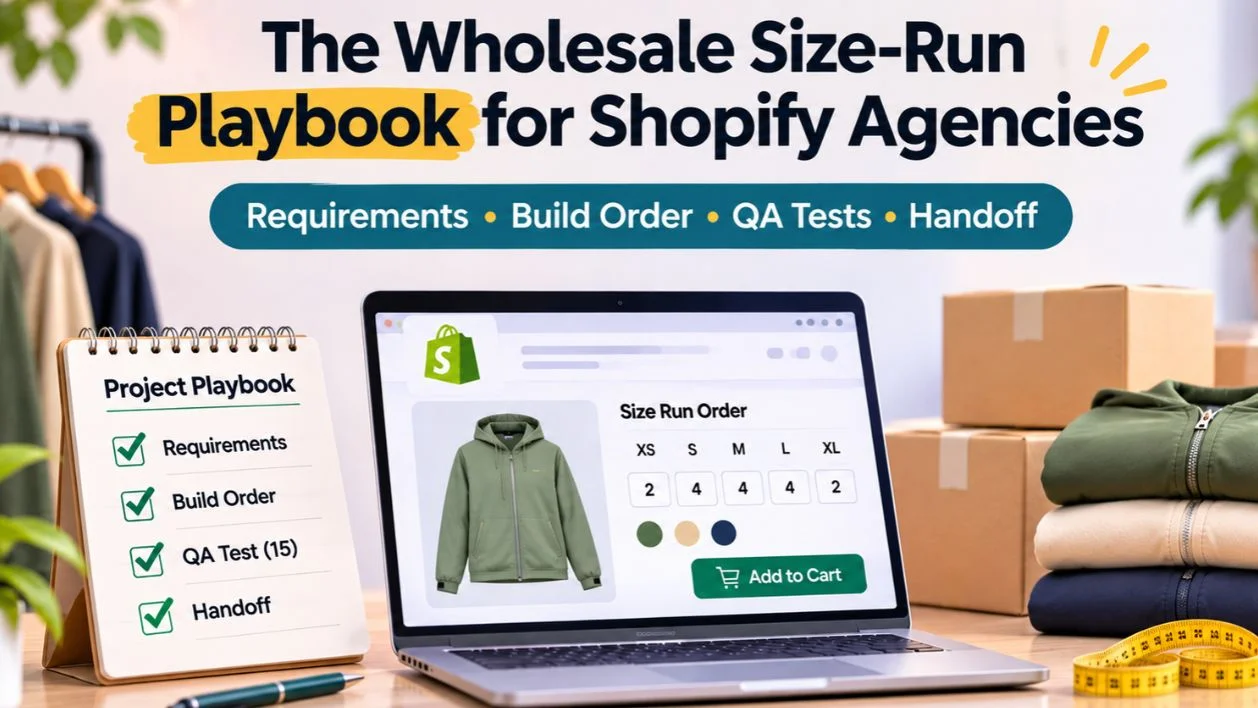
A fashion brand's wholesale setup is finished when a buyer can order a full style across sizes, meet the brand's rules, and get the right price, without anyone editing the order afterwards. Until then, buyers keep emailing spreadsheets, and someone keeps re-typing them.
This playbook is for the agencies, freelancers and in-house developers who build that setup on Shopify. It isn't a click-by-click setup guide; our MultiVariants post on setting up Shopify B2B bulk ordering covers the screens. This is the part around the setup: how to turn a brand's vague rules into testable ones, what order to build in, the edge cases that catch teams out, a 15-test QA script with pass and fail criteria, and what to hand over so the brand can run it next season.
Key takeaways
Most size-run projects fail on requirements, not code. Turn "12 minimum" into a rule a system can check: per style, per colour or per size.
Shopify's native quantity rules and price breaks count each variant on its own. Most fashion rules count the style or colour total, so they need an app or custom logic.
Build in this order: companies and catalogs, then the order form, then rules, then prices, then messages.
Test as a real wholesale buyer, including cart edits, express checkout, draft orders, sold-out sizes and mobile.
Hand over a rule sheet, a dated test log and a "not enforced" list. Without them, the brand can't change anything safely.
Stage 1: Requirements
Brands rarely describe rules the way systems need them. They say "12 minimum, cartons of 6, 10% off at 48". Each of those has at least three possible meanings. Your first job is to pin them down.

The six questions
Ask these for each style or product type, and write the answers in a sheet the brand signs off:
Sell mode. Open stock, cartons or prepacks? Does it change between opening orders and reorders?
Minimum basis. Per style (all sizes and colours), per colour, or per size?
Step. Is there a carton or pack step? On the style total, the colour total, or each size?
Price-break basis. Do tiers count the style total, the colour total, or each size? Which buyers get them?
Buyer groups. Which companies or customer groups get which catalog, rules and prices?
Odd quantities. If a buyer is between steps, do you block, round up with a message, or allow and confirm?
Two questions that catch most surprises
Ask the brand directly: "Can a buyer order 2 of one size?" and "Does the 48-unit price apply to 48 mixed sizes?" If the answer to the first is yes but there's a minimum, the minimum is on the style or colour. If the answer to the second is yes, native volume pricing won't do it on its own, because it needs the quantity on each variant (Shopify Help Center).
Turning a vague rule into a testable one
Here's how one sentence from a brand becomes something you can build and test. The brand says: "Wholesale minimum is 12, and we sell in sixes."
"Minimum is 12" becomes: minimum 12 units per style, counted across all sizes and colours, for boutique buyers only.
"We sell in sixes" becomes: quantities in steps of 6 on each colour's total, because the warehouse packs one colour per carton.
Implied rule: a buyer can order 2 of one size, as long as the colour total is a multiple of 6.
Message: "Black ships in cartons of 6. You have 8. Add 4 more or remove 2."
Test: order 8 black across three sizes; expect the message. Order 12 black across three sizes; expect success.
If you can't write the message and the test, the rule isn't clear yet.
Get the data, not just the rules
Ask for a real export of last season's wholesale orders. You'll learn the actual size curves, how often orders break the stated rules, and which exceptions reps grant. A rule nobody followed last season will cause problems if you enforce it strictly now.
Name the systems
List every system the order touches after checkout: ERP, retail POS, 3PL, accounting, PLM. Ask what each needs to receive, and in what format. This is where scope creeps if you find out late.
Running the requirements workshop
An hour with the right people saves weeks later. Invite the wholesale manager, someone from the warehouse, a sales rep, and whoever owns the ERP or back office. Each sees a different version of the rules, and the workshop is where they find out they disagree.
Work through one real style on screen, not the catalogue in general. Ask the rep how they'd describe the rules to a buyer. Ask the warehouse how that style is actually packed. Ask the wholesale manager what exceptions they approved last season. Write each answer into the sheet in front of everyone. Where answers conflict, write both and agree a decision before you leave the room.
End with three lists: rules the store will enforce, rules people will enforce by hand, and open questions with an owner and a date. That third list is normal. What matters is that it's written down.
Questions for the warehouse
The warehouse is often left out of requirements, and it's where size-run rules become physical. Ask:
How is each style stored: loose by size, in cartons, or in prepacks?
What's the smallest unit you'll pick without splitting a pack?
Do you ever break prepacks to fill orders, and who adjusts stock when you do?
What does a picker need on the order to pick a size run without errors?
How are short shipments recorded and communicated?
The answers decide whether a carton rule is on the colour total or the style total, and whether prepacks can safely be bundles of loose stock.
Stage 2: Build order
The order you build in decides how easy the project is to test. Building rules before catalogs, or prices before rules, means you can't check one against the other.

1. Companies and catalogs
Create B2B companies, locations and catalogs in Shopify. On Basic, Grow and Advanced you get three active catalog assignments across all markets; Plus has no limit and can assign catalogs to individual companies. If the brand has more buyer groups than catalog assignments allow, decide now whether some groups share a catalog and differ only by app rules.
2. The order form
Decide how buyers enter a size run. Shopify's B2B quick order list lists a product's variants with quantity boxes and works on compatible themes. For a size-by-colour grid, a bulk order app such as MultiVariants (Standard plan, $12.99 a month) adds list, grid and matrix layouts. Pick one and stick to it across the catalogue.
3. Quantity rules
If every rule is per size, use native per-variant minimums, maximums and increments. If any rule counts the style or colour total, use an app (MultiVariants Professional, $29.99 a month, sets minimums and maximums on the combined total, a minimum per option, variant-count limits and step quantities) or custom logic. Don't run native and app rules on the same product unless you've tested how they interact; conflicting rules block valid orders.
4. Prices
Catalog prices for each buyer group in Shopify. For tiers on the style total, use a pricing app such as DiscountRay (tiers on the free plan; B2B prices by group or tag on Growth, $14 a month; by company on Pro, $29 a month), or custom logic.
5. Messages
Write the product-page and cart messages for every rule, in the brand's voice. Writing messages last is deliberate: you'll find gaps in the rules while writing them, which is cheaper than finding them after launch.
If you're building custom rules
Custom validation is possible with Shopify Functions, such as the Cart and Checkout Validation API. Only Shopify Plus stores can run custom apps that use Functions; public App Store apps that use Functions work on every plan (shopify.dev). Budget for maintenance every time Shopify changes an API version.
Stage 3: Edge cases
These are the situations that pass a happy-path demo and fail in the first week of real orders. Decide the expected behaviour for each before testing.

Cart edits
A buyer meets the minimum on the product page, then lowers one size in the cart. Rules checked only on the product page miss this. The cart and checkout must re-check.
Express checkout and Buy it now
Accelerated checkouts can skip the cart page. If a rule is only enforced on the cart page, these buttons get round it. Either hide them for wholesale buyers or make sure checkout validates.
Draft orders
Orders a rep creates in Shopify admin don't go through the storefront, so storefront rules don't apply. Tell the brand which rules reps must check by hand, or have reps order through the storefront logged in as the buyer.
Sold-out sizes
A grid should disable the sold-out size, not hide the whole colour row. Hiding the row makes buyers think the colour is gone. If the brand allows backorders on some sizes, show that clearly.
Prepacks
Neither Shopify nor MultiVariants has a fixed size-ratio setting. If the brand sells prepacks, they're usually their own SKUs or bundles. Put them on the "not enforced" list if staff can break packs, and test what happens when a size inside a pack is sold out.
Markets and currencies
If tiers or minimum order values are set in one currency, check them in every market the brand sells to. Rounding can push an order just under a threshold.
Mixed catalogs
If a buyer belongs to a company with its own catalog and also sees a general catalog, check which price wins. Shopify shows the lowest eligible price when catalogs overlap.
Mobile
A 6-colour, 8-size grid is 48 boxes. On a phone, check that buyers can see which colour and size each box belongs to without scrolling sideways and losing the headers.
Stage 4: The 15-test QA script
Run every test logged in as a wholesale buyer, then repeat the relevant ones as a retail customer to make sure wholesale rules don't leak. A test passes only if the buyer sees the right message and the order arrives in admin unchanged at the expected price.
# | Test | Pass if |
|---|---|---|
1 | Order one style across four sizes, meeting the style minimum | Order goes through; total and price correct |
2 | Order one unit under the style minimum | Blocked with a message that says how many to add |
3 | Order a colour under its per-colour minimum | Blocked with a colour-specific message |
4 | Order a quantity between carton steps | Blocked or rounded, as the rule sheet says |
5 | Reach the first tier with mixed sizes | Tier applies on the product page, cart and order |
6 | Reduce one size in the cart below the minimum | Cart or checkout blocks it |
7 | Use express checkout or Buy it now | Rules still enforced at checkout |
8 | Order with one size sold out | That size disabled; others orderable |
9 | Order a prepack, then check loose stock | Stock counts match the prepack model |
10 | Reorder last month's order | Rules re-checked; price is today's price |
11 | Order as each buyer group | Correct catalog price and rules per group |
12 | Order in each market and currency | Thresholds hold after conversion |
13 | Retail customer views the product | No wholesale prices, rules or grid visible |
14 | Rep creates a draft order breaking a rule | Known gap recorded; rep process followed |
15 | Complete test 1 on a phone | Grid readable; order completes |

How to record results
For each test, record the date, the tester, the buyer account used, pass or fail, and a screenshot of the message or the finished order. Keep the log in a shared sheet. You'll run it again after every theme update, app update and new season, and the comparison is how you spot a regression.
Test data that makes testing faster
Set up two or three dedicated test companies, one per buyer group, with real-looking addresses and payment terms. Pick one style with every awkward feature: many sizes, a sold-out size, a prepack, and a tier. Use the same style every time you test, so results are comparable.
Worked example: one jacket style
Here's how the requirements turn into settings for a made-up brand. It sells a rain jacket in 3 colours and 8 sizes to boutiques and distributors. Boutiques must buy 12 per style in any sizes, in steps of 6 on the colour total. Distributors must buy 48 per style. Both get 10% off from 24 units of the style.
Rule | Where it's set | Setting |
|---|---|---|
Boutique trade price | Shopify catalog for boutique companies | Catalog price list |
Distributor trade price | Second Shopify catalog | Catalog price list |
12 per style, any sizes | App combined-total minimum | Min 12 on product total, boutique group |
48 per style | App combined-total minimum | Min 48, distributor group |
Steps of 6 per colour | App per-option rule or step | Confirm it counts each colour's total |
10% from 24 units | Pricing app tier by product | 24+ = 10%, both groups |
Sold-out sizes | Order form | Disable the box, show "sold out" |
Building in order matters here. If you set the tier before the catalogs, you can't check the 10% comes off the right trade price. If you write the messages last, you'll notice that "steps of 6 per colour" needs a message per colour, not one per style.
Messages buyers should see
Every rule needs a plain message at the moment it's broken. Examples you'd adapt to the brand's voice:
"This style has a minimum of 12 in any sizes. You have 9."
"Black ships in cartons of 6. Add 1 more or remove 5."
"Order 24 or more of this style, in any sizes, for 10% off."
"Size XS is sold out in olive. You can still order the other sizes."
Test that each one appears at the right moment, on desktop and mobile, and in every language the store uses.
Launch: start with a handful of buyers
Don't open wholesale ordering to every account on day one. Invite five to ten friendly buyers who order often and will tell you what's wrong. Give them a short note: what's new, what the rules are, and who to contact. Ask each to place a real order within the first week.
Watch those orders closely. Check every one in admin against the rule sheet, and ask each buyer one question afterwards: "Was there anything you had to work around?" Most launch problems come from that question, not from the test log, because real buyers order in ways testers don't think of.
Fix what you find, re-run the affected tests, then widen the invite list in stages. Keep the old ordering route, usually email, open in parallel for the first few weeks, but stop re-typing emailed orders once the online route works. Otherwise buyers have no reason to switch.
Estimating the work honestly
Size-run projects are often under-scoped because the storefront looks simple. When you quote, count the work in each stage separately:
Requirements: the workshop, the rule sheet and sign-off.
Setup: companies, catalogs, the order form, rules and prices. Mostly configuration if apps cover the rules.
Custom logic: only for rules no app covers, plus ongoing maintenance.
Integrations: usually the biggest line when there's an ERP or retail system.
Testing: two full runs of the 15 tests plus the soft launch.
Handoff: the four documents and a training session.
If a brand pushes back on the testing and handoff lines, explain that they're what stop the project coming back as support tickets every season.
Stage 5: Handoff
The project is done when the brand can run and change it without you. Hand over four things.

A rule sheet
Every rule, where it's set (Shopify, which app, custom code or ERP), who can change it, and how. Include the buyer groups each rule applies to.
The dated test log
The 15 tests with results, screenshots and the date. Tell the brand when to re-run it: after theme updates, app updates, and before each new season.
A "not enforced" list
What the system doesn't check: draft orders, prepack breaking, exceptions reps can grant. Knowing the gaps is as important as knowing the rules.
A change guide
How to add a new style, change a minimum, add a buyer group, or change a tier. Step by step, with screenshots. This is what lets the brand avoid a support ticket every season.
Training the brand's team
Documents only help if people use them. Book an hour with the brand's wholesale team before handoff and walk through three tasks live, with them driving:
Add a new style to the wholesale catalogue, with its size run, minimum and tier.
Change a carton step on an existing style and re-run the matching tests.
Handle an exception: a buyer asks for 10 when the minimum is 12. Where is that approved, and how is it recorded?
Record the session. New staff will watch it next season, and it's often the most-used thing you hand over.
Signs the setup is working
A month after launch, look for these:
Wholesale orders edited after checkout are close to zero.
Fewer orders arrive by email, and reps aren't re-typing them.
Buyers reorder online without contacting anyone.
The test log has been run at least once by someone on the brand's side.
If edited orders are still common, read them. Each one points to a rule that's either wrong, missing or not explained to buyers.
Common mistakes
Mistake | Result | Fix |
|---|---|---|
Native minimum of 12 on a sized product | Buyers must take 12 of each size | Minimum on the combined total |
Increment of 6 on each size | 48 units minimum across 8 sizes | Step on the total, or carton SKUs |
Price break per variant | No tier on mixed sizes | Tier by product total |
Rules only on the product page | Cart edits slip through | Validate in cart and checkout |
No message copy | Buyers see a generic error | One message per rule |
Native and app rules on the same product | Valid orders blocked | Use one source per rule |
When a test fails
Failures are normal on the first run. What matters is how you handle them, because the way you record and fix them is what the brand sees.
Record the failure with a screenshot and the buyer account used, before changing anything.
Decide whether the rule sheet or the setup is wrong. Often the rule was never clear, and the brand has to decide.
Fix one thing at a time, then re-run the failed test and every test that touches the same rule.
If a rule can't be enforced with the tools agreed, move it to the "not enforced" list and tell the brand in writing, with the reason and the manual workaround.
Keep failed results in the log, marked as fixed with the date. A log that only shows passes isn't believable.
Brands trust a setup more when they've seen it fail and be fixed than when it passes everything on the first try.
Re-testing over a season
A size-run setup doesn't stay correct by itself. Themes update, apps update, the brand adds styles and changes rules. Agree a simple schedule with the brand:
Before each season: run all 15 tests on the new season's key styles.
After any theme or app update: run tests 1, 2, 5, 6, 7 and 13.
After a rule change: run every test that touches that rule.
Monthly: count orders edited after checkout. If the number rises, something's slipped.
Where the brand might need more
Some needs go beyond this playbook: ERP-driven allocation, prepack logic tied to warehouse stock, rules that differ per contract, or a separate wholesale store. Those usually need integration work and are worth scoping separately. For the merchant side of the prepack and carton problem, see where fashion wholesale orders go wrong. For a list of agencies with published fashion wholesale projects, see our shortlist of Shopify agencies for fashion wholesale.
FAQ
How long does a size-run setup take?
Can native Shopify B2B handle size runs without an app?
Where should quantity rules be enforced?
Do these tests work with any app?
What about prepacks?
Should we launch wholesale ordering to all buyers at once?
Who should own the rule sheet after launch?

Anika Anamta Mehnaz
This article is written by Anika Anamta Mehnaz, a Content Writer and Content Marketing Strategist specializing in Shopify, eCommerce, and SaaS. With over four years of content writing experience, she creates SEO and AI search-optimized content that helps Shopify merchants make better business decisions through practical, research-backed insights. Her work covers Shopify apps, product variants, bundles, discounts, B2B commerce, and conversion-focused strategies. Outside of work, Anika enjoys watching anime, reading John Grisham novels, and discovering new ideas in digital marketing and e-commerce. If you enjoy discussing Shopify, content marketing, or online growth, feel free to connect with her. Twitter: https://x.com/mehnaz2201 Medium: https://medium.com/@mehnaz_78932
Keep reading
View all articles →
The Size-Run Problem: Shopify Agencies That Make Fashion Wholesale Orders Less Painful
November 11, 2026 • 18 min read

One Jacket, Twelve Sizes, Forty Cartons: Where Fashion Wholesale Orders Go Wrong
November 11, 2026 • 18 min read

Shopify Wholesale Setup: The Full B2B Journey, From First Quote to Reorder (2026)
November 6, 2026 • 17 min read