On this page
- Key takeaways
- The problem every small bakery describes
- Inventory and capacity are two different numbers
- First, work out your real daily capacity
- The native workaround, and where it breaks
- What OrderRules adds
- Order date or pickup date: the setting that matters most
- Lead time: the other half of capacity
- Three bakery setups
- A one-oven sourdough bakery
- A celebration cake studio
- A bakery that also supplies cafés
- How to set a bakery daily order limit in about five minutes
- What customers should see when you're full
- How to tell if your limits are right
- What OrderRules can't do
- Use inventory and capacity together
- Busy weeks: holidays and long weekends
- Which one do you need?
- FAQ
Shopify's inventory limits how many of a product you can sell in total. It doesn't limit how many you sell per day or per pickup date, and it doesn't reset on its own. If your real limit is what the kitchen can bake each day, you need a capacity rule, such as a daily order or quantity limit in OrderRules, and inventory stays useful for ingredients and packaged goods.
This post is for bakeries, cake makers and patisseries that sell on Shopify for pickup or local delivery. It explains the difference between stock and capacity, the native workaround many bakers use and where it breaks, and when an app is worth adding. We make OrderRules, so we've also shown what it can't do.
Last checked: 12 November 2026, against the sources linked in this post.
Who this is for: Bakeries, cake makers and patisseries on Shopify that sell for pickup or local delivery and can only bake so much per day.
Disclosure: eFoli makes OrderRules and Push Bundle. The post includes a section on what OrderRules can't do.
Key takeaways
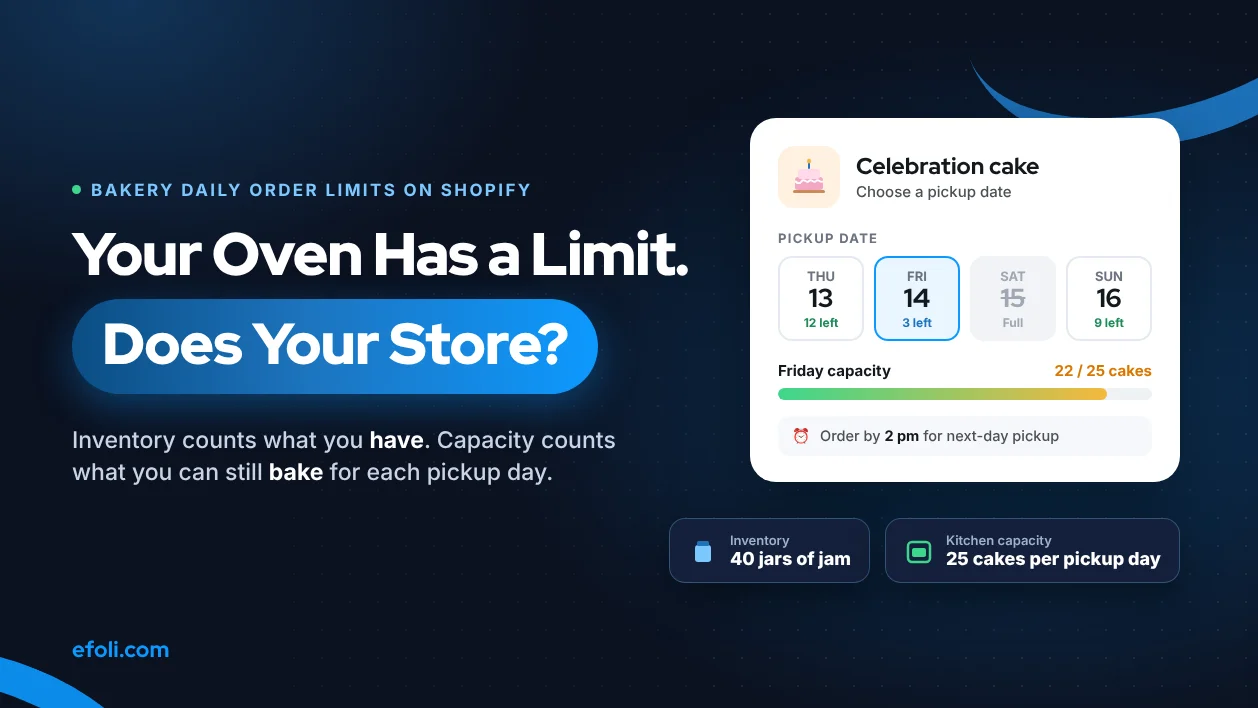
Inventory answers "how many do I have?" Capacity answers "how many can we make by Saturday?" A bakery needs the second number far more often.
The native workaround is to type tomorrow's capacity into inventory every evening. It works for one product and one pickup day. It breaks as soon as customers order for different days.
OrderRules adds daily order limits on its free plan (up to 100 orders a day) and limits per product. On its Advanced plan ($19.99 a month), limits can count by pickup or delivery date instead of the day the order was placed.
Limits are checked at checkout by a Shopify Function, so they hold for Shop Pay, Apple Pay and Buy it now. They don't apply to in-person POS sales.
Use both: inventory for things you stock, capacity rules for things you bake.

The problem every small bakery describes
Read the Shopify Community and the same story comes up again and again. In one 2021 thread, a merchant opening a bakery alone could bake ten cakes a day and wanted to cap that one product, while still taking orders for later days. In another, a cake shop selling Matcha, Earl Grey and Tiramisu cakes wanted one cap on all cakes per pickup date, whatever the flavour, plus an order cutoff and blocked dates. In both threads, nobody offered a native Shopify setting that does this. The answers were apps or custom code.
That's not because Shopify is missing a checkbox. It's because Shopify's inventory model was built for goods sitting on a shelf. A bakery doesn't have a shelf of Saturday cakes. It has an oven, a team and a number of hours.
Inventory and capacity are two different numbers
Here's the difference in one table.
Inventory | Kitchen capacity | |
|---|---|---|
What it counts | Units you already have | Units you can still make for a given day |
When it goes down | When an order is placed | When an order is placed for that day |
When it goes back up | When you restock or an order is cancelled | Every day, or for every new pickup date |
Same for every day? | Yes, one number | No, Saturday is not Tuesday |
Example | 40 jars of jam on the shelf | 30 celebration cakes per pickup day |
Shopify's own help pages describe the inventory side clearly. With tracking on, "an item is out of stock when inventory is tracked and the inventory level is at zero or below", and by default customers can't buy it until you add stock (Shopify Help Center). The "Continue selling when out of stock" option lets you oversell instead. Neither setting knows what day it is.
Pickup is similar. Shopify's pickup in store settings let you choose a processing time per location, which is shown at checkout. They don't give the customer a date or time slot to choose, and they don't cap how many orders a location takes for a given day.
First, work out your real daily capacity
Whatever tool you use, the limit is only as good as the number you put in. Most bakeries guess it, and then guess high on the days that matter. Spend twenty minutes working it out properly.
Capacity is usually set by the slowest step, not the oven. Walk through one normal day and one busy day, and write down the time each step takes for each product.
Step | Celebration cake | Sourdough loaf |
|---|---|---|
Mixing and proofing | Batch of 6, about 1 hour of hands-on time | Batch of 24, mostly waiting time |
Baking | 6 per oven load, 45 minutes | 12 per oven load, 40 minutes |
Decorating or finishing | 40 minutes per cake, one decorator | None |
Packing | 5 minutes per cake | 1 minute per loaf |
Slowest step | Decorating: 1 person, 8 hours, about 12 cakes | Oven: 6 loads, about 72 loaves |
These numbers are an example, not a benchmark. Your recipes and team will differ. The point is the method: find the step that runs out first, then take 10 to 20% off for things that go wrong, like a sick day or a cake that needs remaking.
Two more things to decide before you set any limits:
Which products share a bottleneck. If one decorator does every cake, all cakes share one limit, whatever the flavour. That's a collection limit, not a product limit.
Whether walk-ins come out of the same capacity. If you sell cakes at the counter too, hold some back. Online limits don't know about the cake you sold over the counter at 10 am unless it went through Shopify POS.
Write the numbers down and review them each season. A December team with a temporary helper can make more than a January team. Your limits should change when the team changes.
The native workaround, and where it breaks
Many bakeries start with a clever trick. Each evening, they set the inventory of each cake to tomorrow's capacity. When it hits zero, the cake shows as sold out. The next evening, they type the new number in.
It works when all of these are true:
You sell for one day at a time, usually tomorrow.
One person remembers to update the numbers every evening, including weekends.
Each product has its own capacity, and nothing shares an oven or a decorator.
You don't care whether a cake was ordered for Thursday or Saturday.
It breaks in these situations:
Situation | What goes wrong with the inventory trick |
|---|---|
Customers order for different days | One number can't hold Thursday's 10 and Saturday's 30 at the same time |
Several products share one capacity | Inventory is per product, so 10 lemon and 10 chocolate can both sell when the oven can only bake 15 cakes |
Someone forgets the evening update | The store either sells nothing tomorrow or sells yesterday's leftover count |
You want a cutoff, such as orders by 2 pm for tomorrow | Inventory has no clock |
Holidays and closed days | You have to set every product to zero by hand, then remember to reopen |
A refund or cancelled order | Restocking may or may not put the unit back, depending on what staff choose |
If the inventory trick works for you today, keep it. It's free and simple. The moment you take orders for more than one day, it starts costing you either refunds or apology emails.
What OrderRules adds
OrderRules turns capacity into rules that reset by themselves. Here's what each plan includes, from the App Store listing on 12 November 2026.
Plan | Price | What it adds for a bakery |
|---|---|---|
Free | $0 | Store hours with automatic open and close; holiday calendar; daily order limit up to 100 a day; limits on up to 3 products; checkout validation; storefront widget; 7-day analytics |
Pro | $9.99 a month | Unlimited order and product limits; weekly and monthly caps; per-customer limits; collection limits; email alerts as you near capacity; step quantities and CSV import; 90-day analytics |
Advanced | $19.99 a month | Delivery date picker on product and cart pages; time slots; capacity per date and per slot; lead time, cutoff and weekday rules; blackout dates; scheduled in-store pickup; order tags by date and slot |
Paid plans have a 14-day free trial, and the app has had the Built for Shopify badge since 14 October 2026 (OrderRules changelog).
What those features mean in a bakery:
A daily order limit means the shop stops taking orders once the kitchen is full for the day. It resets at midnight in your store's time zone, so nobody has to type numbers in at night.
A product quantity limit means "no more than 10 celebration cakes today", counted in cakes, not orders. A customer ordering 2 cakes uses 2 of the 10.
A collection limit (Pro) means all cakes in the "Celebration cakes" collection share one cap. That's the Matcha, Earl Grey and Tiramisu problem from the community thread.
A live "X remaining today" counter means regulars see that only 3 sourdough loaves are left and order now instead of tomorrow.
Store hours and a holiday calendar mean checkout closes at your cutoff and on the days you're closed, without hiding your products.
Order date or pickup date: the setting that matters most
This is the part most bakeries miss when they compare apps.
By default, a daily limit counts orders by the day they were placed. That's right for a bakery that only sells same-day or next-day. It's wrong for a cake shop that takes orders up to two weeks ahead, because ten cakes ordered on Monday for ten different Saturdays would all count against Monday.
On the Advanced plan, a product's daily limit can count by delivery or pickup date instead. Then the cap of 30 cakes applies to each Saturday on its own, and the date picker greys out a date once it's full. Two things to know about how this works, from the OrderRules docs:
Delivery and pickup share one cap for that product, so you don't accidentally make 30 for delivery and 30 for pickup.
Weekly and monthly limits still count by order date.
How you sell | Count limits by | Plan you need |
|---|---|---|
Same day or next day only | Order date | Free or Pro |
Orders taken days or weeks ahead for a chosen date | Pickup or delivery date | Advanced |
Fixed pickup windows, such as 9 to 11 am and 2 to 4 pm | Per-slot capacity | Advanced |
If you sell ahead and only have the free plan, a workaround is to limit the order window. For example, open the store each evening only for tomorrow's orders. That keeps order date and pickup date the same.

Lead time: the other half of capacity
A cap stops you taking too many orders. Lead time stops you taking orders too late. A wedding cake ordered at 9 pm for 10 am tomorrow might fit under your daily limit and still be impossible.
Native Shopify has no minimum-notice setting for pickup. The processing time you set for a pickup location is shown to the customer, but it doesn't stop an order for a time you can't meet.
OrderRules handles this in two ways:
Store hours as a cutoff (all plans). If checkout closes at 2 pm, nobody can order after 2 pm for tomorrow morning. This is the simplest option for next-day bakeries.
Lead time and cutoff per product or collection (Advanced). Celebration cakes can need 72 hours' notice while bread needs 12, and orders placed after the cutoff move one day later. You can also choose which weekdays are offered, so only the days you bake for appear in the date picker.
Set lead time by the product, not the store. A rule that gives bread three days' notice will lose you every same-week bread order.
Three bakery setups
A one-oven sourdough bakery
Sells loaves for next-day pickup, about 60 loaves a day across four types.
Setup: Free plan. Store hours close checkout at 4 pm for the next morning. A daily quantity limit on each of the three busiest loaves.
Why it works: Everything is next day, so order date and pickup date match.
Watch out: The free plan covers limits on up to 3 products. A fourth loaf type needs Pro, or a limit on the collection.
A celebration cake studio
Takes orders up to three weeks ahead, with pickup on Friday and Saturday only, and can decorate 25 cakes per day.
Setup: Advanced plan. A pickup rule for Friday and Saturday, a 72-hour lead time, and the cake collection limited to 25 per pickup date.
Why it works: Each Saturday has its own 25. Customers see full dates greyed out on the product page.
Watch out: Set blackout dates for the weeks the studio closes, and copy the store holidays into the delivery calendar.
A bakery that also supplies cafés
Sells retail loaves online and supplies three cafés, who reorder twice a week by the tray.
Setup: Pro plan. Step quantities so café orders come in multiples of 6, and a per-customer limit so a single retail customer can't take a whole tray of the day's croissants.
Why it works: Retail and café buyers share one store but follow different rules.
Watch out: Per-customer limits need customers to log in. Turning them on blocks guest checkout, so decide whether that suits your retail shoppers first.

How to set a bakery daily order limit in about five minutes
These are the steps on the free plan. The labels are from the OrderRules docs at the time of writing.
Install OrderRules from the Shopify App Store. The setup guide opens by itself.
Turn on the app embed in your theme editor, so customers see the remaining-today counter and the closed message.
Check that the OrderRules checkout rule is on under Settings, Checkout, Checkout rules. Without it, express checkouts can skip your limits.
Set your store time zone in OrderRules, so the daily reset happens at your midnight.
Go to Product Limits, add the cake, and set a daily quantity limit, for example 10.
Click "Enable OrderRules" to leave setup mode.
Place a test order with Shop Pay or Buy it now to see the limit hold.
If you want a closing time, set it on the Schedule page. If you're shut on certain days, use the Calendar page or import your country's public holidays.
What customers should see when you're full
A limit protects the kitchen. The message protects the sale. "Sold out" on its own reads like a dead end, and the customer goes to another bakery. A better message tells them what they can still do.
Think about the customer's "Yeah, but" at that moment. They wanted a cake for Saturday. Now they're thinking "Yeah, but I need it this weekend". Answer that:
Instead of "Sold out", try "Saturday is fully booked. Friday afternoon and Sunday morning still have space."
Instead of "Store closed", try "We take orders until 2 pm for next-day pickup. Order now for Thursday."
Instead of nothing at all, try a remaining count: "4 left for tomorrow" tells regulars to order now, without sounding pushy.
OrderRules lets you edit the closed, limit-reached and remaining-today messages, and it shows them in nine languages. If you edit a message, it shows as you wrote it in every language, so keep edits short and plain. One more detail: messages that block checkout use the store's language, not the shopper's.
Use the same wording on Instagram and in your shop window. If the website says Saturday is full, staff shouldn't be promising Saturday cakes over the phone.
How to tell if your limits are right
Look at four things after the first month:
Signal | What it means | What to change |
|---|---|---|
You hit the limit most days by noon | The limit is lower than demand | Raise it if the kitchen copes, or add a second pickup day |
You never hit the limit | The limit isn't doing anything | Lower it to your true capacity, or remove it |
The kitchen is stressed even below the limit | The number is too high | Lower it by 10% and recheck |
Lots of "do you have any left?" messages | Customers can't see the remaining count | Turn on the remaining-today badge |
OrderRules shows a daily breakdown of orders against your limit, with days marked as limit hit, near limit or normal. The free plan keeps 7 days of history, and Pro keeps 90. Pick one slow week and one busy week to compare before you change anything.
What OrderRules can't do
Every capacity tool has limits. These are the ones that matter for a bakery.
In-person sales aren't checked. Shopify doesn't run checkout validation on POS. Orders taken at the counter still count toward your limits, but the till won't stop you selling the eleventh cake.
Two customers in the same second can both get the last slot. There's no lock on the final place. Leave a little headroom: if you can truly bake 30, set 28.
Blocked checkouts aren't logged. You'll see orders that went through, not how many people tried after you sold out. Watch your "sold out" days instead.
A refund doesn't free the slot. A refunded order still counts. Cancel the order to give the place back.
It doesn't plan production. OrderRules tells checkout when to stop. It doesn't tell the kitchen what to bake. Use order tags by date and slot (Advanced) to filter tomorrow's orders.
Use inventory and capacity together
You don't have to choose. Most bakeries end up with both:
Product type | Use |
|---|---|
Jams, granola, coffee beans, merchandise | Shopify inventory |
Bread, pastries, cakes baked to order | OrderRules capacity limits |
Gift boxes that combine both | Inventory for the packaged items, capacity for the baked ones |
Bundles need a little thought. If you sell a pastry box built from loose items, each item usually draws from its own limit. Our Push Bundle team covers box ideas in bakery product bundles on Shopify, and MultiVariants covers mix-and-match bakery bundles. Test a full box order after you set limits, so a popular box doesn't sell out a croissant you meant to keep for walk-ins.
If you run wholesale and retail from one store, our guide to Shopify wholesale setup has a section on choosing between MultiVariants and OrderRules for order limits.
Busy weeks: holidays and long weekends
Christmas, Mother's Day and long weekends are when capacity mistakes cost most. A few rules help:
Lower your caps before the rush, not during it. It's easy to raise a limit if the team copes. It's painful to refund 15 orders.
Close ordering early for big days. A cutoff two or three days ahead gives the kitchen time to plan.
Use blackout dates for the day after. If the team is off on Boxing Day, close it in advance.
Say it on the site. "Christmas Eve pickup is full" in the banner saves a lot of messages.
Our post on managing holiday delivery expectations covers cutoffs and delivery promises in more detail, so we won't repeat it here.
Which one do you need?
You sell packaged goods only: Shopify inventory is enough.
You bake for tomorrow and have up to three busy products: try the inventory trick, or the OrderRules free plan to stop typing numbers every night.
Several products share one oven or decorator: OrderRules Pro, with a collection limit.
Customers choose a pickup or delivery date ahead: OrderRules Advanced, with limits counted by pickup date.
FAQ
Can Shopify limit how many orders a bakery takes per day?
Can I limit cakes per pickup date instead of per order date?
Does the limit work with Shop Pay and Apple Pay?
What happens when a bakery product reaches its limit?
Should I use inventory or an order limit for my bakery?
Does a refunded order free up a slot?
Do I need Shopify Plus for a pickup date picker?
Why did my daily limit reset at the wrong time?

Anika Anamta Mehnaz
This article is written by Anika Anamta Mehnaz, a Content Writer and Content Marketing Strategist specializing in Shopify, eCommerce, and SaaS. With over four years of content writing experience, she creates SEO and AI search-optimized content that helps Shopify merchants make better business decisions through practical, research-backed insights. Her work covers Shopify apps, product variants, bundles, discounts, B2B commerce, and conversion-focused strategies. Outside of work, Anika enjoys watching anime, reading John Grisham novels, and discovering new ideas in digital marketing and e-commerce. If you enjoy discussing Shopify, content marketing, or online growth, feel free to connect with her. Twitter: https://x.com/mehnaz2201 Medium: https://medium.com/@mehnaz_78932
Keep reading
View all articles →
Build Accessory Bundles That Help Buyers, Not Just Order Values
November 12, 2026 • 17 min read

A Sofa, 200 Fabric Choices and No Price: When Furniture Needs a Quote on Shopify
November 12, 2026 • 18 min read

The Skincare Routine Is the Product: Shopify Agencies That Understand Beauty Bundling
November 11, 2026 • 18 min read