On this page
- Key takeaways
- Phase 1: Requirements
- The kit model
- The questions to ask
- What success looks like
- Phase 2: Product data comes first
- Shade naming
- Swatches
- Depth and undertone tags
- Phase 3: Building the kit
- Why not Shopify's own Bundles app?
- One step per category
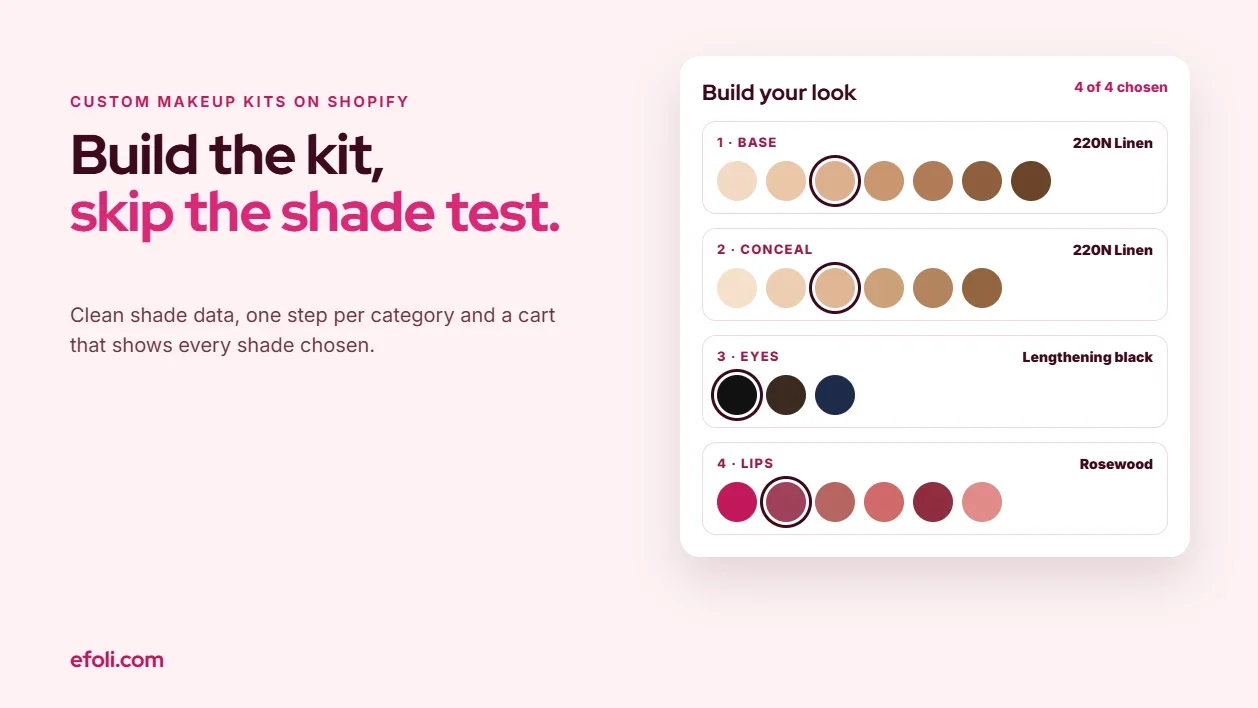
- Make the shade step easy
- The cart and order view
- Pricing
- Phase 4: Edge cases
- A shade sells out mid-build
- A shade is discontinued
- Limited editions and testers
- Mascara and other eye products
- Returns and hygiene
- Labels and the period-after-opening symbol
- Gifting
- In-store sales
- Phase 5: Tests
- Phase 6: Handoff
- The handoff pack
- Ownership
- The review after launch
- Worked example: Lumen & Clay
- Mistakes to avoid
- Final Thoughts
- FAQ
Short answer: A custom makeup kit on Shopify works when the shopper can choose shades with confidence and the store can sell the kit as one clean product. Scope it in five parts. First, agree the kit rules: how many items, from which categories, at what price. Second, fix the product data, because every shade needs a consistent name, a true swatch and tags for depth and undertone. Third, build the kit in a bundle builder such as Push Bundle, with one step per category and limits that match the kit rules. Fourth, plan the edge cases: sold-out shades, discontinued shades, hygiene rules for returns, gifting and in-store sales. Fifth, test it on real devices and hand the merchant a short guide for adding, retiring and repricing shades. The shade step decides whether the kit sells. The rest decides whether it keeps working.
A shopper opens a "Build your kit: any 4 for £48" page. Step one asks her to choose a foundation. There are 32 shades, shown as small circles that look almost identical on her phone. She picks one, isn't sure, opens the product page in a new tab to read the description, loses her place in the builder and starts again. By step three she's choosing a lipstick from a grid whose swatches were photographed under different light from the foundations. At checkout the cart shows "Build Your Kit × 1" and she can't see which concealer she picked without tapping through.
She buys it anyway. Two weeks later she emails to ask whether she can swap the foundation, which is too dark. It's been opened.
That's the job this playbook is meant to prevent. It's written for agencies and in-house teams building custom makeup kits on Shopify, and it follows a delivery order: requirements, setup, edge cases, tests and handoff. If you're scoping skincare routines rather than colour cosmetics, we covered that separately in how agencies build skincare routines on Shopify, and fragrance has its own guide to discovery sets on Shopify. Makeup is different because the main decision isn't which product. It's which shade.
Key takeaways
Agree the kit rules before you build anything: item count, categories, price and what happens when a choice is unavailable.
Clean shade data is the biggest single task. Every shade needs a consistent name, a reliable swatch and tags for depth and undertone.
Build one step per category, with limits that match the kit rules, and show swatches large enough to compare on a phone.
Help unsure shoppers before the builder, with a shade guide or finder, not after the order.
Plan for opened-product returns. Makeup is a hygiene product, so be clear about what can and can't come back.
Test on real phones under different lighting and check that the cart, order and packing slip all show every shade chosen.
Phase 1: Requirements
The brand usually arrives with a picture of the finished page. The requirements workshop turns that picture into rules.
The kit model
Most custom makeup kits fall into one of four models:
Model | How it works | Good for |
|---|---|---|
Fixed count, fixed price | "Any 4 for £48" | Simple promotions, gifting |
Category recipe | One base, one eye, one lip, one cheek | A complete look, new customers |
Tiered size | 3 items, 5 items or 7 items, with a better price per item as the kit grows | Encouraging larger kits |
Curated base plus shade choice | The brand picks the products, the shopper picks the shades | Launches, influencer kits, gift sets |
Ask which model the brand wants, then what problem it solves. "We want a build-your-own kit" often means "we want new customers to try more than one product", which a category recipe may serve better than a free-for-all.
The questions to ask
Each answer becomes a setting, a piece of copy or a test.
Which products are eligible, and which aren't? Limited editions, testers and minis need a clear yes or no.
Can a shopper choose the same product twice in different shades? Can they choose the same shade twice?
Is the price fixed, tiered or the sum of the items with a discount?
Do kit prices combine with other offers, such as a sitewide sale or a loyalty discount?
What happens if a shade sells out while someone is building a kit?
Will the kit be sold in store as well as online?
Can the kit be a gift, with a message or gift wrap?
What's the returns policy for a kit, especially for opened items?
Who will add new shades, retire old ones and change prices after launch?
Teams often forget the ninth. It decides how much the handoff must document.
What success looks like
Agree honest measures before launch: how many people who start the builder finish it, how many kit orders lead to a shade exchange, and how long it takes to add a new shade. Don't promise a conversion uplift in the scope. You can't know it in advance.
Phase 2: Product data comes first
A builder can only show what the product data gives it. Messy shades in the catalogue mean a messy kit.
Shade naming
Pick one naming pattern and use it everywhere. A common one is a number for depth, a letter for undertone and a name for personality, such as "220N Linen". Check that the pattern is used across every product type in the kit. If foundations use "220N" and concealers use "Light Neutral 3", shoppers can't match them.
In Shopify, each shade is usually a variant of its product. Products can have up to 2,048 variants since Shopify raised the limit in 2025, but they're still limited to three options. A foundation with shade and finish uses two options and leaves one spare. Plan the options before you plan the kit, because changing them later means updating every link and bundle that uses those variants. MultiVariants has a guide to Shopify's variant limits if your range is close to the edge.
Swatches
Swatches carry more weight in a kit builder than on a product page, because the shopper sees many of them at once and compares them side by side. Agree a standard with the brand:
One swatch image per variant, photographed under the same light, at the same size and on the same background.
A second image showing the shade on skin, ideally across several skin tones.
Swatch files named to match the variant, so they can be checked and replaced without guesswork.
If the brand can't reshoot everything before launch, limit the first version of the kit to the products whose swatches are consistent. A smaller, reliable kit is better than a large one where the lipsticks look orange next to the foundations.
Depth and undertone tags
Add structured data for each shade: depth (for example, fair, light, medium, tan, deep) and undertone (cool, neutral, warm, olive). Store it in variant metafields or tags so it can be used for filters, shade guides and email. This is also the data a shade finder or quiz will need, so get it right once.
Phase 3: Building the kit
With the data ready, the build is straightforward. We'll use Push Bundle, a Shopify build your own bundle app with free volume bundles, plus build-a-box, Mix & Match and a multi-step build-your-own-box (BYOB) builder on its $14 Growth plan. Push Bundle's build-your-own-bundle guide covers the general setup. Here's how to shape it for makeup.
Why not Shopify's own Bundles app?
Shopify's free Bundles app creates fixed bundles from set components. It doesn't support mix-and-match, so a shopper can't choose their own items, and it isn't compatible with subscriptions or pre-orders. It's a good fit for a fixed "Party Look" set with set shades. It isn't a fit for a kit where the shopper picks.
One step per category
Map each category in the kit rules to one step in the builder. For a category recipe, that might be:
Base: foundation or skin tint
Conceal: concealer
Eyes: mascara, liner or palette
Lips: lipstick, gloss or liner
Use the builder's minimum, maximum and variant limits to match the rules from Phase 1. If the kit is "any 4", one step with a minimum and maximum of four may be enough. If it's a recipe, use a step per category so the shopper can't end up with four lipsticks and no base.
Push Bundle's Mix & Match works across products or variants and shows a live preview, which helps the shopper see the kit as it builds. Bundles appear as a single product in the cart and sync inventory for the components, so a kit sale reduces stock of each shade chosen.
Make the shade step easy
The shade step needs the most design attention. A few rules we use:
Show the swatch large enough to compare on a phone. Small circles that look the same are the main reason shoppers leave the builder to check product pages.
Show the shade name and its depth and undertone next to the swatch, not just on hover.
Keep the shopper in the builder. If they need more information, open it in a drawer or modal rather than sending them to a product page.
Order shades by depth, light to deep, and keep that order the same across every product.
Link to a shade guide before the builder starts, not halfway through. A short "Not sure of your shade?" panel at the top of the page sets expectations.
If the brand has a shade finder or quiz, let the result carry into the builder as a filter or a highlighted shade. If it doesn't, a simple depth and undertone filter at each step does much of the same job.
The cart and order view
The cart should list every item and shade in the kit, not just "Build Your Kit × 1". Check how the theme shows bundle components in the cart drawer, cart page, order confirmation email and order status page. The warehouse needs the same information on the packing slip. If any of those views hide the components, fix them before launch, because a hidden shade is a support ticket waiting to happen.
Pricing
Push Bundle sets the kit price, whether it's a fixed price, a percentage off or tiers by size. Keep the kit price in one place. If the brand also uses DiscountRay, a Shopify tiered discount app, for tiered or customer-group pricing elsewhere in the store, decide whether those discounts should apply to kits. Usually they shouldn't, because the kit already has a price. Test the combination before launch. DiscountRay's guide to why tiered discounts sometimes don't apply is useful when the two don't behave as expected.
Phase 4: Edge cases
This is where makeup kits differ most from other bundles. Work through each case with the brand and record the decision.

A shade sells out mid-build
A popular shade can sell out between the shopper choosing it and checking out. Push Bundle syncs component inventory, so a sold-out shade should stop being available. Decide what the shopper sees: is the shade hidden, shown as unavailable, or offered with a back-in-stock option? Hiding it keeps the step clean but can confuse a returning shopper whose usual shade has disappeared. Showing it as sold out is clearer. Push Bundle has a post on handling a bundle product that's out of stock, which covers the general options.
A shade is discontinued
When a brand retires a shade, it usually wants to sell through the remaining stock. Agree whether the shade stays in the kit until it sells out or comes out on a set date. Then document how to remove it from the builder without breaking existing links.
Limited editions and testers
Limited-edition shades create excitement and confusion in equal measure. If they're eligible for kits, put them in a clearly labelled step or section so shoppers know they won't be restocked. Testers and display units should never be eligible, so make sure they aren't in the products the builder can see.
Mascara and other eye products
Eye products need extra care. The US Food and Drug Administration says there's no US law requiring cosmetics to have shelf lives, but manufacturers usually recommend replacing mascara two to four months after purchase, and the FDA advises against sharing makeup, according to its cosmetics shelf-life Q&A. That has two practical effects for a kit. Don't put mascara into a kit that might sit in a gift drawer for months without saying so on the page. And don't accept opened eye products back for resale.
Returns and hygiene
A kit mixes items that might be returned with items that can't be. Agree the policy with the brand before launch and put it on the kit page, not just in the terms.
For shoppers in the UK and EU, consumer law gives a cancellation right for distance sales, with exceptions. One exception covers sealed goods that aren't suitable for return for health or hygiene reasons once they've been unsealed after delivery, under Article 16(e) of the EU Consumer Rights Directive, and UK rules have an equivalent. Many beauty brands rely on this for opened cosmetics, but it depends on the goods being sealed in the first place, so check the packaging. Brands should get their own legal advice on their policy.
Then decide how a partial return works. If a shopper returns one sealed lipstick from a four-item kit, what do they get back? A share of the kit price is the fairest answer, but it needs to be calculated the same way every time. Push Bundle's guide to Shopify bundle returns covers the options.
Labels and the period-after-opening symbol
If the brand sells in the EU, the label rules still apply to each product inside a kit. Under the EU Cosmetics Regulation, products with a minimum durability of more than 30 months must show a period-after-opening symbol (the open jar) instead of a "best before" date, as the Irish regulator HPRA explains. A kit doesn't change that, but if the brand decants or repackages anything into the kit, it may. Flag it in the scope.
Gifting
Many custom kits are gifts. Decide whether the builder offers a gift message, gift wrap or a "hide prices" option on the packing slip. Gift kits also raise the shade question again, because the buyer is guessing someone else's shade. A gift card for a kit, or a shade exchange promise on unopened items, can help. Push Bundle's fixed-price gift box guide has more on gift setups.
In-store sales
If the brand has a shop or pop-up, decide whether kits are sold there. Push Bundle's bundles work in Shopify POS, with staff using a PushBundle tile and prices matching the online store. Mix & Match bundles need POS turned on for each bundle in the Sales channels card, and BYOB bundles use "Sell on Point of Sale" in the Publish drawer. Some setups aren't on POS yet, including Mix & Match subscription bundles and bundles limited to specific customers, and the set-price BYOB has also been listed as not yet supported. Check the current list in Push Bundle's guide to selling bundles with Shopify POS before you promise in-store kits.
Phase 5: Tests
Run these tests on a development or staging store first, then again on the live store with a test order before launch. Use real phones as well as a desktop browser.

Builder and steps
Each step enforces its minimum and maximum. Try one under, at the limit and one over.
A shopper can't continue without completing a required step.
Going back to an earlier step keeps the choices made later, or clearly resets them.
The builder works with the theme's cart drawer and cart page.
Shades
Every eligible shade appears with the right swatch and name.
Swatches look consistent on at least two phones, one iOS and one Android, in daylight and indoor light.
Shades are in the same depth order across every product.
The shade guide link opens without losing the shopper's place.
A shade finder result, if there is one, carries into the builder.
Cart, order and fulfilment
The cart, confirmation email, order status page and packing slip all show every item and shade.
The warehouse can pick the kit from the packing slip alone.
Gift messages appear where they should and prices are hidden if the gift option says so.
Pricing and discounts
The kit price is right for every kit size or tier.
Sitewide discounts and codes behave as agreed with kits, either applying or not.
Other apps' discounts don't stack on the kit price unless intended.
Prices are right in each currency if the store sells in more than one market.
Stock
A sold-out shade can't be added, and the shopper sees what was agreed.
Buying a kit reduces stock for each shade chosen.
A shade going out of stock during a session is handled at checkout.
Returns and POS
A partial return produces the agreed refund.
If kits are sold in store, a test sale on POS gives the same price and reduces stock at the store's location.
Record each result with a screenshot, and fix causes rather than adding notes to the page.
Phase 6: Handoff
A makeup kit isn't finished at launch. New shades arrive every season, some are retired, and prices change. The handoff should let the brand's team do those jobs without calling the agency.
The handoff pack
Leave the brand with a short guide, ideally one page per task:
Adding a new shade: create the variant with the agreed name, upload both swatch images, add depth and undertone tags, then add it to the right step in the builder.
Retiring a shade: decide the sell-through date, remove it from the builder, and check any landing pages or emails that link to it.
Changing the kit price: where the price lives, how to change it and what to test afterwards.
Running a seasonal kit: how to copy the builder, change the eligible products and set an end date.
Checking a kit order: where to find the shades in the order, for customer service.
The returns policy for kits: the agreed wording and how to process a partial return.
Ownership
Name who owns each task on the brand side. The person who uploads products isn't always the person who manages the builder or the person who answers shade questions. If those are three people, each needs their part of the guide.
The review after launch
Agree a review a few weeks after launch. Look at how many people start and finish the builder, which steps they leave at, how many shade exchange requests come in, and which shades are chosen most often. If most people leave at the same step, it's usually the shade display or the number of choices there.
Worked example: Lumen & Clay
Lumen & Clay is a fictional makeup brand with 28 foundation shades, 20 concealers, 6 mascaras and 24 lipsticks. It wanted a "Build Your Look" kit for new customers.
Requirements. The brand first asked for "any 4 for £48". In the workshop, the team realised most new customers wanted a complete look, not four lipsticks. They chose a category recipe: one base, one concealer, one eye product and one lip product, at a fixed kit price. Limited editions were excluded from the first version.
Product data. The audit showed concealers named differently from foundations. Before building, the brand renamed concealer shades to match the foundation pattern and reshot 12 lipstick swatches that had been photographed under warmer light.
Build. Four steps in Push Bundle's BYOB builder, each with a minimum and maximum of one. A "Find your shade" panel sat above the builder, linking to a guide with depth and undertone explained in plain words. Swatches were enlarged on mobile, and shade names were shown under each swatch.
Edge cases. Mascara stayed in the kit, with a line on the page recommending replacement a few months after opening. The returns policy said sealed items could be returned and opened ones couldn't, and the kit page said so. Gift kits got a message field and an exchange promise for unopened base products in the wrong shade.
Tests. The first round found that the order confirmation email showed the kit but not its shades. The theme's email template was updated before launch. A second round on two phones found that two concealer swatches looked identical in indoor light, so the brand reshot them.
Handoff. The brand's ecommerce lead took ownership of the builder, and the product team took shades. Both had a one-page guide.
We won't invent a conversion figure for Lumen & Clay. The practical change was that shade questions to customer service were mostly about gifts, not swatches, and adding a new lipstick shade took one person under an hour using the guide.
Mistakes to avoid
Building before the data is clean. A beautiful builder with inconsistent swatches looks worse than a plain one with good swatches.
Hiding the components. "Build Your Kit × 1" in the cart and on the packing slip creates support tickets and picking errors.
Leaving the returns policy to the terms page. Shoppers need to know before they buy that opened makeup can't come back.
Stacking discounts by accident. A kit price plus a sitewide sale plus a loyalty discount can sell the kit below cost.
For more ways to merchandise beauty products, see Push Bundle's beauty bundle ideas, MultiVariants' roundup of Shopify apps for makeup stores, and EmbedUp's guide to making money from a makeup blog if the brand also publishes tutorials.
Final Thoughts
A custom makeup kit lives or dies on the shade step. Agree the kit rules, clean the shade data, build one step per category with clear swatches, plan for sold-out shades, hygiene returns, gifts and in-store sales, test on real phones, and hand the brand a guide they can follow without you. Do that, and checkout stops being a shade test. It becomes the last step of a kit the shopper already trusts.
FAQ
How do I create a build-your-own makeup kit on Shopify?
How should I show makeup shades in a kit builder?
Can customers return opened makeup from a kit?
Should mascara be included in a custom makeup kit?
Can I sell custom makeup kits in my store with Shopify POS?
What should I test before launching a makeup kit?

Anika Anamta Mehnaz
This article is written by Anika Anamta Mehnaz, a Content Writer and Content Marketing Strategist specializing in Shopify, eCommerce, and SaaS. With over four years of content writing experience, she creates SEO and AI search-optimized content that helps Shopify merchants make better business decisions through practical, research-backed insights. Her work covers Shopify apps, product variants, bundles, discounts, B2B commerce, and conversion-focused strategies. Outside of work, Anika enjoys watching anime, reading John Grisham novels, and discovering new ideas in digital marketing and e-commerce. If you enjoy discussing Shopify, content marketing, or online growth, feel free to connect with her. Twitter: https://x.com/mehnaz2201 Medium: https://medium.com/@mehnaz_78932
Keep reading
View all articles →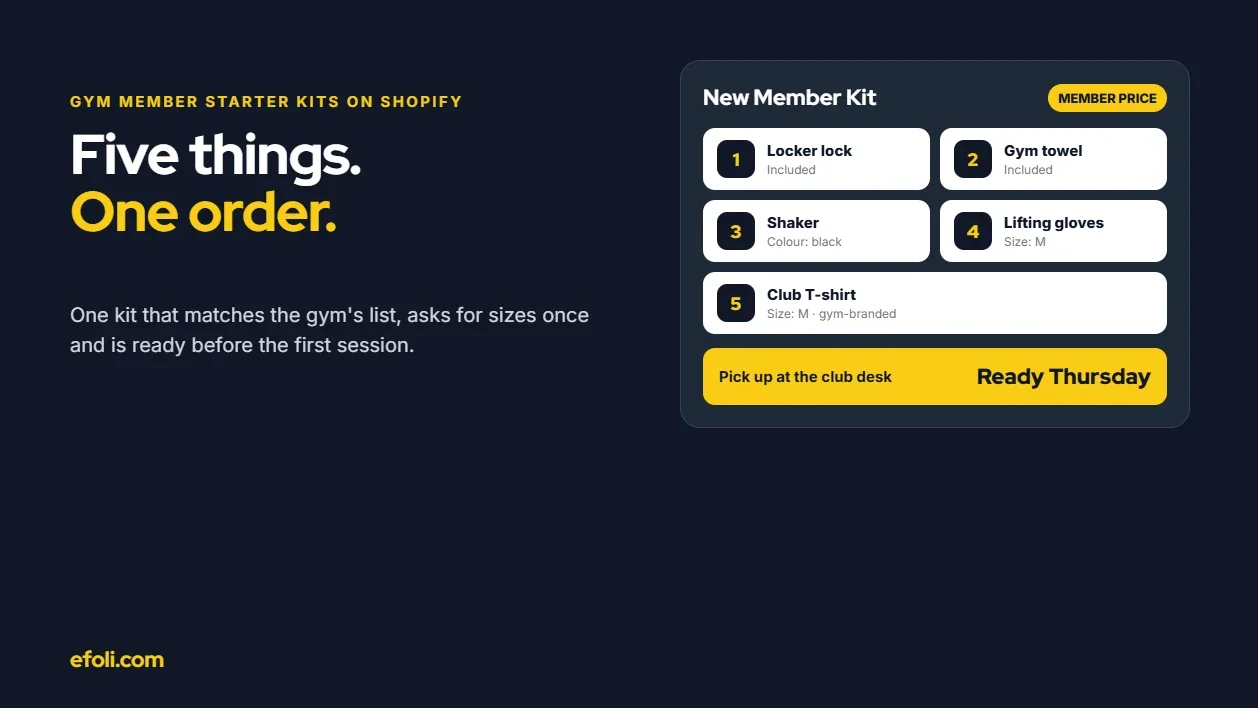
A New Gym Member Needs Five Things. Why Is It Five Separate Orders?
November 18, 2026 • 18 min read
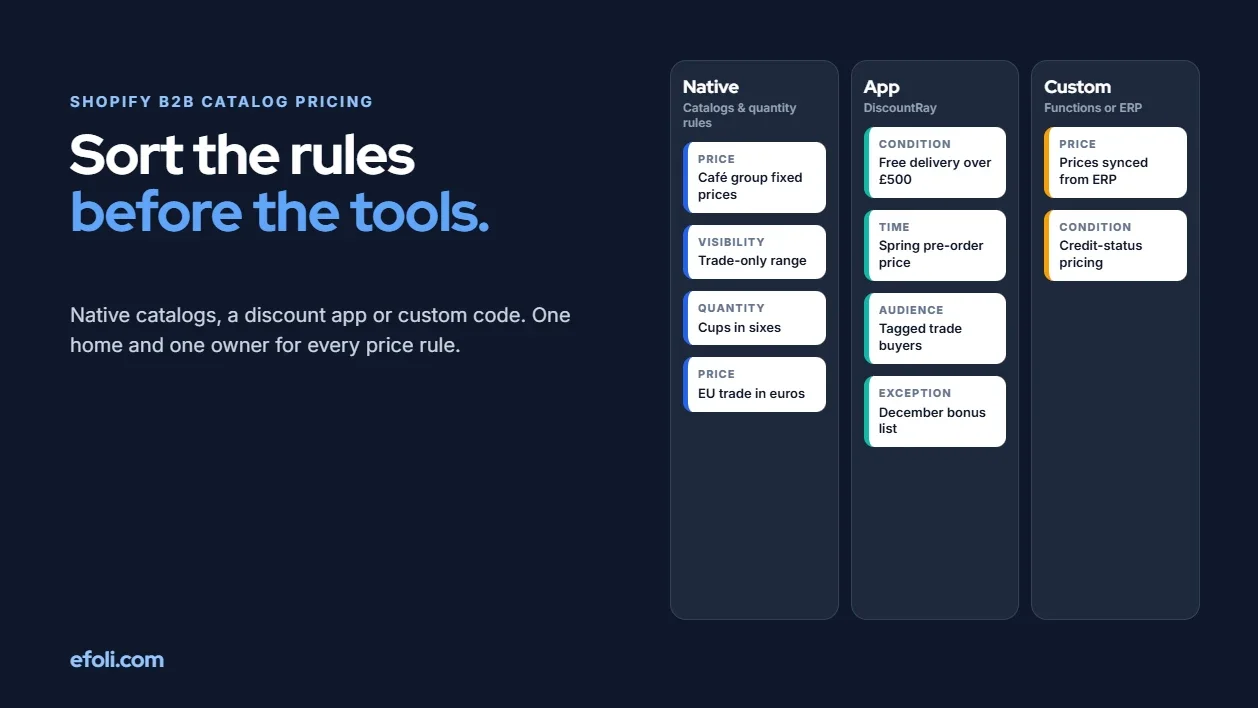
Native Shopify B2B or DiscountRay for Complex Catalogue and Price Rules?
November 18, 2026 • 19 min read
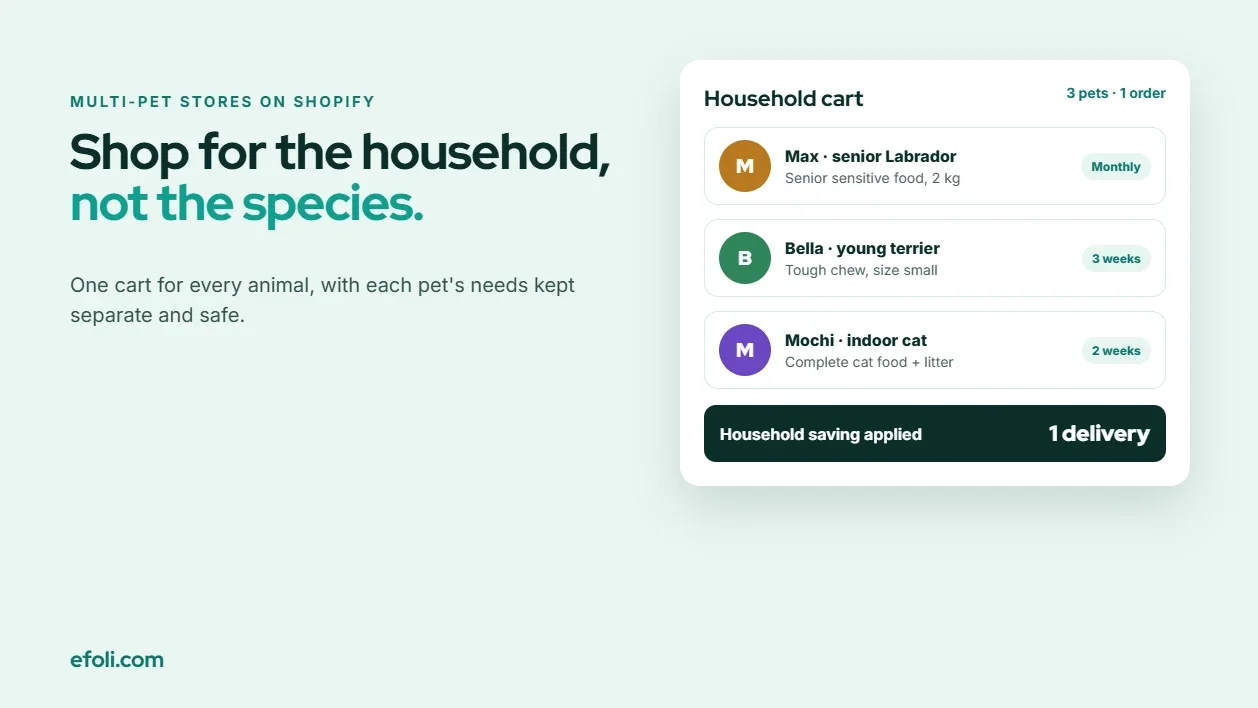
The Dog Needs Sensitive Food. The Cat Needs Everything Else.
November 18, 2026 • 18 min read