On this page
- Key takeaways
- Why the tool question comes too early
- Step 1: Build a price and access rule inventory
- The seven rule types
- Step 2: Understand what native Shopify B2B holds well
- Companies and locations: your audience rules
- Catalogs: your price and visibility rules
- How Shopify resolves two prices
- Quantity rules and volume pricing
- Native discounts in a blended store
- B2B-only products in a blended store
- Step 3: Understand where an app fits
- The question to ask about any app
- Step 4: Decide when custom code is worth it
- Step 5: Fill in the last column
- Step 6: Plan maintenance before launch
- Step 7: Test the rules before buyers do
- Worked example: Copperline Kitchen Co.
- The decisions
- What changed
- Decision rules
- When you don't need an app
- Common mistakes
- Finally....
- FAQ
Short answer: Before choosing between native Shopify B2B and an app like DiscountRay, list every price and access rule your trade business runs: who can buy, what they see, what they pay, how much they must order, what changes by country, cart value or season, and which exceptions sales staff grant by hand. Native B2B catalogs are the right home for stable company prices, per-variant quantity rules and volume price breaks. A discount app is better for rules based on groups, tags, countries, cart value or dates, or rules that change often. Custom code is only worth it for logic neither can express. Most stores use a mix, and the real risk is having the same rule in two places.
Ask a wholesale manager how trade pricing works and you'll often hear one line: "Trade customers get 30% off, and the big accounts get a bit more."
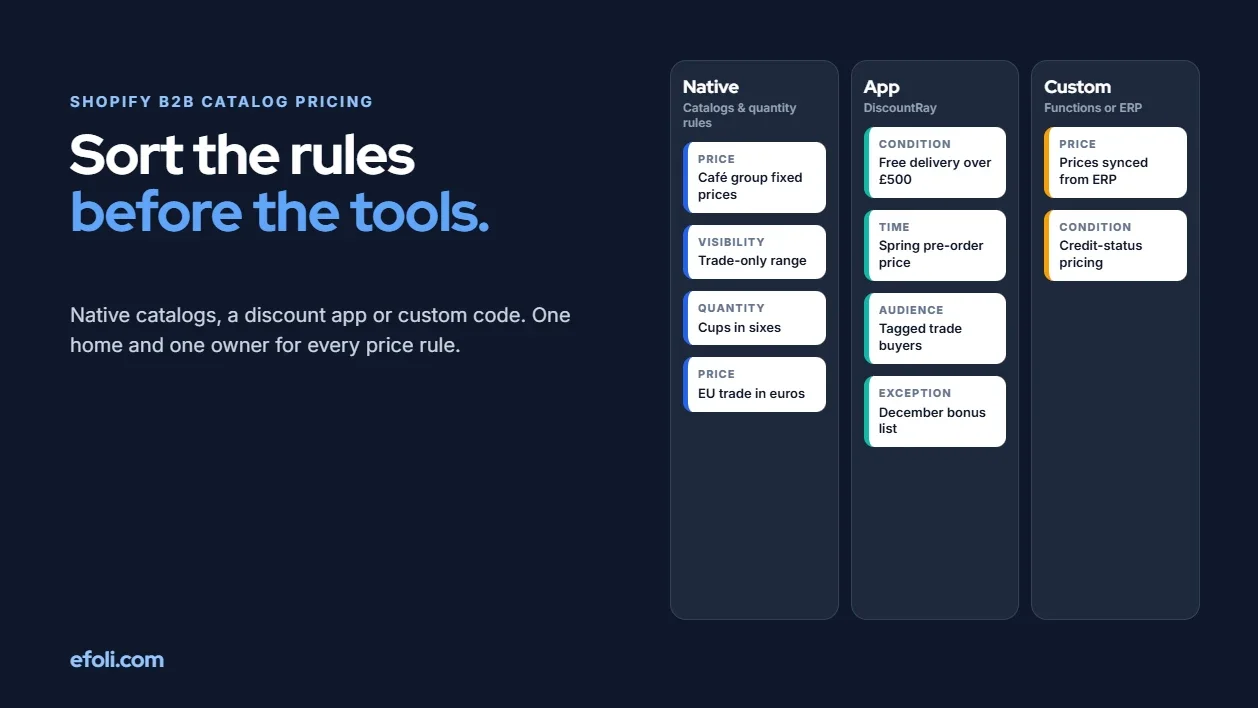
Ask them to show you the rules and the story changes. The café group in the north has fixed prices agreed last spring. Overseas stockists pay in their own currency but don't get the domestic free-delivery threshold. Two retailers are allowed to see the new range early. One account manager quietly gives their accounts an extra 5% in December. Espresso cups are sold in sixes, except to the hotel chain, which orders in twelves. Nobody remembers who set up the "TRADE10" code, but someone is still using it.
None of this is unusual. It's what a trade price list looks like after a few years of real customers. The trouble starts when a store picks a tool first and works out the rules later.
This article is for Shopify merchants with a trade channel and the agencies that set them up. It covers what you need, what native Shopify gives you, where an app fits, when custom code makes sense, and rules for deciding. Plan-by-plan feature lists are covered in our guide to what Shopify B2B includes on each plan, and the specific question of volume pricing is covered in Shopify B2B volume pricing vs DiscountRay. This piece comes a step earlier: sorting your rules first.
Key takeaways
Start with a rule inventory, not a tool. List every price and access rule your trade channel runs, including the informal ones.
Native B2B catalogs suit stable, company-level prices, quantity rules and volume price breaks.
A discount app suits rules based on groups, tags, countries, cart value or dates, and rules that change often.
On plans below Plus, you can only have three active catalog assignments across your B2B markets, so catalog-heavy designs hit a ceiling quickly.
In a store that sells to both consumers and trade buyers, check every discount's eligibility so trade offers don't leak to retail shoppers, and the other way round.
Each rule should live in exactly one place, with one named owner.
Why the tool question comes too early
Most B2B pricing projects start with a comparison table. Native B2B has catalogs, quantity rules and payment terms. The app has customer-group pricing, tiered discounts and scheduling. Somebody ticks the boxes and picks a winner.
The table answers what a tool can do, not whether your rules suit it. Three things usually go wrong when the tool comes first:
Rules get forced into the wrong shape. A December promotion becomes a catalog someone must swap back in January, or a contract price becomes a discount, so the buyer sees "list price minus discount" instead of their agreed price.
Informal rules get lost. The account manager's extra 5% isn't written down, so it isn't migrated, and manual draft orders creep back.
Rules end up in two places. The old discount code stays live "just in case" alongside the new catalog price, and some buyers get both.
So before comparing anything, build the inventory.
Step 1: Build a price and access rule inventory
A rule inventory is a spreadsheet with one row per rule and these columns:
Column | What to write |
|---|---|
Rule | Plain description, such as "Café accounts pay fixed prices on core range" |
Type | Audience, visibility, price, quantity, condition, time or exception |
Who it applies to | Companies, locations, groups, tags, countries, everyone |
Products | All, a collection, specific products, specific variants |
How often it changes | Never, yearly, seasonally, monthly, per deal |
Who owns it | Finance, sales, an account manager, ecommerce |
Where it lives today | Spreadsheet, ERP, discount code, emails, someone's memory |
Where it should live | Filled in last |
Fill in everything except the last column first. Talk to the people who quote, invoice and handle complaints, because the rules that cause trouble are usually the ones only one person knows.
The seven rule types
Then tag each row with one of seven types, because each type has a natural home.
Audience: who counts as a trade buyer, such as approved companies, tagged customers or retailers in certain countries.
Visibility: what a buyer can see, such as trade-only products or prices hidden until login.
Price: what a buyer pays, such as 30% off list, fixed contract prices or prices in another currency.
Quantity: how much a buyer must or can order, such as multiples of six or a 24-unit minimum.
Conditions: changes based on the cart or the buyer's situation, such as free delivery over £500 or a first-order discount.
Time: rules for a limited period, such as pre-order pricing or a price increase from a date.
Exceptions: one-off deals, such as one account ordering in twelves.
Most trade businesses have every type. The proportions point you towards a tool: mostly stable per-company prices and quantity rules suit native catalogs, while a list full of conditions, tags and dates needs something more flexible.
Step 2: Understand what native Shopify B2B holds well
Shopify's built-in B2B features are available on the Basic, Grow, Advanced and Plus plans. They aren't available on Starter or Retail. The core pieces are companies, catalogs, quantity rules, volume pricing and payment terms, according to Shopify's B2B plan feature list.
Companies and locations: your audience rules
Native B2B models trade buyers as companies with one or more locations. A café group can be one company with five locations, each with its own buyers, payment terms and catalogs. That's a clean way to hold audience rules for businesses you've approved by hand.
It doesn't classify buyers by tag, so if your rule is "anyone tagged wholesale", moving to companies means creating company records for them.
Catalogs: your price and visibility rules
A catalog decides which products a company location can buy and at what price. You can apply a percentage adjustment to the whole catalog, such as 30% off, and override individual products with fixed prices. The fixed price wins over the percentage, as Shopify's catalog guide explains. New catalogs include all products by default, and you can choose to include new products automatically.
That makes catalogs a good home for two kinds of rules:
Stable, company-level prices. "The café group pays these fixed prices on these products" maps directly to a catalog.
Product access. A catalog that leaves out a product means that company can't buy it.
Shopify allows up to 25 catalogs per company location and up to 10,000 per store. The bigger practical limit for most merchants is the plan. On plans below Plus, you can have three active catalog assignments across your B2B markets, and assigning one catalog to two markets counts as two. Catalogs assigned directly to company locations are a Plus feature. Below Plus, a design that relies on many catalogs runs out of room quickly.
How Shopify resolves two prices
When a buyer has access to more than one catalog, Shopify has to pick a price. Two rules from Shopify's documentation are worth knowing before you design anything:
If a location has several catalogs assigned directly (a Plus feature), the lowest price is shown.
If a location has a catalog of its own and also sits in a market with a catalog, the location's catalog price wins, even when it's higher. Shopify's example has $9 beating $7.
That second rule surprises people: a contract price can end up higher than the general trade price. Make that a decision, not an accident.
Quantity rules and volume pricing
Quantity rules let you set a minimum, a maximum and an increment for each variant in a catalog. Volume pricing lets you add up to 10 price breaks per product. Both are available on all plans that include B2B. They suit the "order in sixes" and "cheaper by the case" rules on your list.
There are limits worth testing against your inventory:
Quantity rules and price breaks apply per variant. A break doesn't combine quantities across variants, so 10 blue cups and 10 green cups don't add up to a 20-cup break.
Once a volume price applies, the catalog's percentage adjustment no longer applies to that item.
If your rules depend on mixing variants, such as "any 24 glasses from the range", native volume pricing won't hold them as written. The volume pricing comparison goes into this in detail.
Native discounts in a blended store
Shopify discounts work for B2B by default. Automatic discounts and codes apply on top of catalog prices. In a store that sells to both consumers and trade buyers, a discount set to "All customers", or to specific customers or segments, can also apply to retail shoppers. To keep a discount trade-only, Shopify's B2B discount guide says to use a B2B market in the discount's eligibility settings. Get this wrong and a trade promotion leaks to retail, or a retail sale stacks on an already discounted trade price.
B2B-only products in a blended store
If some products are for trade buyers only, Shopify's approach is to include them in the B2B catalog, leave them out of every regional market catalog, and keep them published to the Online Store. That works until someone removes a regional catalog. Then the product can become visible to retail shoppers. Put this on your test list.
Step 3: Understand where an app fits
Apps don't replace native B2B. They hold the rules catalogs aren't designed for. We'll use DiscountRay as the example, but the same questions apply to any pricing app.
DiscountRay is a Shopify B2B pricing and discount app. Its plans, per the App Store listing:
Starter (free): quantity discounts and tiered pricing, unlimited automatic discounts and a discount table on the product page, for all customers.
Growth ($14 a month, 14-day trial): B2B pricing by customer groups and tags, variant-specific discounts, bulk and personalised discount codes, scheduling, and offers on collection pages and product cards.
Pro ($29 a month, 14-day trial): personalised discounts for individual customers, B2B pricing by company and by customer list, targeting by country, cart value and items in the cart, free gifts, and pricing by email domain.
Set those against the seven rule types and the fit is clear:
Audience rules based on tags, groups or email domains. If your trade buyers are identified by a tag or a business email domain, an app can price for them without creating a company record for each one.
Condition rules. Country, cart value and items in the cart are conditions catalogs don't express.
Time rules. Scheduled offers start and end on their own, so a December bonus doesn't need someone to remember to switch it off.
Tiered quantity discounts. A tier table on the product page shows buyers the next saving.
Personalised exceptions. A discount for one customer or one list of customers is easier to add and remove than a catalog.
The listing also mentions product visibility, order minimums and limits, but doesn't give details, so check those against your own rules on a development store before relying on them. Catalogs, price hiding, POS and subscriptions aren't mentioned, so don't assume them.
The question to ask about any app
Any discount app in a store with catalogs has to work alongside the catalog price. Before going live, test the app's discounts with your catalog prices, volume breaks and any native codes in the same cart, and note what the buyer sees on the product page, in the cart and at checkout.
Ordering features such as a bulk order form or variant grid belong to a different kind of app. MultiVariants, a Shopify bulk order form app, adds list, grid and matrix layouts, B2B catalog pricing, cart minimums and maximums, per-variant or combined quantity limits, and works with DiscountRay for volume discounts. We compared ordering size runs natively and with an app in native Shopify B2B vs MultiVariants for size runs, which is a separate question from pricing.
Step 4: Decide when custom code is worth it
Some rules don't fit either a catalog or an app setting. Shopify Functions let developers write custom discount, cart and checkout validation logic, and a developer can also build a custom app around your ERP.
Custom code is worth considering when prices come from an external system such as an ERP and change too often to sync by hand, when a rule depends on data Shopify doesn't hold, such as a buyer's credit status, or when you need logic no app offers. It's usually not worth it when a catalog or app setting can already express the rule, when a draft order would cover a handful of accounts, or when nobody will maintain the code after the developer leaves.
The cost of custom pricing logic isn't the build. It's the next three years of changes, testing and fixes. Count that before you commit.
Step 5: Fill in the last column
Now fill in "Where it should live" for each row. These are our defaults. Your answer may differ, but you should be able to say why.

Rule type | Usual home | Why |
|---|---|---|
Audience: approved companies | Native companies | Clean records, payment terms, buyers per location |
Audience: tags, groups, email domains | App | No company record needed per buyer |
Visibility: product access by company | Native catalogs | Excluded products can't be bought |
Price: stable company prices | Native catalogs | Buyer sees their agreed price, not a discount |
Price: general trade percentage | Either | Catalog if few audiences; app if many |
Quantity: per-variant minimums and steps | Native quantity rules | Included on all B2B plans |
Quantity: across variants or the cart | App | Native rules apply per variant |
Conditions: country, cart value, items | App | Catalogs don't hold conditions |
Time: seasonal and scheduled offers | App | Start and end automatically |
Exceptions: one account, one deal | App or draft order | Easy to add and remove |
Prices from an ERP | Custom code or an integration | Too frequent to maintain by hand |
Step 6: Plan maintenance before launch
A pricing setup that works on launch day can still fail six months later. Before you go live, answer these questions for every row in the inventory:
Who changes it, and how? Name a person, and say whether it's done in Shopify admin, the app, an import or by a developer.
How often? Monthly changes to hundreds of fixed catalog prices will be painful.
What happens when a product is added? Does it join the right catalogs and discounts automatically?
What happens when a customer changes tier? Is it one change, or several?
The last two catch most long-term problems. A customer who moves from "standard trade" to "key account" may need changes to their company, catalog, tag and discount. If that's four changes in four places, one will be missed. The aim isn't the fewest tools. It's one home and one owner per rule.
Step 7: Test the rules before buyers do
Pricing bugs are expensive because buyers often find them first. Build a test plan from the inventory and run it on a development store. Cover each rule on its own and, more importantly, rules meeting each other.

Test at least these combinations:
A trade buyer logged in as a company location, buying a product with a catalog price, a volume break and an app discount. What price shows at each step?
A retail shopper buying the same product. Do any trade prices or discounts show up?
A trade buyer using an old discount code. Does it stack on the catalog price?
A buyer in a second market. Which catalog price applies, and is the currency right?
A trade-only product after a regional market catalog has been removed. Can retail shoppers see it?
A quantity rule at its limits: one under the minimum, at the minimum, and one step over.
A mixed cart of two variants that together reach a volume break. Does the buyer expect a saving the store won't give?
A scheduled offer the minute it starts and ends, and a draft order for the same buyer. Do they match what the buyer sees online?
Record expected and actual prices for each test. When something doesn't match, change the rule's home rather than adding another rule to correct it.
Worked example: Copperline Kitchen Co.
Copperline Kitchen Co. is a fictional kitchenware brand selling to consumers, cafés, restaurants and shops. It has about 600 products, mostly glassware and cups with colour and size variants, and it's on the Shopify Grow plan.
Its old setup used customer tags, three discount codes and a spreadsheet of "special prices" that sales staff applied by hand on draft orders. When Copperline listed its rules, it found 23: three audience, two visibility, five price, six quantity, three condition, two time and two exceptions, including one account manager's informal 5% December extra.
The decisions
Copperline is on Grow, so it can have three active catalog assignments across its B2B markets. That shaped the design.
Native catalogs took the stable rules: a UK trade catalog at 30% off with fixed prices for the café group's core products, and an EU trade catalog in euros. The trade-only catering range sat in both and was left out of the retail market. That uses two of the three assignments.
Native quantity rules took the per-variant increments and the glassware minimum, and native volume pricing took the three price breaks on core products.
DiscountRay took the rules catalogs couldn't express: free delivery over £500 for UK trade, the first-order discount, the spring pre-order pricing and the December bonus. The December bonus was scheduled so it ends on its own.
The informal exceptions were written down for the first time. The extra 5% became a scheduled discount for a named list of customers, so it's now visible and has an end date. The hotel chain's twelves became an exception handled on draft orders by its account manager.
The old discount codes were switched off on the day the new setup went live, after checking who was still using them.
The two contract-price accounts stayed on draft orders until renewal, rather than using up the last catalog assignment.
What changed
Copperline didn't measure revenue impact, and we won't invent a number. The change was operational: sales staff stopped applying spreadsheet prices by hand for most accounts, and the 1 February price increase meant changing one catalog, not hunting through codes and tags.
Decision rules
If you need a quick guide, these are the rules we'd start with.
If a price is agreed per company and rarely changes, put it in a native catalog. The buyer sees their price directly, not a discount.
If a rule depends on a tag, group, country, cart value or date, put it in a discount app. Catalogs don't hold conditions.
If a quantity rule applies per variant, use native quantity rules. If it spans variants or the whole cart, use an app.
If you're below Plus and your design needs more than three catalog assignments, redesign. Move general rules into an app, or consider whether Plus is justified for other reasons too.
If prices come from an ERP, plan an integration or custom code from the start. Don't plan to update them by hand.
If you run a blended store, set every discount's eligibility on purpose. Trade discounts should target the B2B market. Retail discounts should be checked against trade prices.
Never have the same rule in two places. If a catalog and a discount both give trade buyers 30%, one of them has to go.
If you can't name who maintains a rule, don't launch it.
When you don't need an app
You don't need a discount app if your inventory is mostly approved companies, stable prices, per-variant quantity rules and volume breaks, and you fit within your plan's catalog limits.
Equally, you don't need native catalogs if your trade channel is small, your buyers are identified by tags, and your rules are mostly percentages, tiers and conditions. An app can handle that without setting up companies at all, although you'll miss native features such as payment terms and per-location buyers. If you're still deciding whether to run B2B on Shopify at all, our Shopify wholesale setup guide is a better starting point.
Common mistakes
Starting from the old app's settings. The previous setup reflects that app's way of thinking. Start from the business rules.
Modelling promotions as catalogs. Catalogs are for prices that hold. A promotion with an end date belongs in a scheduled discount.
Leaving old codes live. Codes from the previous setup are an easy route to double discounts after a migration. List them and close them.
For more on what tends to go wrong with trade prices over time, see the most common Shopify wholesale pricing problems and how to handle a wholesale price increase.
Finally....
The choice between native Shopify B2B and an app like DiscountRay gets much easier once you know what you're choosing for. List every price and access rule, including the informal ones. Tag each by type. Put stable company prices, product access, per-variant quantity rules and volume breaks in native catalogs. Put conditional, tag-based, seasonal and personal rules in an app. Keep custom code for logic nothing else can hold. Then make sure each rule has one home, one owner and a test that proves it works. The tool comparison matters much less than that.
FAQ
Should I use native Shopify B2B or a discount app for trade pricing?
How many B2B catalogs can I use on Shopify?
Which price wins when a buyer has more than one catalog?
Do Shopify discounts apply to B2B catalog prices?
Can Shopify volume pricing combine quantities across variants?
When should I use custom code for B2B pricing?

Anika Anamta Mehnaz
This article is written by Anika Anamta Mehnaz, a Content Writer and Content Marketing Strategist specializing in Shopify, eCommerce, and SaaS. With over four years of content writing experience, she creates SEO and AI search-optimized content that helps Shopify merchants make better business decisions through practical, research-backed insights. Her work covers Shopify apps, product variants, bundles, discounts, B2B commerce, and conversion-focused strategies. Outside of work, Anika enjoys watching anime, reading John Grisham novels, and discovering new ideas in digital marketing and e-commerce. If you enjoy discussing Shopify, content marketing, or online growth, feel free to connect with her. Twitter: https://x.com/mehnaz2201 Medium: https://medium.com/@mehnaz_78932
Keep reading
View all articles →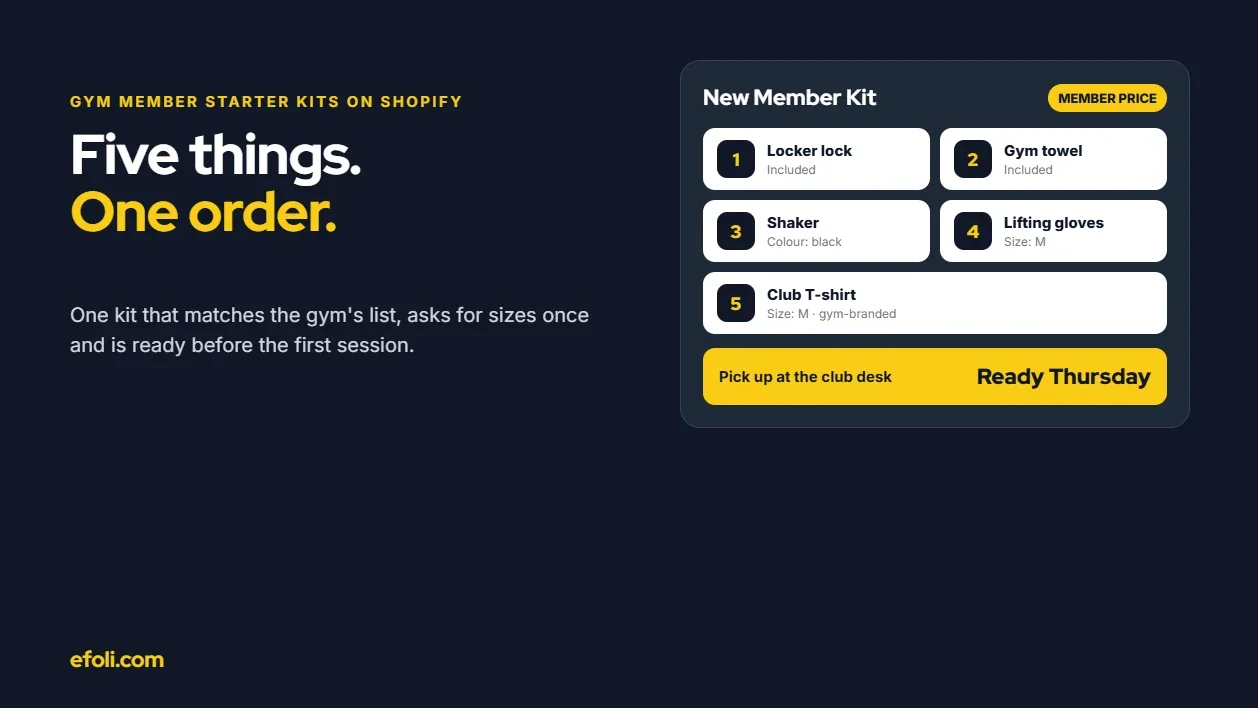
A New Gym Member Needs Five Things. Why Is It Five Separate Orders?
November 18, 2026 • 18 min read
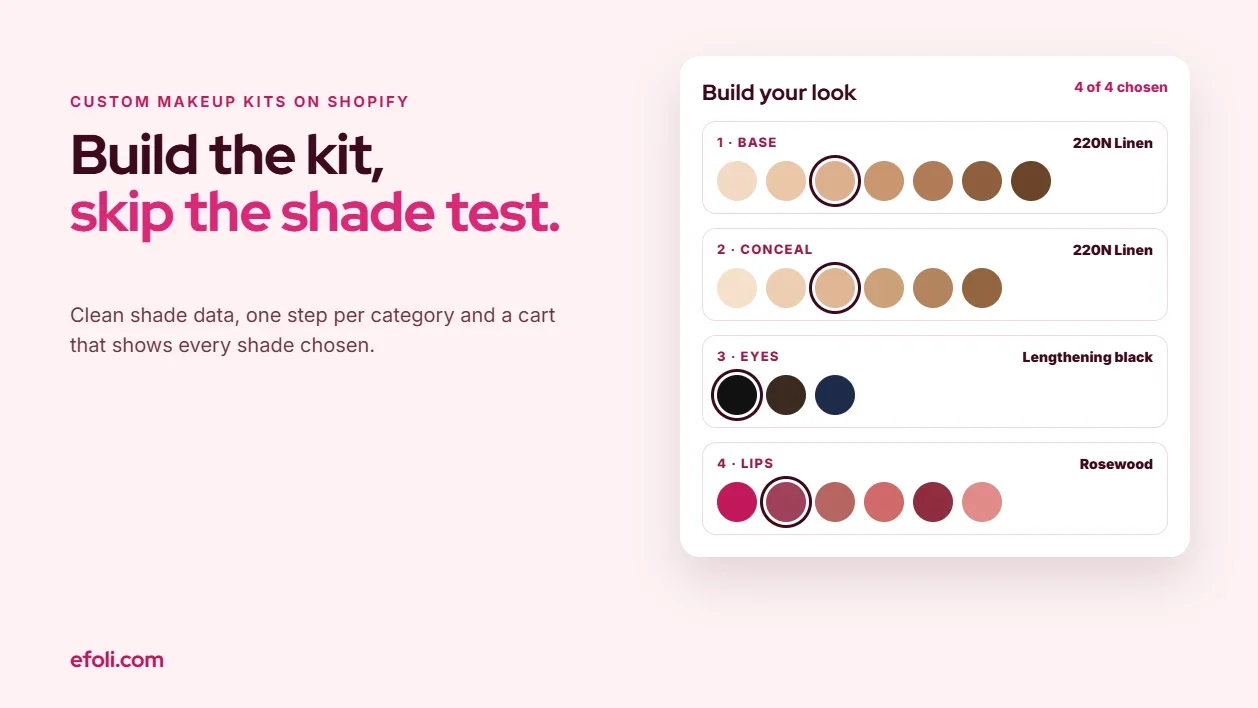
Build Your Own Makeup Kit Without Turning Checkout Into a Shade Test
November 18, 2026 • 20 min read
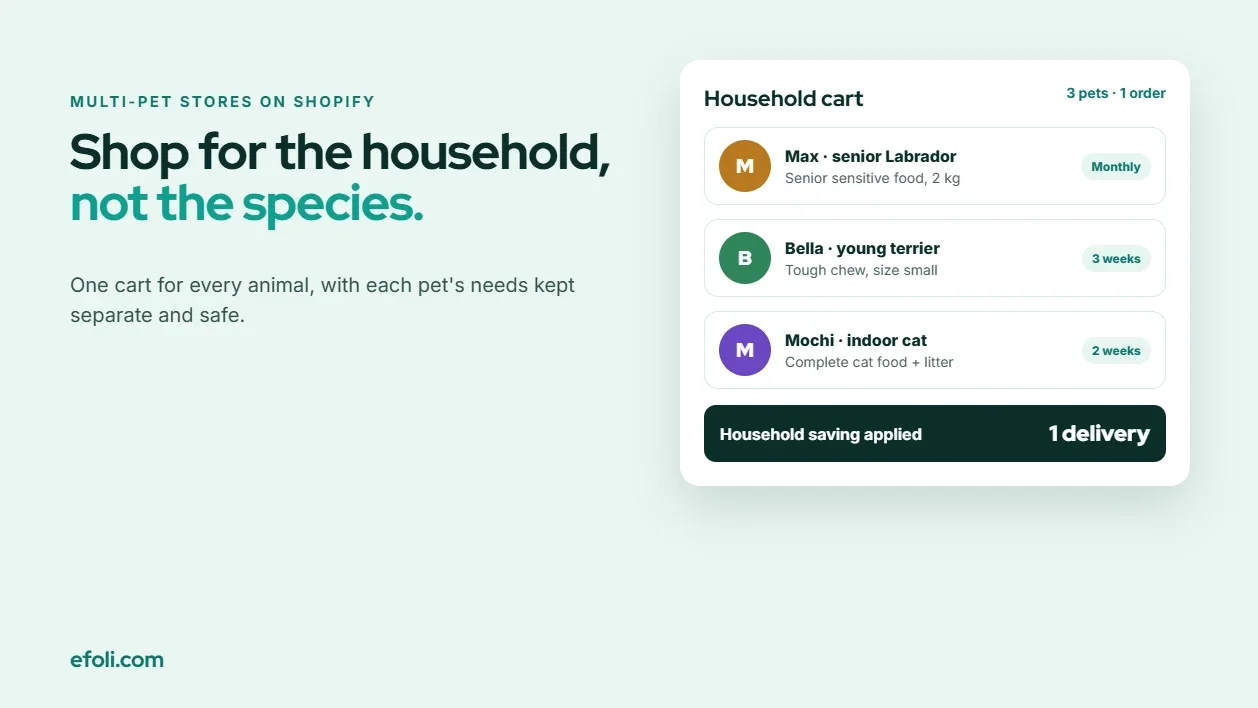
The Dog Needs Sensitive Food. The Cat Needs Everything Else.
November 18, 2026 • 18 min read