On this page
- Key takeaways
- How many households are we talking about?
- The buyer's side: how a multi-pet owner actually shops
- The friction map: where the store and the household disagree
- Gap 1: Organisation
- Gap 2: Needs
- Gap 3: The cart
- Gap 4: Timing
- Gap 5: Price
- The operational effects: what the friction costs the store
- What a household-ready store looks like
- The store remembers each pet
- Filters match real needs
- Household bundles keep species separate
- Reorders follow each item
- Pricing rewards the household
- How to build it in Shopify
- Pet profiles
- Filters and product data
- Household bundles
- Reorders and subscriptions
- Pricing for households
- Returns
- Worked example: a pet store rebuilds around households
- Getting the safety and advice line right
- Questions to ask before you build
- Merchant checklist: decisions that fix the friction
- For agencies: scoping a multi-pet project
- Mistakes that keep households shopping elsewhere
- To Sum Up...
- FAQ
Short answer: Multi-pet households don't shop for "a pet". They shop for several animals at once, each with its own species, age, size, diet and routine, and they want to do it in one cart. Most Shopify pet stores are built around one animal at a time: a dog collection, a cat collection, a product page per food. So owners rebuild their household from memory on every order, mix up sizes and life stages, miss things, and split their shopping across stores. The fix is to let the store remember the household. Save a simple profile for each pet, filter products by it, offer bundles that cover more than one animal without forcing them into one diet, price multi-pet orders clearly, and plan reorders around different run-out dates. Keep safety in view: cats need nutrients that dog food doesn't reliably provide, so a "household bundle" must never blur the line between species.
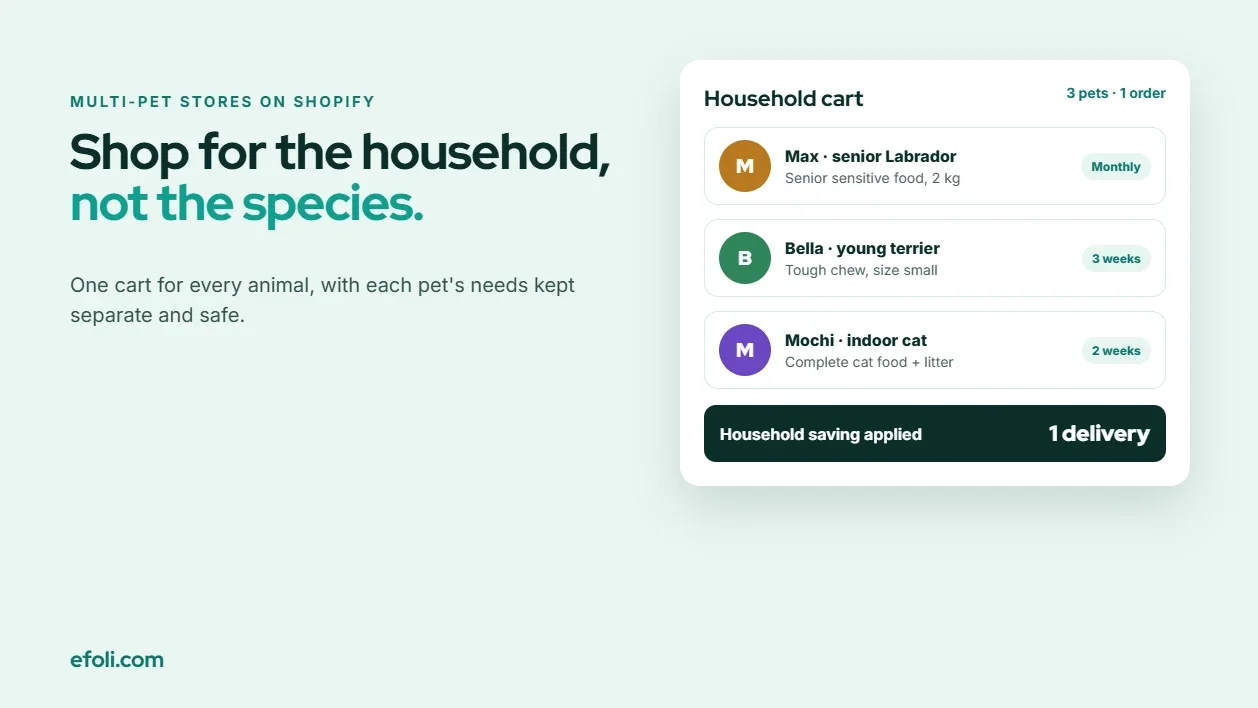
It's Sunday evening. A customer has a nine-year-old Labrador with a sensitive stomach, a two-year-old terrier who chews everything, and an indoor cat who has started leaving her food. She opens her usual pet store's app to restock.
The Labrador's food is in the dog food collection, filtered by "sensitive", but she has to scroll past puppy formulas to find the senior one. The terrier needs a tougher chew, in a size that won't fit in the Labrador's mouth as a choking hazard, so she reads three product descriptions to check sizes. The cat food is in a different collection, and the store's "dog bundle" doesn't let her add cat litter. She ends up with four separate product searches, a cart of eleven items, and a nagging feeling that she's forgotten the flea treatment.
She has. And the 2 kg bag of senior food will run out a week before the cat's litter does, so next month she'll do this twice.
This article is for pet stores, pet food brands and the agencies that build their Shopify stores. It looks at the problem from the owner's side, maps where the friction comes from, explains what it costs the store, and ends with a checklist of decisions.
Key takeaways
Multi-pet households shop for several animals in one session, each with different needs.
Most stores organise products by species, so owners rebuild their household from memory on every visit.
A simple pet profile, saved to the customer account, removes most of the repeated work.
Household bundles should combine animals' items without combining their diets. Dog and cat nutrition are different.
Life stage, size and diet matter for every animal. Make them visible and filterable.
Different products run out at different times. Plan reorders around each item, not the whole cart.
Price multi-pet orders clearly, so a household buying for three animals can see the saving.
How many households are we talking about?
Multi-pet households aren't a niche. The American Pet Products Association's 2025 State of the Industry report says 94 million US households own at least one pet. It puts dog ownership at 51% of households, about 68 million, and cat ownership at 37%, about 49 million. The same announcement notes that seventy percent of Gen Z pet owners have two or more pets.
The report doesn't give one overall figure for multi-pet households, so be careful with statistics you see elsewhere. The point for a store doesn't need a precise number: a meaningful share of your customers are buying for more than one animal, and younger owners are especially likely to be.
The buyer's side: how a multi-pet owner actually shops
Follow the customer from the opening scenario through her restock, step by step.
She starts from the household, not the catalogue. Her mental list is "Max, Bella, Mochi", not "dog food, dog chews, cat food".
She translates each animal into products. Senior, sensitive, large breed. Adult, small breed, heavy chewer. Indoor cat, picky eater.
She searches for each one separately. Different collections, different filters, sometimes different stores.
She checks sizes and life stages on every product. A chew sized for a terrier is not the same as one for a Labrador. A puppy food is not a senior food.
She remembers the extras. Flea and tick treatment, poo bags, litter, dental chews. Or she doesn't.
She looks for a deal. She's buying a lot. Is there a saving for buying for three animals?
She checks delivery. Heavy bags of food and litter make shipping costs visible.
Every step is a chance for a mistake. And next month she starts again from step one, because the store didn't keep any of it.
The friction map: where the store and the household disagree
The friction comes from five gaps between how a multi-pet owner thinks and how most pet stores sell.
Gap | The owner thinks in | The store sells in |
|---|---|---|
Organisation | Animals in the household | Species collections |
Needs | Each pet's age, size and diet | Product filters, if any |
Cart | One restock for everyone | Separate products and bundles per species |
Timing | Each item runs out on its own schedule | One order or one subscription |
Price | A household's total spend | Discounts per product or per bundle |

Gap 1: Organisation
Pet stores are usually organised by species, then by category: Dogs > Food > Dry. That works for a one-dog household. For a household with two dogs and a cat, it means three separate trips through the navigation for every restock. Nothing on the site reflects the household as a whole.
Gap 2: Needs
Within each species, needs vary more than the navigation shows. Life stage is the clearest example. The Merck Veterinary Manual's guide to dog and cat foods explains that AAFCO recognises four nutritional categories: growth, maintenance, gestation/lactation and all life stages. A food labelled for all life stages has been formulated or tested to meet the requirements for growth, reproduction and adult maintenance.
Size matters too, for chews, toys, harnesses, beds and portion sizes. So do special diets. If the store doesn't let owners filter by these, they read every product page.
Gap 3: The cart
Bundles in pet stores are usually built for one species: a puppy starter kit, a cat litter bundle, a dog treat box. A household that wants dog chews, cat treats and litter in one deal has nowhere to put them.
This is also where safety matters. The Merck guide notes that dog foods are generally not satisfactory for cats. Some are lower in protein, they often don't contain assured concentrations of taurine, and they may lack other nutrients cats need, such as preformed vitamin A and arachidonic acid. A household bundle must keep each animal's food clearly labelled for that species, even when the bundle covers both.
Gap 4: Timing
A 12 kg bag of dog food might last a large dog about a month. A box of cat litter might last two weeks. Flea treatment might be monthly or quarterly. When a store offers one subscription for the whole cart, or none at all, some items run out early and others pile up.
Gap 5: Price
A household spending a lot each month across three animals is a valuable customer. But most discounts apply per product or per bundle, so the household's total spend doesn't earn anything. The owner sees no reason to keep everything in one store.
The operational effects: what the friction costs the store
The friction isn't only the owner's problem. It shows up in the store's own numbers and workload.
Split baskets. When a store makes it hard to buy for every animal, owners buy some items there and the rest elsewhere. A household that could be one large monthly order becomes a smaller, irregular one.
Wrong-size and wrong-stage returns. A medium harness for a large dog, a puppy food for a senior dog, a chew that's too small. Each one is a return or an exchange, and many pet stores don't accept opened food back.
Customer service questions. "Which food is right for my older dog?" "Is this treat safe for cats?" These questions are reasonable, and they're the ones a store needs to answer carefully, but repeated basic questions are a sign the product pages and filters aren't doing their job.
Subscription churn. One subscription for everything means some items arrive too early. Owners skip, then cancel, then buy as needed.
Missed add-ons. Flea treatment, dental chews and poo bags are easy to forget when a customer is thinking about food. They're also the items that keep a household's basket complete.
What a household-ready store looks like
Before the checklist, here's what changes when a store is built for households rather than single animals.
The store remembers each pet
A customer adds each pet once: name, species, age or birth date, size or breed group, and any dietary needs. The store saves this to the customer account, using customer metafields or a pet profile app. On the next visit, the owner sees "Shop for Max", "Shop for Bella" and "Shop for Mochi", each filtered to that animal.
A profile is also useful for small personal touches, such as a birthday email for each pet. Keep it short: a long form at signup puts people off, and you can always ask for more later.
Filters match real needs
Life stage, size, species and special diets are filters on every relevant collection, not just words in product descriptions. Product titles include the life stage and size, such as "Adult large breed" or "Senior small breed".
Household bundles keep species separate
A household bundle lets the owner choose items for each animal in one box, with clear sections: "For your dog", "For your cat", "For the home". Food stays labelled for its species. The bundle saves money because it's one order, not because it mixes diets.
Reorders follow each item
Instead of one subscription for the whole household, each item has its own reorder timing. The dog food arrives monthly, the litter every two weeks, the flea treatment when it's due. If the store prefers fewer shipments, it can group items that run out around the same time.
Pricing rewards the household
A multi-pet household sees a clear saving for buying more, shown on the page or in the cart, without needing to ask for a code.

How to build it in Shopify
Pet profiles
Shopify lets you store extra information on customers with customer metafields. A small custom section on the account page can collect pet details and save them as metafields. Several pet-profile and customer-data apps on the Shopify App Store do the same without code. Whichever you choose, decide which fields you actually need and how you'll use them, and tell customers why you're asking.
Keep profiles separate from product variants. A pet's age belongs to the pet, not to the cart line.
Filters and product data
Add life stage, size, species and special diets as product metafields or tags, then use them as filters with Shopify's Search & Discovery app. Clean product data is the foundation for everything else, including personalised collections and emails. If you sell many sizes and flavours, Anika's guide to ordering multiple product variants on Shopify explains how to keep variant-heavy products easy to buy.
Household bundles
Shopify's free Bundles app handles fixed bundles and multipacks, but it doesn't support mix-and-match bundles where customers choose the items. For a household box, a bundle app is the better fit. Push Bundle, a Shopify build-a-box bundle app, offers mix-and-match and build-a-box bundles, with mix-and-match working across products or variants, minimum and maximum quantities and variant limits, and a multi-step builder. These are on the Growth plan, $14 a month with a 14-day trial at the time of writing. Bundles go into the cart as one product, with inventory synced for each item.
A household builder might have three steps:
For your dog: choose food, treats and chews, filtered by size and life stage.
For your cat: choose food, treats and litter.
For the home: add flea treatment, poo bags and cleaning products.
Each step can have its own minimum and maximum, so the box stays practical. The Push Bundle team's guide to pet product bundles covers other formats, such as starter kits and treat boxes.
When an item in the box sells out, the builder needs to handle it gracefully. Anika's post on what happens when a bundle product is out of stock explains the options.
Reorders and subscriptions
If you sell subscriptions, offer them per product, so each item can have its own frequency. Remember that Shopify's own Bundles app isn't compatible with subscriptions. If you want a household box to renew, use a bundle that supports subscriptions with a subscription app that manages selling plans, and test the setup before launch.
A simpler option for many stores is a "reorder reminder" email for each product, timed to its pack size. A 12 kg bag gets a reminder after about four weeks, a 2 kg bag after about a week. You don't need a subscription to remind someone at the right time.
Pricing for households
There are two common approaches:
Tiered discounts by quantity or spend, such as a saving on the third item or above a spend threshold. DiscountRay, a Shopify tiered pricing app, offers quantity discounts and tiered pricing on its free Starter plan, with a discount table on the product page.
Pricing for loyal or registered households, by customer tag or group, which is on DiscountRay's Growth plan at $14 a month with a 14-day trial at the time of writing.
Anika's guide to personalized discounts on Shopify covers how to target offers without training customers to wait for codes. Before you launch, check how tiers count. Anika's post on why tiered discounts don't work as expected explains a common surprise: tiers that count per variant instead of per product.
Returns
Decide your policy for opened food, wrong sizes and bundle returns before you launch household bundles, and show it clearly. Anika's guide to Shopify bundle returns covers how returns work when one item comes back from a bundle.
Worked example: a pet store rebuilds around households
Here's how a fictional store, Two Paws & a Whisker, might apply this. The details are illustrative.
Before: separate dog and cat collections, a puppy starter kit and a cat litter bundle. One subscription option for any single product. Customer service answered several "which size?" questions a day.
The changes:
Pet profiles on the account page: name, species, birth month, size group and up to two dietary notes. Customers see "Shop for…" links for each pet.
Filters for life stage, size and diet on every dog and cat collection, and life stage and size in every product title.
A household box with three steps, dog, cat and home, built with a bundle app. Each step has a maximum, and food items are labelled by species.
Reorder reminders per product, timed to pack size.
Tiered pricing that saves a little on the household box above a set spend, shown in a table on the page.
A clear returns policy for opened food and wrong sizes, linked from every product page.
What to watch: the store would track "which size?" questions, household box orders and subscription skips month by month, rather than assume an uplift. In planning, product data turned out to be the hardest part: tagging every product with life stage and size takes longer than building the bundle.
Getting the safety and advice line right
Pet stores are often asked for advice, and multi-pet households ask more than most. Draw a clear line between product information and veterinary advice.
Product information includes species, life stage, size, ingredients, feeding guides and the nutritional adequacy statement on the label. Show all of these clearly.
Veterinary advice includes which diet suits a particular animal's health condition. For sensitive stomachs, allergies or medical diets, point customers to their vet.
Some practical rules:
Label every food by species in the product title and in any bundle.
Don't suggest that one food suits every animal in the household unless the label supports it for each species.
Keep supplement and treatment copy to the manufacturer's approved wording. Flea and tick products in particular are species-specific, and some products for dogs can be dangerous for cats. Check each manufacturer's guidance and show species clearly.
Make feeding guides easy to find, since multi-pet owners often split bags between animals.
Questions to ask before you build
Before choosing settings or apps, talk to a few regular customers who have more than one pet. Ask:
Which animals do you have, and how old are they?
How do you shop for them today: one store, several stores, in person?
What do you forget most often?
Which items run out first?
What would make you buy everything in one place?
What's the most annoying part of reordering?
The answers usually show which of the five gaps is costing the most.
Merchant checklist: decisions that fix the friction
Use this list to turn the friction map into decisions.
Decide what a pet profile includes. Name, species, age, size and diet are usually enough.
Save profiles to the customer account with metafields or a profile app.
Add life stage, size, species and diet as filters on every relevant collection.
Put life stage and size in product titles.
Build a household bundle that keeps each animal's items in its own section.
Label food by species everywhere, including inside bundles.
Plan reorders per item, with reminders or per-product subscriptions.
Check bundle and subscription compatibility before offering renewing household boxes.
Price multi-pet orders clearly, with tiers shown on the page.
Publish a returns policy for opened food, wrong sizes and bundles.
Draw the advice line: product information on the site, health questions to a vet.
Review the questions customer service gets each month, and fix the product data behind them.
For stores that also sell to shelters, rescues or groomers, eFoli's guide to bulk pet supplies for shelters covers the trade side, which needs a different setup from a household store.
For agencies: scoping a multi-pet project
A pet store project often starts as "add bundles" or "set up subscriptions". A more useful scope covers:
Household research: a few customer conversations about how they shop.
Product data: life stage, size, species and diet on every product.
Pet profiles: fields, storage and how they're used.
Filters and personalised collections.
Household bundle design and build.
Reorder timing: reminders or per-product subscriptions.
Pricing tiers for multi-pet orders.
Returns and safety copy.
Testing with a real multi-pet household.
Product data is the item most often underestimated. Budget for it.
Mistakes that keep households shopping elsewhere
Organising only by species. Households want to shop by animal.
Forgetting the profile. Making owners rebuild their household every visit.
Bundles that only work for one species. A household needs one box for everyone.
Blurring dog and cat food. Keep species labels clear everywhere.
One subscription for the whole cart. Items run out at different times.
Hidden savings. Show multi-pet pricing on the page.
Missing filters for life stage and size. Customers end up reading every product page.
Giving health advice on product pages. Point health questions to a vet.
To Sum Up...
A multi-pet owner shops for a household, not a species. When the store forgets the household between visits, organises everything by species and offers bundles for one animal at a time, owners do the work themselves and often take part of their basket elsewhere. Save a profile for each pet, filter by real needs, build household bundles that keep species separate, plan reorders per item and price the household's order clearly. Then the Labrador gets his senior food, the terrier gets a chew that fits, the cat gets her litter, and nobody forgets the flea treatment.
FAQ
How do I sell to multi-pet households on Shopify?
Can I make a bundle with dog and cat products in one box?
Why shouldn't cats eat dog food?
How do I save pet information on a Shopify customer account?
Should a multi-pet store offer one subscription for everything?
How can I reward households that buy for several pets?

Anika Anamta Mehnaz
This article is written by Anika Anamta Mehnaz, a Content Writer and Content Marketing Strategist specializing in Shopify, eCommerce, and SaaS. With over four years of content writing experience, she creates SEO and AI search-optimized content that helps Shopify merchants make better business decisions through practical, research-backed insights. Her work covers Shopify apps, product variants, bundles, discounts, B2B commerce, and conversion-focused strategies. Outside of work, Anika enjoys watching anime, reading John Grisham novels, and discovering new ideas in digital marketing and e-commerce. If you enjoy discussing Shopify, content marketing, or online growth, feel free to connect with her. Twitter: https://x.com/mehnaz2201 Medium: https://medium.com/@mehnaz_78932
Keep reading
View all articles →
A New Gym Member Needs Five Things. Why Is It Five Separate Orders?
November 18, 2026 • 18 min read
Build Your Own Makeup Kit Without Turning Checkout Into a Shade Test
November 18, 2026 • 20 min read
Native Shopify B2B or DiscountRay for Complex Catalogue and Price Rules?
November 18, 2026 • 19 min read