On this page
- Key takeaways
- Step 1: Decide what the room set needs to do
- Questions that decide the tool
- Step 2: What native Shopify can do
- Complementary product recommendations
- A room photo linked to products
- An automatic discount for buying from the room
- Fixed bundles with Shopify Bundles
- Step 3: Furniture-specific problems every option has to solve
- Mixed shipping methods
- Mixed lead times
- Finishes and fabrics
- Returns and partial returns
- Step 4: Where a bundle app fits
- A build-your-own room
- Things to test with any bundle app
- Step 5: When custom code is worth it
- Comparison: native, app or custom
- Step 6: Decision rules
- Worked example: three rooms, three tools
- How to tell whether a room set is working
- Scoping a room-set project
- Traps to avoid with room sets
- Finally...
- FAQ
Short answer: If you want shoppers to see a styled room and add the pieces that suit them, Shopify's native tools may be enough. Complementary product recommendations from the free Search & Discovery app, a theme section that links products to a room photo, and an automatic discount for buying from a set cover a lot. Use Shopify's free Bundles app when the room set is fixed, every piece ships the same way, and nothing is made to order. Use a Shopify bundle app such as Push Bundle when shoppers need to choose pieces, swap finishes or build their own set with rules, and you want the set to behave as one product in the cart. Choose custom code only when the room set depends on logic no app covers, such as room dimensions, or when you're on Shopify Plus and have the development budget to maintain it. Whatever you choose, check shipping and lead times early, because furniture sets often combine parcel items with large, made-to-order pieces.
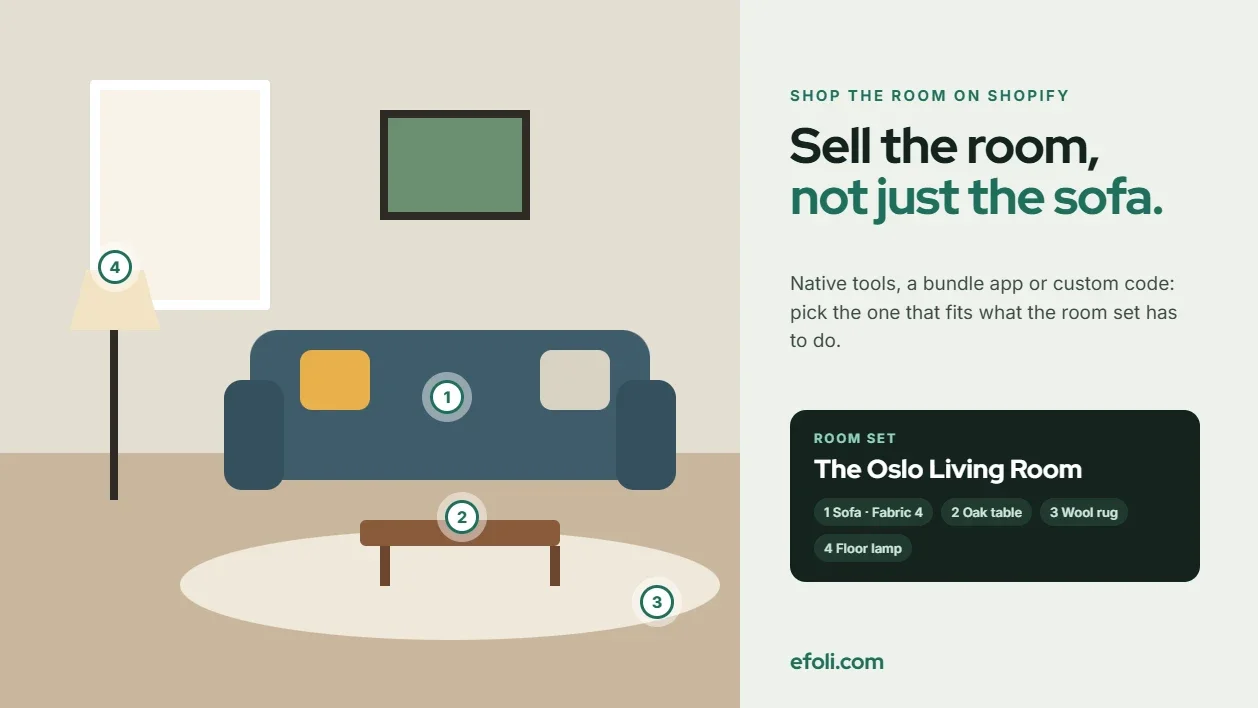
A home décor brand photographs a living room for its autumn campaign. The sofa, the coffee table, a rug, two lamps, cushions and a throw. The photo performs well on social media, and people click through to the store.
Then they land on the sofa's product page. The rug is three clicks away. The lamp is in a different collection. The cushions come in five colours, and the one in the photo isn't labelled. Most visitors buy the sofa or nothing. The room that made them click never makes it to the cart.
Shop-the-room is the obvious answer, and there are several ways to build it on Shopify. This article compares them for home and furniture brands and the agencies that build their stores: what the room set needs to do, what native Shopify can handle, where a bundle app fits, when custom code is worth it, and a set of decision rules to choose between them.
Key takeaways
Start with what the room set needs to do: show, suggest, sell as a set, or let shoppers build their own.
Native Shopify can suggest up to 10 complementary products per product and sell fixed bundles through the free Bundles app.
Shopify's Bundles app doesn't support mix-and-match, and bundles can't use selling plans such as pre-orders or subscriptions.
A bundle app helps when shoppers choose pieces, swap finishes or need rules about what goes together.
Furniture shipping complicates sets. Bundles in Shopify's Bundles app don't have their own shipping profiles, and rates from different profiles are combined at checkout.
Made-to-order lead times need to be clear on the set, not just on one product page.
Custom code makes sense for room logic no app covers, but someone has to maintain it.
Step 1: Decide what the room set needs to do
"Shop the room" means different things to different brands. Before comparing tools, decide which of these four jobs the set has to do.
Job | What the shopper does | Example |
|---|---|---|
Show | Sees the room and clicks individual products | A styled photo with linked products |
Suggest | Gets prompted to add matching pieces | "Complete the room" on the sofa page |
Sell as a set | Buys a fixed group of pieces together | "The Oslo Living Room": sofa, table, rug |
Build | Chooses pieces and finishes within rules | Pick a sofa, a table and any two accessories |

Most brands need more than one job. A campaign page might show the room, the sofa page might suggest matching pieces, and a fixed "starter room" might sell as a set. That's fine. The point is to know which job each part of the store is doing, because each one needs a different tool.
Questions that decide the tool
Answer these with the brand before choosing:
Do shoppers need to choose pieces or finishes? If the set is always the same, a fixed bundle works. If they choose, you need a builder.
Is anything made to order? Pre-orders and long lead times change what bundles can do.
How does each piece ship? Parcel, freight or white-glove delivery.
Is there a set price? A discount for buying the room, or just convenience?
How often do rooms change? Seasonal campaigns need quick updates.
Who maintains it? An in-house team, an agency or a developer.
Step 2: What native Shopify can do
Shopify has more shop-the-room capability than many teams realise. It's worth exhausting it before adding an app.
Complementary product recommendations
Shopify's free Search & Discovery app lets you choose complementary products for each product. These are items "often bought in addition to" the one being viewed, which is exactly what a matching rug or lamp is.
The details matter:
You can choose up to 10 complementary products per product.
The complementary products block shows between 1 and 10 products, with up to 4 per slider page.
A product page can have only one complementary products block.
Complementary products only show when they're active and in stock.
Your theme has to support the block.
This handles the "suggest" job well. The sofa page can show the coffee table, rug and lamps from the campaign photo. It won't sell them as a set or apply a set price, and each piece is still added to the cart separately.
A room photo linked to products
Some themes include a section that places product links or hotspots on an image. Where your theme has one, it handles the "show" job: the campaign photo becomes the landing page, and each piece links to its product. Where it doesn't, a hotspot app or a small custom section does the same thing. Check what your current theme includes before adding anything.
An automatic discount for buying from the room
If you want to reward buying the room without making it a bundle, an automatic discount can do it. For example, a percentage off when the cart includes a set number of items from an "Oslo Living Room" collection. This keeps each piece as a separate line in the cart, which makes returns and shipping simpler, but it doesn't guarantee the shopper buys the whole set.
Fixed bundles with Shopify Bundles
Shopify's free Bundles app creates fixed bundles: a set product made of component products. Shoppers can choose variants of each component, such as a cushion colour. Availability follows the component with the lowest stock.
Shopify's eligibility and considerations page lists the limits, and several are important for furniture:
No mix-and-match. Shoppers can't choose which pieces are in the set.
No selling plans. Bundles aren't compatible with purchase options, which include pre-orders, subscriptions and try-before-you-buy. Shopify's developer documentation on bundles says the same.
No nested bundles. A bundle can't contain another bundle.
No own shipping profile. Bundles don't have their own shipping profiles.
No exchanges or final sale. Bundles can't be used in exchanges and can't be set as final sale.
No bulk editing. Bundles don't support import, export or bulk editing.
Untracked items are ignored. Components that aren't tracked, or that continue selling when out of stock, are left out of the availability calculation.
That last point matters for made-to-order furniture. If the sofa is set to continue selling when out of stock because it's made to order, the bundle's availability will be based only on the other pieces.
Step 3: Furniture-specific problems every option has to solve
Before looking at apps, it helps to name the problems that make room sets harder in furniture than in, say, fashion. Every option, native or app, has to handle them.
Mixed shipping methods
A room set might include a sofa that ships by freight, a rug that ships by courier and cushions that fit in a parcel. In Shopify, shipping is set by shipping profiles. When a cart contains products from different profiles, Shopify combines the rates: rates with the same name are added together, and if the names don't match, the cheapest options are added together and shown as "Shipping".
For room sets, that means:
Name rates consistently across profiles, so the combined rate makes sense to the shopper.
Check what a full room costs to ship before setting a set price. Freight plus parcel can be a large number.
If you use Shopify's Bundles app, remember that the bundle doesn't have its own profile. Shipping follows the components.
Mixed lead times
The sofa is made to order in eight weeks. The lamp ships tomorrow. A shopper who buys the room needs to know whether everything arrives together or in stages. Decide the policy, then show it on the set page and in the order confirmation. If pieces ship separately, say so before checkout.
Finishes and fabrics
Furniture rarely comes in one version. A sofa might have 12 fabrics, a table three wood finishes. A fixed room set has to either lock the finishes or let the shopper choose. If they choose, the set page has to make clear which finish is in the photo.
For fabric choices that go beyond the standard range, such as a customer's own material or a contract fabric, a quote is often better than a product option. eFoli's guide to furniture quote requests on Shopify covers that side.
Anika's post on Shopify product options challenges explains the variant and option limits you'll run into with fabric-heavy catalogues.
Returns and partial returns
What happens if a customer returns the rug from a discounted room set? Decide whether the set discount stays, is recalculated or is deducted from the refund, and write it into the returns policy before launch.
Step 4: Where a bundle app fits
A bundle app earns its place when shoppers need to choose, when the set needs rules, or when you want the set to behave as one product in the cart.
Push Bundle covers the main room-set patterns:
Cross-sell bundles with fixed, percentage or set-price discounts, for "complete the room" offers on a product page.
Mix-and-match bundles where shoppers choose from a group of products, with minimum and maximum quantities and variant limits.
Build-a-box bundles with a multi-step builder, for "pick a sofa, then a table, then two accessories".
Single-product cart behaviour, with inventory synced for each component.
Compatibility with Shopify Markets, multi-currency and POS, according to its App Store listing.
The free Starter plan covers volume and tiered discounts. Build-a-box, mix-and-match, cross-sell bundles and the multi-step builder are on the Growth plan, $14 a month with a 14-day trial at the time of writing.
A build-your-own room
Here's how a three-step room builder might work:
Choose your sofa. Three models, each with fabric variants.
Choose your coffee table. Two models, each with finish variants.
Add accessories. Choose two to four from rugs, lamps, cushions and throws.
The builder sets a minimum and maximum for each step, shows a running price and applies a set discount when the room is complete. Sold-out items are hidden or disabled, which the Push Bundle team covers in its guide to handling out-of-stock bundle products, written by Anika.
Things to test with any bundle app
A bundle app doesn't remove the furniture-specific problems. Test each of these before launch:
Made-to-order pieces. If the sofa uses a pre-order app or selling plan, check how the bundle handles it.
Shipping. Add a full room to the cart and check that the combined shipping rate is right in each market.
Discount combinations. Decide whether the room discount can combine with a sitewide sale.
Returns. Return one piece from a set and check the refund.
Variant display. Make sure the cart and order show which fabric and finish was chosen for each piece.
For more on choosing between formats, the Push Bundle team compares fixed and mix-and-match bundles, and Anika's post on common problems with Shopify cross-sell bundles covers what tends to go wrong with "complete the room" offers on product pages. If you're comparing apps more widely, Anika's roundup of the best Shopify bundle apps is a useful starting point.
Step 5: When custom code is worth it
Custom development is the right choice less often than agencies sometimes suggest, but there are real cases for it.
Good reasons to build:
Room logic. The set depends on dimensions, for example "only show rugs that fit a room of this size", or on compatibility rules between modular pieces.
Visual configuration. Shoppers need to see the room change as they swap finishes.
Deep integration. The set has to read lead times from an ERP or a manufacturer's system.
Shopify Plus customisation. Plus stores can use Shopify's bundle and cart transform functions to build customized bundles, which gives full control over how the set appears in the cart.
Reasons to be careful:
Maintenance. Theme updates, Shopify changes and new products all need developer time.
Hidden scope. Shipping, discounts, returns and inventory all have to be built or checked, not just the room page.
Ownership. If the agency that built it moves on, the brand needs someone who understands it.
A lighter option sits in between: a custom theme section that shows the room photo, lists the pieces and adds them all to the cart with one button using Shopify's cart API. Each piece stays a separate line, so shipping, returns and inventory work as normal. It's less work than a full custom bundle, though it doesn't apply a set price on its own. Pair it with an automatic discount if you need one.
Comparison: native, app or custom
Need | Native Shopify | Push Bundle | Custom code |
|---|---|---|---|
Show a styled room with linked products | Theme section, if your theme has one | Not its main job | Yes |
Suggest matching pieces on a product page | Search & Discovery, up to 10 per product | Cross-sell bundles | Yes |
Sell a fixed set at a set price | Shopify Bundles | Fixed or cross-sell bundle | Yes |
Let shoppers choose pieces | No | Mix-and-match, build-a-box | Yes |
Rules per step (min, max, variants) | No | Growth plan | Yes |
Made-to-order or pre-order pieces | Bundles can't use selling plans | Test with your pre-order setup | Yes, with effort |
Room dimensions or visual configurator | No | No | Yes |
Maintenance effort | Low | Low | High |
Cost | Free | Free to $14 a month | Development plus upkeep |

Step 6: Decision rules
Use these rules to choose. They're deliberately simple, so a brand team can apply them without a developer in the room.
If the goal is to show or suggest, start native. Complementary products and a linked room photo cover most campaign needs at no cost.
If the set is fixed, ships the same way and nothing is made to order, use Shopify Bundles. It's free and handles inventory well.
If the set includes made-to-order or pre-order pieces, don't use Shopify Bundles for those pieces. Bundles can't use selling plans. Sell them as separate lines with a room discount, or test an app with your pre-order setup.
If shoppers choose pieces, finishes or quantities within rules, use a bundle app. Push Bundle's mix-and-match and build-a-box bundles are built for this.
If the room depends on dimensions, modular compatibility or a visual configurator, consider custom code. Budget for maintenance from day one.
If shipping methods differ across the set, fix shipping before choosing a tool. No room page can rescue a confusing shipping total.
If you can't decide, launch the simplest option for one room and measure it. Then add complexity where shoppers actually get stuck.
Worked example: three rooms, three tools
Here's how a fictional brand, Alder Home, might apply the rules across its autumn range. The details are illustrative.
Room 1: The campaign living room. A styled photo with a sofa, table, rug, lamps and cushions. The goal is to show and suggest. Alder Home uses a theme section to link the photo to each product and sets complementary products on the sofa page. No bundle, no set price. Cost: nothing extra.
Room 2: The starter bedroom. A fixed set: bed frame, two bedside tables and a lamp. All in stock, all shipped by courier. Alder Home uses Shopify Bundles with a set price. Shoppers can choose the wood finish of each piece as a variant.
Room 3: The build-your-own dining room. Shoppers choose a table, four to eight chairs and up to two accessories. The table is made to order. Alder Home uses a Push Bundle build-a-box with three steps and limits on each step. Before launch, the team tests how the made-to-order table behaves inside the bundle, sets the delivery message for mixed lead times, and checks that the combined freight and parcel shipping rate is right. The dining room set shows "Table ships in 6 to 8 weeks; chairs and accessories ship within 5 days" on the builder and in the order confirmation.
Three rooms, three tools, each chosen for what that room needs to do.
How to tell whether a room set is working
Room sets are easy to launch and hard to judge, because a shopper who buys the sofa and the rug separately may have been influenced by the room page without ever touching the bundle. Before launch, agree what you'll measure for each room and over what period.
For "show" rooms, look at clicks from the room photo to each product and how many of those visits end in an order. If most clicks go to one piece, the photo may be selling the sofa rather than the room.
For "suggest" rooms, compare orders that include the main piece with orders that include the main piece plus at least one complementary item. Check this before and after you set complementary products, over the same length of time and outside major sales, so a promotion doesn't distort the comparison.
For sets and builders, track how many shoppers start the builder, how many finish it and where they stop. A step where many people leave is usually a step with too many choices, a confusing finish selector or a surprising price.
For every room, watch three operational numbers: partial returns from sets, support questions about delivery dates, and shipping cost as a share of the order. A room that sells well but generates confused delivery questions is telling you the lead-time message needs work.
Review each room after a full season. Keep the rooms that work, simplify the ones where shoppers stall, and retire the ones that only ever sell one piece. That review is also the moment to decide whether a room has outgrown native tools and needs a builder, or the other way round.
Scoping a room-set project
A shop-the-room project often starts as "build a nice room page". A better scope covers:
Room jobs: show, suggest, sell, build, for each room.
Shipping audit: profiles, rate names and a full-room test basket.
Lead-time policy: what ships when, and how it's shown.
Tool choice: using the decision rules above.
Discount plan: whether room prices combine with other offers.
Returns policy: partial returns from sets.
Handoff: how the brand adds a new room next season without the agency.
Traps to avoid with room sets
Building a bundle when a suggestion would do. Many rooms only need complementary products and a linked photo.
Putting made-to-order pieces into Shopify Bundles. Bundles can't use selling plans, and continue-selling items are ignored in availability.
Ignoring shipping until checkout. Combined freight and parcel rates can surprise shoppers.
Not labelling the finishes in the photo. Shoppers want the room they saw.
Promising one delivery date for mixed lead times. Say what ships when.
Choosing custom code for a problem an app solves. Maintenance outlasts the launch.
Finally...
Shop-the-room works when each room does one clear job. Show and suggest with native tools, sell fixed in-stock sets with Shopify Bundles, and use a bundle app when shoppers need to choose pieces within rules. Keep made-to-order pieces out of native bundles, sort out shipping and lead times before choosing a tool, and save custom code for room logic no app covers. Then the room that made people click can actually end up in their cart.
FAQ
How do I create a shop-the-room page on Shopify?
Can Shopify Bundles include made-to-order furniture?
How many complementary products can I add in Shopify?
Can shoppers build their own room set on Shopify?
How does shipping work for furniture bundles on Shopify?
When is custom code worth it for room sets?

Anika Anamta Mehnaz
This article is written by Anika Anamta Mehnaz, a Content Writer and Content Marketing Strategist specializing in Shopify, eCommerce, and SaaS. With over four years of content writing experience, she creates SEO and AI search-optimized content that helps Shopify merchants make better business decisions through practical, research-backed insights. Her work covers Shopify apps, product variants, bundles, discounts, B2B commerce, and conversion-focused strategies. Outside of work, Anika enjoys watching anime, reading John Grisham novels, and discovering new ideas in digital marketing and e-commerce. If you enjoy discussing Shopify, content marketing, or online growth, feel free to connect with her. Twitter: https://x.com/mehnaz2201 Medium: https://medium.com/@mehnaz_78932
Keep reading
View all articles →
Six Students, Six Kits, Thirty Missing Brushes: Why Craft Workshop Kits Break on Shopify
November 17, 2026 • 17 min read
The Keepsake Buying Journey on Shopify: From Engraving Choices to Order Accuracy
November 17, 2026 • 18 min read
You Sold Tomorrow's Lunch. The Kitchen Already Closed Today's Prep List.
November 17, 2026 • 18 min read