On this page
- Key takeaways
- Requirements: what does "fast reordering" mean?
- Watch three real orders
- Spot the signs that buyers have given up on the website
- Write the job in one sentence
- List the must-haves and nice-to-haves
- Native options: what Shopify already does
- Where native is enough
- Where native falls short
- App fit: MultiVariants
- When MultiVariants fits
- When it doesn't
- Other apps
- Ordering outside the store: EmbedUp
- Large catalogues need good search before good forms
- Custom code: when it's worth it
- A SKU entry pad
- A CSV or spreadsheet upload
- A customer-specific order guide
- What custom code costs over time
- Keep prices and rules the same everywhere
- The order speed test
- Getting buyers to actually use it
- Decision rules
- Worked example: Greenhurst Horticultural Supply
- Before
- The decision
- What changed
- Checklist before you choose
- Final Thoughts
- FAQ
Short answer: For a distributor quick order form on Shopify, start with what's native: B2B on Shopify includes a quick order list for a product's variants, easy reorders from past orders, quantity rules, volume pricing and draft orders on every B2B plan. That's enough when buyers reorder the same lines and each product has a handful of variants. Add an app like MultiVariants when buyers need a grid or list of variants with quantity fields, minimums and steps on the product page, or the same experience on a non-B2B setup. Consider custom code only for a SKU entry pad or CSV upload across the whole catalogue, and only if the order volume justifies building and maintaining it.
Trade buyers who reorder every week don't browse. They know the SKUs, the pack sizes and roughly how many they need. What they want from a store is speed: get in, enter forty lines, check the total, submit, get back to work.
A typical Shopify store is built for the opposite. It's designed for browsing, with large images, one product per page and an "Add to cart" button that resets after each click. For a distributor, that turns a five-minute reorder into a twenty-minute chore, and buyers start sending orders by email instead.
This guide compares the main options for fast repeat ordering on Shopify: native features, MultiVariants, other apps, EmbedUp for ordering outside the store, and custom development. It uses a fictional horticultural distributor, Greenhurst Horticultural Supply, to show how the decision plays out.
Key takeaways
Measure how buyers actually reorder before choosing a tool. Count lines per order, products per order and how often they repeat the last order.
Native Shopify B2B covers more than most merchants expect, including a quick order list and easy reorders.
MultiVariants adds variant lists, grids and matrices with quantity fields, minimums and steps on the product page.
EmbedUp lets a distributor put shoppable products and bulk add-to-cart on another site, such as a trade portal or a planting guide.
A custom SKU pad or CSV upload can make sense for very large catalogues, but it needs ongoing maintenance.
Decide by the buyer's job, not by the feature list.
Requirements: what does "fast reordering" mean?
Watch three real orders
Before comparing tools, ask the distributor for three recent trade orders, ideally from different customers. Then answer these questions:
How many lines were on each order?
How many different products were they from?
How many lines were variants of the same product, such as pot sizes?
How much of each order matched the previous order from the same customer?
Did the buyer know the SKU, or search by name?
Was the order placed on the website, by email, by phone or with a sales rep?
For Greenhurst, the answers were revealing. A typical garden centre order had 35 to 60 lines, from 25 to 40 products. Most products came in three to six pot sizes. About 70% of each order repeated the last order. The other 30% were seasonal additions. Buyers usually knew product names, and some knew SKUs, but most searched by name.
Spot the signs that buyers have given up on the website
Distributors often assume the website is "fine" because some trade orders come through it. Look for these signs instead:
Buyers place small top-up orders online but send the big monthly order by email.
Sales reps re-enter orders that customers dictated over the phone.
Orders arrive with notes such as "same as last time, plus the below."
Buyers ask for a PDF price list even though prices are on the site.
The same customer places three orders on the same day because the cart was lost or the session timed out.
Each of these means the buyer has found a faster route than your store. The goal of a quick order setup is to make the store the fastest route again.
Write the job in one sentence
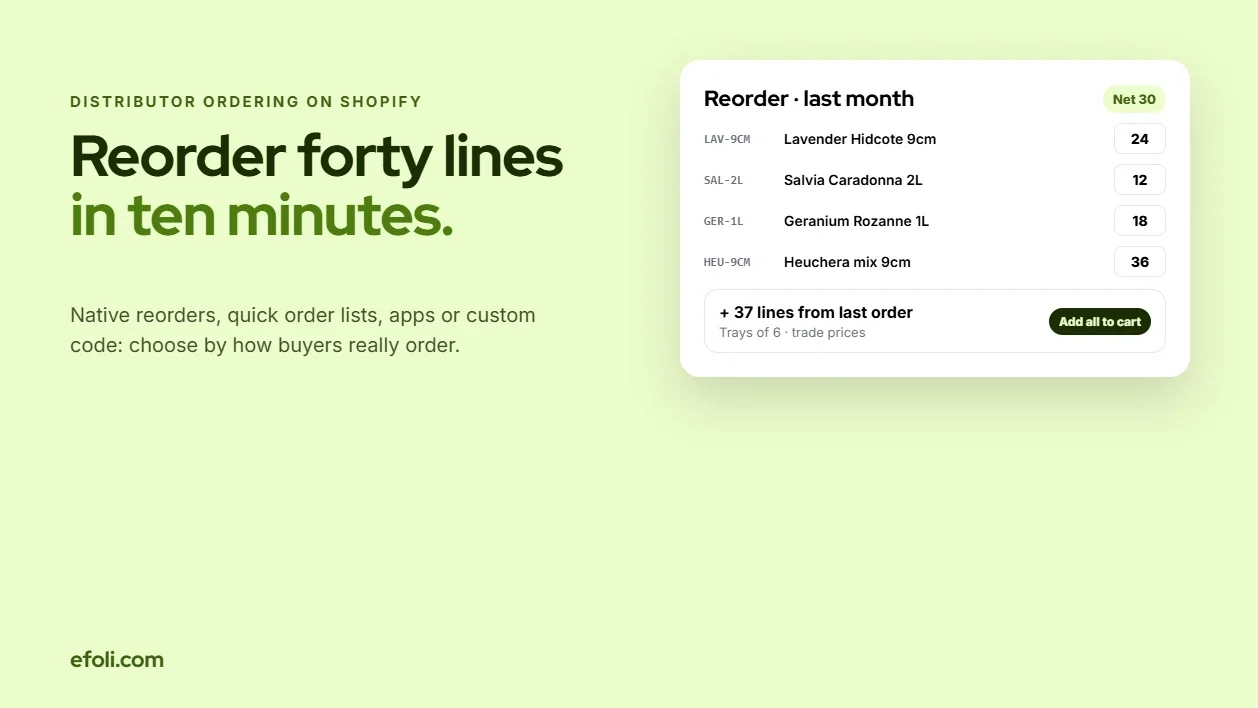
For Greenhurst, the job became: "A garden centre buyer should be able to repeat last month's order, adjust quantities and add seasonal lines in under ten minutes."
That sentence rules out some options and points to others. It's about reorder speed and quantity entry across pot sizes, not about a complete self-service portal.
List the must-haves and nice-to-haves
Requirement | Must have | Nice to have |
|---|---|---|
Reorder a previous order | Yes | |
Enter quantities for several pot sizes at once | Yes | |
See trade prices and pack quantities | Yes | |
Minimum quantities and steps (trays of 6, 12) | Yes | |
Add seasonal lines quickly | Yes | |
SKU entry pad across the catalogue | Yes | |
CSV upload of an order | Yes | |
Order from the planting guide website | Yes | |
Sales rep can place orders for customers | Yes | |
Mobile ordering from the shop floor | Yes |
Native options: what Shopify already does
Shopify's B2B plan features page lists what's included on each plan. For fast reordering, the relevant ones are:
Quick order list. B2B buyers can see a product's variants in a list with quantity fields on the product page and add several at once. For Greenhurst, that means a buyer can enter quantities for all six pot sizes of a lavender on one screen.
Easy reorders. Shopify added a Buy again button for B2B customers in new customer accounts, so buyers can reorder from their order history. This covers the 70% of Greenhurst's orders that repeat.
Quantity rules and volume pricing. You can set minimums, maximums and increments per product in a B2B catalog, along with price breaks by quantity. That handles trays of 6 or 12.
Payment terms and PO numbers. Net terms and purchase order numbers are available on all B2B plans.
Draft orders. Staff can create orders for buyers, and on B2B, buyers can submit orders for review. Shopify also lists sales staff permissions on Grow and higher.
Catalogs. On non-Plus plans, there are up to three active catalog assignments across B2B markets. On Plus, catalogs can be assigned directly to companies and locations.
Where native is enough
If buyers mostly repeat orders, products have a few variants, and the distributor is on a B2B plan, native Shopify may be all you need. Many distributors install an app before trying the built-in reorder and quick order list. Try those first.
Where native falls short
The gaps usually show up in four places:
Layout. The quick order list is a list. Products with two options, such as variety and pot size, can be easier to order from a grid or matrix.
Rules across variants. Minimums per option value or across a product's total, beyond simple per-variant quantity rules.
Non-B2B setups. If the distributor isn't using Shopify B2B, for example because trade buyers are tagged customers in a regular store, the native quick order list isn't available to them.
Catalogue-wide entry. Typing SKUs or uploading a file for the whole catalogue, rather than product by product.
App fit: MultiVariants
MultiVariants is a Shopify app that shows a product's variants with quantity fields so buyers can add many at once. The plan details below are from the App Store listing as of November 2026.
Starter (free): variant listing with quantity inputs, bulk add to cart and inventory display. Works with products up to Shopify's 2,048-variant limit.
Standard ($12.99/month): list, grid and matrix layouts, B2B catalog prices, a cart minimum and customer eligibility rules, such as showing the form only to signed-in trade buyers.
Professional ($29.99/month): minimum and maximum quantities per variant or across the product total, a minimum per option value, variant count limits, incremental steps, custom options and file upload.
For Greenhurst, the matrix layout let a buyer order "Lavender Hidcote" across pot sizes and quantities in one view. Steps of 6 matched the trays. A cart minimum enforced the trade order minimum. You can add a variant quick order form and show it only to trade customers, so retail shoppers still see a normal product page.
MultiVariants also works with DiscountRay for volume discounts, and with subscription apps such as Appstle and Seal, according to its listing.
When MultiVariants fits
Buyers order several variants of the same product at once.
Products have two options that suit a grid.
You need minimums or steps across variants.
Trade buyers are tagged customers, not B2B companies, and still need a fast form.
You want something running in an afternoon rather than a sprint.
When it doesn't
Buyers mostly type SKUs across many products.
Orders come as spreadsheets from a purchasing system.
Products have one variant each, so there's nothing to list.
For a broader comparison of catalog-style ordering and product-page bulk forms, Syeda's post on Shopify B2B catalog vs bulk order form is worth reading alongside this one.
Other apps
There are dedicated quick order form apps on the Shopify App Store that list many products on one page with quantity fields, sometimes with SKU search. They can suit distributors whose buyers order one unit each of many different products. When comparing them, check:
Whether they respect B2B catalog prices and quantity rules.
How they handle large catalogues, for example thousands of SKUs.
Whether they work with your theme and on mobile.
Whether they support customer-specific product lists.
What happens to the cart if a line is out of stock.
Test them with a real order from a real buyer. A form that looks fast in a demo can be slow with 3,000 products.
Ordering outside the store: EmbedUp
Some distributors already have a trade portal, a planting guide, a WordPress site or a seasonal catalogue page that buyers use to plan. Instead of sending buyers back to the store to rebuild the list, EmbedUp lets you embed shoppable Shopify products on other websites.

EmbedUp's free plan includes one embedded component with up to three products. The Growth plan ($14.99/month) adds more components, bundles, "add all" to cart and an inventory check. You can embed a bulk add-to-cart list on a seasonal planting guide, so a garden centre buyer can add the whole spring list in one click and adjust it in the cart.
For Greenhurst, the planting guide already had a "Spring bedding starter range" list. Turning that list into an embedded add-all component meant buyers could go from reading to ordering without searching for each plant. Anika's guide on how to sell Shopify products outside your store covers more uses.
Large catalogues need good search before good forms
Greenhurst sells around 2,500 products. At that size, the quickest form in the world won't help if a buyer can't find "Salvia Caradonna 2L" in a few keystrokes. Before adding any ordering tool, check the basics:
Search by name, SKU and common shorthand. Garden centre buyers type "lav hid 9cm," not "Lavandula angustifolia 'Hidcote' 9 cm pot." Add synonyms and make sure SKUs are searchable.
Collections that match how buyers think. Group by season, category and supplier range, not just by plant family.
Trade-only collections. Hide retail-only products from trade buyers, and the reverse, so lists stay short.
Clear variant names. "2L" and "9cm" are better than "Option 2." Consistent naming also makes CSV and SKU tools easier later.
Stock shown up front. Buyers planning an order need to know what's available before they type quantities.
In Greenhurst's case, cleaning up variant names and adding SKU search fixed a surprising amount of the "slow website" complaint before any app was installed.
Custom code: when it's worth it
Custom development can solve catalogue-wide ordering problems that apps don't. The common builds are:
A SKU entry pad
A page where buyers type SKUs and quantities line by line, with live lookup, price and stock. It's useful when buyers order from a printed catalogue or their own purchasing system.
A CSV or spreadsheet upload
Buyers upload a file with SKUs and quantities. The page validates each line, flags unknown SKUs or rule breaks, and adds the rest to the cart. Shopify supports cart permalinks in the form /cart/variant_id:quantity, which a simple tool can use for small orders. Larger orders usually use the Storefront or Ajax cart APIs.
A customer-specific order guide
A page that shows each buyer the products they've bought before, with last quantities, ready to edit. It's like a reorder but across many orders, and it lets buyers add or remove lines quickly.
What custom code costs over time
Custom ordering tools are not a one-time cost. Budget for:
Changes when Shopify updates cart, checkout or B2B behaviour.
Theme updates that break the page layout.
Handling B2B prices, quantity rules and catalogs correctly.
Testing with each new feature or product type.
A developer on call when something breaks during a busy week.
For Greenhurst, the team estimated a SKU pad and CSV upload would take a few weeks to build and test, plus ongoing support. They decided to wait until they knew how many buyers actually wanted it.
Keep prices and rules the same everywhere
The more ordering routes a distributor offers, the more places a price or a rule can go wrong. A buyer who sees one price on the product page, another in the quick order form and a third in an embedded list will stop trusting all three.
Check that every route uses the same source for:
Trade prices. If prices come from B2B catalogs, every tool should read them from there. If they come from a pricing app, check that the form and the embedded components show the discounted price before the cart.
Quantity rules. Minimums and steps should apply the same way whether the buyer orders from a product page, a reorder or an embedded list. If one route skips a rule, buyers will find it.
Stock. Out-of-stock lines should behave the same in every view. A reorder that silently drops a line is worse than one that flags it.
Customer eligibility. Trade-only products and forms should stay hidden from retail shoppers in every place they appear.
For Greenhurst, the team wrote a one-page "pricing source of truth" that listed where each rule lived. When a new tool was added, the first test was whether it matched that page.
The order speed test
Before deciding, run a simple speed test. Ask a real buyer, or a staff member pretending to be one, to place a typical order using each option. Time it and count the clicks.

Option | Setup | Typical repeat order | Typical order with 15 new lines |
|---|---|---|---|
Standard product pages | None | Slow, one variant at a time | Slow |
Native reorder and quick order list | Low | Fast for repeat lines | Medium, product by product |
MultiVariants grid or list | Low | Fast with reorder | Fast for multi-variant products |
Quick order form app | Low to medium | Medium | Fast if buyers search by name or SKU |
EmbedUp add-all list | Low | N/A | Fast for curated seasonal lists |
Custom SKU pad or CSV | High | Fast | Fast for SKU-led buyers |
The table above is a guide, not a benchmark. Your results depend on catalogue size, theme and how buyers search. That's why the test matters: it shows which option saves real time for your buyers.
Getting buyers to actually use it
The best quick order setup fails if buyers keep emailing. Adoption needs a plan.
Make sign-in painless. Shopify's new customer accounts let buyers sign in with a one-time code sent to their email, so there's no password to forget. Send each buyer a direct link before launch.
Show the reorder first. When a buyer signs in, the first thing they should see is their last order and a way to repeat it. That's the habit you're trying to replace.
Train the sales reps. Reps are often the reason buyers keep emailing, because it's easier to send a list to someone they know. Give reps a short demo they can share, and ask them to place the next order with the buyer on the website, once.
Answer email orders with a link. When an order still arrives by email, process it, but reply with a link to the reorder page and a note that next time it'll be quicker online.
Make mobile work. Garden centre buyers, like many trade buyers, often walk the shop floor with a phone and note what's running low. Test the quick order list, the grid and any embedded lists on a phone. Quantity fields that are too small to tap, or grids that need sideways scrolling, will send buyers back to email.
Track it. Count the share of trade orders placed online each month. If it isn't rising after two months, ask three buyers why.
Decision rules
Use these rules to decide.
Rule 1: Try native first if you're on a B2B plan. Turn on easy reorders and the quick order list. Watch a few buyers use them. You may not need anything else.
Rule 2: Add MultiVariants when variants are the bottleneck. If buyers spend time switching pot sizes, colours or pack sizes, a list or grid on the product page saves the most time.
Rule 3: Add a quick order form app when products, not variants, are the bottleneck. If buyers order one unit each of many products, a catalogue-wide list may help more.
Rule 4: Use EmbedUp when buyers plan outside the store. If they work from a guide, a portal or a seasonal list, put the products there.
Rule 5: Build custom only when the numbers say so. If a large share of revenue comes from buyers who order by SKU or spreadsheet, and the apps can't handle it, custom code may pay off. Factor in maintenance.
Rule 6: Combine tools carefully. Native reorder, MultiVariants and EmbedUp can work together. But each extra tool is another thing to test when prices, quantity rules or the theme change.

Worked example: Greenhurst Horticultural Supply
Greenhurst is a composite example, not a real business.
Before
Greenhurst's trade buyers used normal product pages. A typical 45-line order took about 25 minutes. Many buyers emailed orders instead, which meant someone at Greenhurst retyped them. Steps of 6 and 12 were checked by hand.
The decision
Turned on native easy reorders for B2B buyers.
Added MultiVariants on products with several pot sizes, with steps matching the trays and a cart minimum for trade orders.
Embedded the spring and autumn planting guides with EmbedUp add-all lists.
Parked the SKU pad. They'd revisit it if more than a quarter of orders still came by email after one season.
What changed
The team didn't measure every order, and the time saved will vary for any distributor. But the shape of the result was clear. Repeat orders became a reorder plus a few edits. Seasonal lines came from the planting guide. Fewer orders arrived by email, and the ones that did were usually from buyers who hadn't signed in yet. The SKU pad stayed parked.
If you're building this kind of setup for hospitality buyers, Anika's guide to hospitality supply ordering on Shopify covers a similar problem with different products. Her posts on B2B self-service ordering on Shopify and Shopify wholesale replenishment go deeper on the reorder side.
Checklist before you choose
Three real orders reviewed and lines counted.
The job written in one sentence.
Must-haves and nice-to-haves agreed.
Native reorder and quick order list tried with a real buyer.
Variant-heavy products identified.
Buyers' planning tools identified, such as guides or portals.
Share of orders by SKU or spreadsheet measured.
Speed test run on at least two options.
Maintenance owner agreed for any app or custom code.
Final Thoughts
Distributor buyers don't need a prettier store. They need a faster one. Start with what Shopify already does for B2B reorders, add MultiVariants where variants slow buyers down, use EmbedUp where buyers plan outside the store, and build custom tools only when the order data proves the need. Then time a real order and keep the option that wins.
FAQ
Does Shopify have a quick order form for B2B?
Can B2B customers reorder past orders on Shopify?
When do I need an app like MultiVariants?
Can buyers upload a CSV order on Shopify?
Can distributors sell from a website outside Shopify?
Is custom code worth it for distributor ordering?

Anika Anamta Mehnaz
This article is written by Anika Anamta Mehnaz, a Content Writer and Content Marketing Strategist specializing in Shopify, eCommerce, and SaaS. With over four years of content writing experience, she creates SEO and AI search-optimized content that helps Shopify merchants make better business decisions through practical, research-backed insights. Her work covers Shopify apps, product variants, bundles, discounts, B2B commerce, and conversion-focused strategies. Outside of work, Anika enjoys watching anime, reading John Grisham novels, and discovering new ideas in digital marketing and e-commerce. If you enjoy discussing Shopify, content marketing, or online growth, feel free to connect with her. Twitter: https://x.com/mehnaz2201 Medium: https://medium.com/@mehnaz_78932
Keep reading
View all articles →
Same Headphones, Three Reseller Tiers: Why One Price Makes No Sense
November 20, 2026 • 17 min read
Shopify Subscriptions, Bundle Apps and Custom Code: Check Compatibility First
November 20, 2026 • 17 min read
Design a Specialty Food Sampler That the Merchant Can Actually Fulfil
November 20, 2026 • 17 min read