One Buyer, Three Businesses, Three Price Lists: Where Shopify B2B Pricing Gets Stuck
Multi-company buyer pricing goes wrong on Shopify because of one rule most merchants don't notice until it bites: in Shopify B2B, a customer can belong to only one company, though they can buy for several locations inside it.
On this page
- Key takeaways
- The buyer who doesn't fit the form
- The rule: one customer, one company
- Four buyers who hit the problem
- 1. The owner of several companies
- 2. The buying agent
- 3. The franchise group
- 4. The group that grew by buying others
- Where it breaks: the friction map
- Signing in
- Ordering for the wrong business
- Prices
- Volume tiers
- Invoices and tax
- Seeing the whole group
- What this costs the supplier
- Fix 1: Decide the model, business by business
- Fix 2: Give multi-company buyers a clean login per company
- Fix 3: Use location roles for managers and agents
- Fix 4: Plan your catalog priority
- Fix 5: Price by company, customer list or email domain
- Fix 6: Handle group volume tiers on purpose
- Fix 7: Negotiate group contracts with quotes
- Fix 8: Give owners and franchisors a group view
- How Harbour rebuilt Priya's setup
- Setup checklist for multi-company buyers
- Mistakes to avoid
- Real-world variations
- Questions to ask a new multi-company buyer
- Tax and invoices for each entity
- Credit and payment terms
- What to measure
- When a business is sold or a buyer leaves
- The bottom line
- FAQ
Short answer: Multi-company buyer pricing goes wrong on Shopify because of one rule most merchants don't notice until it bites: in Shopify B2B, a customer can belong to only one company, though they can buy for several locations inside it. When one person buys for several separate businesses, like a café owner with three companies, a buying agent or a franchise group, you have to choose between modelling them as one company with several locations, or as separate companies with separate logins. Pick the model from how the businesses are billed and priced, then set catalogs or an app to match.
Key takeaways
In Shopify B2B, one customer can be a contact for only one company, but for many locations inside that company.
One email address can belong to only one customer. A buyer who needs access to two companies needs two logins.
Each company location can have its own billing address, tax ID, payment terms and catalogs. That's often enough to model related businesses as one company.
Separate legal entities with separate contracts, prices or credit usually need separate companies.
Catalog priority rules decide which price a buyer sees. If you don't plan them, buyers see the wrong price.
Apps can price by company, customer list or email domain, which helps with buying groups and franchises.
The buyer who doesn't fit the form
Harbour Supply Co. is a fictional supplier of coffee, syrups, cups and cleaning supplies to cafés and small restaurants. They moved their trade customers to Shopify B2B last year. Most accounts fitted neatly: one café, one company, one or two people who order.
Then there was Priya.
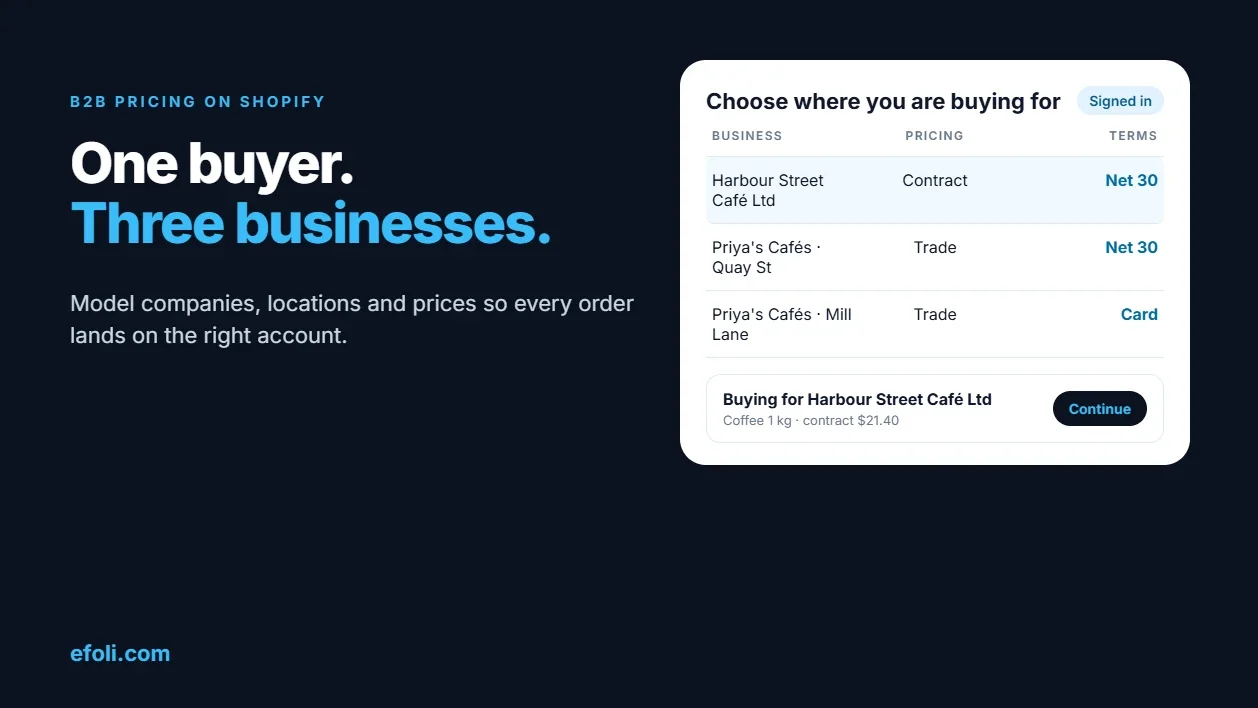
Priya owns three cafés. Each one is a separate limited company, because she opened them at different times with different partners. Each has its own bank account and its own accountant's instructions. Two of them get Harbour's standard trade price. The third, the biggest, has a negotiated contract with lower coffee prices.
Priya does all the ordering herself, usually late on a Sunday, for all three cafés.
Harbour set up three companies in Shopify and tried to add Priya to all three. Shopify wouldn't let them. They tried again with the same email. Same result.
That's when they found the rule.
The rule: one customer, one company
Shopify's help centre is clear on it. You can add a customer to only one company, but you can add a customer to multiple locations within that company. And a single email address can belong to only one customer.
When a customer has access to several locations, they choose which one they're buying for after they sign in. Each location can have its own catalogs, payment terms, billing address and tax ID.
So Shopify B2B handles "one buyer, many sites of one business" well. It doesn't directly handle "one buyer, several separate businesses". You have to decide how to model it.

How Shopify B2B links contacts, companies and locations, and where a multi-company buyer doesn't fit.
Four buyers who hit the problem
Harbour found Priya wasn't the only one. Here are the four patterns they saw.
1. The owner of several companies
Like Priya. Several businesses, each a separate legal entity, run by one person who orders for all of them. Prices may differ between them. Invoices must go to the right entity.
2. The buying agent
A small hospitality management firm buys supplies for six independent restaurants it manages. The restaurants are the customers and pay their own invoices. The agent places the orders.
3. The franchise group
A franchise brand negotiates prices with Harbour for all its franchisees. Each franchisee is its own business and pays its own bills. The franchisor wants every franchisee to see the group price, and wants to see what they're ordering.
4. The group that grew by buying others
A bakery chain buys two cafés from another owner. For a year, the cafés stay as a separate company with their own contract. The same operations manager orders for everyone.
Each pattern is common in wholesale. None of them fits "one customer, one company" without some thought.
Where it breaks: the friction map
Here's what went wrong for these buyers before Harbour fixed the setup.

Seven places where multi-company buying breaks a standard B2B setup.
Moment | What the buyer needs | What happens | Result |
|---|---|---|---|
Signing in | One login for all businesses | Only one company allowed per customer | Shared logins or emailed orders |
Choosing the business | Clear switch between businesses | Separate logins per business | Orders placed for the wrong café |
Seeing prices | Each business's own price | Wrong login shows wrong price | Contract price missed or misused |
Volume tiers | Group volume counted together | Each company counted alone | Group misses tiers it negotiated |
Paying | Each business pays its own invoice | Invoice to whichever login was used | Accounts chase the wrong entity |
Tax | Each entity's tax ID and exemption | Exemption tied to the wrong company | Tax charged or not charged wrongly |
Reporting | Owner sees all spending | Spend split across separate accounts | No group view |
Signing in
Because Priya couldn't be one customer across three companies, Harbour's first fix was to give her three logins. She had to remember which email went with which café. She mostly didn't. She shared one login with her managers instead, which created a different problem: nobody could tell who ordered what.
Ordering for the wrong business
With three logins, Priya sometimes ordered for the small café while signed in as the big one. The order went at the contract price, to the wrong address, invoiced to the wrong company. Harbour had to cancel and recreate several orders.
Prices
The big café's contract price is lower. If an order for a small café goes through the big café's account, Harbour loses margin. If it goes the other way, Priya pays too much and complains.
Volume tiers
The franchise group negotiated a tier: "12 cases of coffee a month across the group earns 5% off". But each franchisee is a separate company, and Shopify's volume pricing is set per variant in a catalog, based on what's in that order. No franchisee ever reaches 12 cases on their own.
Invoices and tax
Each legal entity needs its own invoice. Each may have its own tax ID or exemption. If a buyer orders under the wrong company, the paperwork is wrong too, which matters at month end.
Seeing the whole group
Priya wanted to see her total spend across all three cafés. The franchisor wanted to see franchisee orders. With separate companies and logins, nobody had a single view.
What this costs the supplier
Order corrections. Cancelling and recreating orders placed under the wrong company.
Margin leaks. Contract prices used for businesses that aren't on the contract.
Credit risk. Payment terms granted to one entity used by another with no credit history.
Admin. Duplicate companies, duplicate addresses and manual reports.
Lost goodwill. Good customers feeling the system is fighting them.
Fix 1: Decide the model, business by business
The most important fix is a decision: for each multi-company buyer, should they be one company with several locations, or several companies?

When to model related businesses as one company with locations, and when to keep separate companies.
Question | If yes, lean towards | If no, lean towards |
|---|---|---|
Do the businesses share one price list? | One company, several locations | Separate companies |
Do they share credit and payment terms? | One company | Separate companies |
Is one person responsible for paying all of them? | One company | Separate companies |
Do you need group-level volume tiers? | One company (or an app) | Either |
Are they legally separate with separate contracts? | Separate companies | One company |
Does each need its own tax ID and invoice? | Either: locations support this | Either |
One company, several locations works when the businesses are related, share prices and terms (or close to it), and you're happy treating them as one customer account. Each location can still have its own billing address, tax ID, payment terms and catalogs. The buyer has one login and picks the location after signing in. Priya's two smaller cafés could fit this.
Separate companies fit when the businesses have different contracts, different credit, or different owners. Priya's big café, with its own negotiated contract, is a better fit as its own company.
For Priya, Harbour settled on two companies: "Priya's Cafés" with two locations (the two smaller cafés), and "Harbour Street Café Ltd" for the big one with the contract.
Fix 2: Give multi-company buyers a clean login per company
Where a buyer needs access to more than one company, they need more than one customer record, and each needs its own email address. Shopify's help centre suggests using the "+" format for this, such as priya+harbourstreet@example.com. Most email providers deliver these to the same inbox.
Harbour also:
Named each company clearly, matching the trading name the buyer uses.
Added a banner on the trade storefront: "Buying for Harbour Street Café Ltd". It made the active company obvious.
Sent each login's sign-in link in a separate, clearly titled email.
Shopify B2B uses one-time codes sent by email for sign-in, so there are no passwords to mix up. The buyer just needs to start from the right email address.
Fix 3: Use location roles for managers and agents
Inside a company, Shopify B2B gives each contact a role per location. "Ordering only" lets someone place orders and see their own order history. "Location admin" lets them place orders, see all orders for that location and edit addresses.
That's useful for:
Café managers who should order for their own café only: Ordering only, for that one location.
Priya, who orders for both smaller cafés: Location admin, for both locations.
A buying agent who manages several restaurants inside one company: access to each restaurant's location.
Now Priya's managers have their own logins, and Harbour can see who placed each order.
Fix 4: Plan your catalog priority
When a buyer has access to a location with several catalogs, Shopify has rules for which price wins. In short, from the help centre:
A catalog assigned directly to the company location takes priority over catalogs from B2B markets.
Among market catalogs, the more specific market wins. If equally specific, the lower price wins.
If several catalogs are assigned directly to one location, the lowest price is shown.
Each company location can have up to 25 catalogs.
There's a plan catch. Assigning catalogs directly to company locations is a Shopify Plus feature. On Basic, Grow and Advanced, you assign catalogs through B2B markets, with up to three active catalog assignments across your B2B markets. Syeda's post on Shopify B2B by plan explains the limits in detail.
For a supplier on a non-Plus plan with dozens of contract prices, three catalogs won't stretch far. Anika's post on Shopify B2B catalog pricing rules walks through how to decide between native catalogs, an app and custom work.
Fix 5: Price by company, customer list or email domain
If native catalogs don't fit, a pricing app can set prices by who the buyer is. DiscountRay, for example, is a Shopify company pricing app that prices by customer group and tag on its Growth plan ($14 a month), and by company, customer list and email domain on Pro ($29 a month).

Company-specific pricing for selected businesses. Source: DiscountRay App Store listing.
Each option solves a different multi-company problem:
By company: the big café's contract price applies only to that company.
By customer list: a franchise group's price applies to a named list of franchisee accounts.
By email domain: every account with an @franchisebrand.com address gets the group price. Handy when franchisees use the brand's email.
By tag: "buying-group-north" tags give all members of a buying group the same price.
Syeda's guide to contract-based discounts covers how to keep contract prices tidy when you have many of them.
Fix 6: Handle group volume tiers on purpose
Group tiers ("the whole franchise buys 12 cases a month") don't fit neatly into per-order volume pricing. Options:
Model the group as one company with franchisee locations, if they share billing. Volume pricing still works per order, but at least the prices are shared.
Set the group price as the contract price. Instead of a tier that's rarely reached, give the group the tier price outright, and review it quarterly against actual volume.
Use a monthly rebate. Track group volume in a report and credit the difference at month end. More admin, but accurate.
Don't promise a group tier the store can't calculate. That's the mistake Harbour made with the franchise, and it caused a difficult conversation.
Fix 7: Negotiate group contracts with quotes
New group deals often start with a negotiation: a franchisor wants a price for 40 sites, or a buying agent wants terms for six restaurants. That's not a checkout. It's a quote.
QuotWay lets buyers request quotes and lets you send proposals, counter-offers and convert agreed quotes to draft orders with locked prices. Its Enterprise plan ($199 a month) works with B2B companies, locations and payment terms. Smaller plans start free. If group deals are a regular part of your business, you can negotiate group contracts with quotes inside Shopify rather than by email, then set the agreed price in your pricing setup.
Fix 8: Give owners and franchisors a group view
Shopify B2B doesn't give a buyer one view across separate companies. For owners like Priya, Harbour sends a simple monthly statement by email that lists spend per company. For the franchisor, they share a monthly report of franchisee orders (with the franchisees' agreement).
It's a manual step, but a small one, and it answers the question customers ask most.
How Harbour rebuilt Priya's setup
Two companies instead of three: "Priya's Cafés" (two locations) and "Harbour Street Café Ltd" (contract pricing).
Two logins for Priya, using +suffix emails, each named for its company.
Café managers added as Ordering only for their own location.
The contract price set for Harbour Street Café Ltd only.
A banner showing the active company on every trade page.
A monthly email statement with spend per company.
Orders under the wrong company stopped. Priya's managers order their own top-ups. Priya's Sunday night ordering takes a fraction of the time.
Setup checklist for multi-company buyers

Twelve checks before you onboard a buyer who orders for several businesses.
List every business the buyer orders for, with legal name and billing details.
Decide: one company with locations, or separate companies.
Give each location its own tax ID, terms and address where needed.
Create one customer per company, with a +suffix email if it's the same person.
Name companies by their trading name.
Assign location roles: Ordering only or Location admin.
Check which catalog wins at each location.
Check your plan's catalog limits before promising contract prices.
Use an app for company, list or domain pricing if catalogs run out.
Decide how group volume tiers are calculated, or don't offer them.
Show the active company on the storefront.
Send owners a spend summary per company.
Mistakes to avoid
Sharing one login across businesses. You lose who ordered what, and prices follow the wrong account.
Creating a company per person instead of per business. Companies are the business. People are contacts.
Promising group tiers the store can't calculate. Agree the mechanism before the price.
Forgetting tax. Each entity's tax ID and exemption must sit on the right company or location.
Copying the same contract into many catalogs. On non-Plus plans you'll run out, and on any plan it's hard to maintain.
Real-world variations
Harbour isn't the only kind of supplier this affects. A few other patterns we see:
Office supply firms selling to a facilities company that manages several client offices.
Uniform suppliers selling to a parent group and its subsidiaries.
Food producers selling to a restaurant group where each site is a separate company for licensing reasons.
Beauty brands selling to salon groups where some salons are owned and some are franchised.
The same decision applies to all of them: are these businesses one customer with several locations, or several customers who share a buyer?
Questions to ask a new multi-company buyer
Most of these problems can be avoided with a short conversation at onboarding. Harbour now asks every new trade customer who mentions "my other business" these questions:
How many businesses will you order for, and what are their legal names?
Does each one pay its own invoices, or does one business pay for all of them?
Does each have its own tax number or exemption?
Should they all get the same prices, or does any have its own agreement?
Who else will place orders, and for which business?
Do you need to see spending across all of them together?
The answers map straight onto the decision table above. Five minutes on the phone saves hours of fixing orders later.
Tax and invoices for each entity
This is the part accountants notice first. Each company location in Shopify B2B can hold its own billing address and tax ID, and tax exemptions can be set for the location. That means invoices and tax treatment follow the location the buyer chose at checkout.
Two things to check:
The right details are on the right location. If Priya's two smaller cafés are separate companies legally but sit as locations under one Shopify company, each location still needs its own legal name on the billing address and its own tax ID. Otherwise invoices go out under the wrong name.
Exemptions are tested. Place a test order for each location and check the tax on the order matches what that entity should pay.
If an entity's invoices must never be mixed with another's, even in reports, that's a strong reason to keep it as its own company.
Credit and payment terms
Payment terms in Shopify B2B are set per company location. That's useful, because related businesses rarely have the same credit history. A new café opened six months ago shouldn't automatically get the same 30-day terms as the one that has paid on time for five years.
Harbour's rule: each location starts on card payment or short terms, then moves to standard terms after three on-time payments, whatever the owner's other businesses do. It keeps credit risk tied to the business that carries it.
What to measure
Orders placed under the wrong company or location. Track cancellations and corrections. The goal is zero.
Contract price use. Check that contract prices only appear on the companies that have them.
Contacts per company. If one login is shared by several people, give each person their own.
Spend per group, compared with any volume promise you made.
When a business is sold or a buyer leaves
Multi-company setups change over time. When one of Priya's cafés is sold, its location (or company) needs to move to the new owner, with Priya's access removed. When a buying agent stops managing a restaurant, their access to that location should end the same day. Review contacts and roles every few months, and make "remove access" part of any change of ownership.
The bottom line
Shopify B2B handles one business with many locations well. It doesn't let one customer belong to several companies, so buyers who order for several separate businesses need a plan. Decide the model for each buyer, give them clean logins, use location roles, understand catalog priority and your plan's limits, and use an app for company, list or domain pricing when catalogs run out. Get those right, and the buyer who doesn't fit the form becomes one of your easiest accounts.
Harbour Supply Co. and its customers are fictional, used to illustrate common situations. Shopify B2B details are from Shopify's help centre at the time of writing and may change.
FAQ
Can a customer belong to more than one company in Shopify B2B?
How does a buyer switch between locations in Shopify B2B?
Should related businesses be one company or several in Shopify?
Which price does a buyer see if a location has several catalogs?
How can I give a franchise group the same price across franchisees?
Do I need Shopify Plus for multi-company pricing?

Anika Anamta Mehnaz
This article is written by Anika Anamta Mehnaz, a Content Writer and Content Marketing Strategist specializing in Shopify, eCommerce, and SaaS. With over four years of content writing experience, she creates SEO and AI search-optimized content that helps Shopify merchants make better business decisions through practical, research-backed insights. Her work covers Shopify apps, product variants, bundles, discounts, B2B commerce, and conversion-focused strategies. Outside of work, Anika enjoys watching anime, reading John Grisham novels, and discovering new ideas in digital marketing and e-commerce. If you enjoy discussing Shopify, content marketing, or online growth, feel free to connect with her. Twitter: https://x.com/mehnaz2201 Medium: https://medium.com/@mehnaz_78932
Keep reading
View all articles →
Manufacturing RFQs on Shopify: How Far Native Tools Go, and Where a Quote App Takes Over
November 24, 2026 • 17 min read
Pet Essentials Bundles on Shopify: When the Free Bundles App Is Enough, and When It Isn't
November 24, 2026 • 17 min read
Wellness Wholesale on Shopify: Why Clinics, Gyms and Health Stores Stop Reordering
November 24, 2026 • 17 min read