On this page
- Key takeaways
- The question every pet store asks
- What each option is
- Side by side
- Five pet store scenarios
- Scenario 1: The "new puppy" kit
- Scenario 2: The treat variety pack
- Scenario 3: The "build your cat's box"
- Scenario 4: Monthly food and treat subscription
- Scenario 5: Bulk packs for multi-pet homes and rescues
- Stock: the issue pet stores feel most
- Admin time: five bundles versus fifty
- Cost: what you actually pay
- A simple decision rule
- Can you use both?
- Setting up the treat pack: a quick walkthrough
- Mistakes pet stores make with bundles
- What the shopper sees: making a pet pack easy to buy
- Pricing pet packs without giving away margin
- Seasonal and gift pet packs
- Questions to ask before installing any bundle app
- What to measure
- Setting up the puppy kit with Shopify Bundles
- Moving from native bundles to an app later
- Food dates and fresh items in packs
- How Pawsome Pantry decided
- The bottom line
- FAQ
Short answer: Shopify's free Bundles app is enough for fixed pet packs where you choose the contents, like a "new puppy kit" or a 3-pack of the same food. Use a bundle app like PushBundle when shoppers need to choose: mixing flavours in a treat pack, building a box by pet size, or subscribing to a mixed pack. The deciding questions are whether the shopper picks the contents, whether the pack is sold on subscription, and how many bundles you'll manage.
Key takeaways
Fixed packs (you choose the contents): Shopify Bundles handles them for free.
Mix-and-match packs (the shopper chooses): Shopify Bundles can't do these. You need an app.
Subscriptions: Shopify Bundles isn't compatible with subscriptions. If your mixed food or treat packs are sold on repeat, plan for an app.
Stock: in a fixed bundle, one sold-out item takes the whole bundle offline. Mix-and-match packs are more forgiving.
Scale: Shopify Bundles has no import, export or bulk edit. Fine for five bundles, painful for fifty.
Many pet stores use both: free native bundles for simple kits, an app for flexible packs.
The question every pet store asks
Pet stores are natural bundle shops. People buy food, treats, toys, grooming and health products together, often for the same animal, often on a schedule. So sooner or later, every pet store owner asks: "Do I need a bundle app, or will Shopify's free one do?"
The honest answer is that it depends on the pack. This post compares the two for pet-specific packs, walks through five scenarios, and ends with a simple rule.
We'll use a fictional store, Pawsome Pantry, which sells dog and cat food, treats, toys and grooming products online and from one small shop.
If you're still at the "what bundles should a pet store sell?" stage, Syeda's post on pet product bundles is a better place to start. This post assumes you know what you want to sell and need to pick the tool.
What each option is
Shopify Bundles is Shopify's free app. You create a bundle from existing products and set its price. Shoppers buy it as one product. It also does multipacks, like "3 x the same food". Shopify's help centre lists what it supports and what it doesn't.
PushBundle is a bundle app built by the eFoli team. It does fixed bundles too, but its main strengths are mix-and-match (shopper picks from a set of products), build-a-box (shopper builds a pack step by step), cross-sell bundles and volume discounts. It has a free plan, and the Growth plan with build-a-box and mix-and-match costs $14 a month at the time of writing, with a 14-day trial.
Other bundle apps exist, and the decision rules below apply to them too. Anika's roundup of the best Shopify bundle apps compares several.
Side by side

What each option supports for pet packs, based on Shopify Help and the PushBundle App Store listing.
Need | Shopify Bundles (free) | PushBundle |
|---|---|---|
Fixed pack (you pick contents) | Yes | Yes |
Multipack of one product | Yes | Yes |
Shopper mixes flavours or products | No | Yes (mix and match) |
Step-by-step box by pet size | No | Yes (build-a-box, multi-step) |
Min and max picks per pack | No | Yes |
Sold on subscription | No | Yes, with a subscription app that uses selling plans |
Stock when one item sells out | Whole bundle unavailable | Only that choice unavailable in mix-and-match |
Volume savings (bigger pack, bigger saving) | Set one price per bundle | Yes |
Shopify POS | Check your POS setup | Yes, all four bundle types (mix-and-match subscriptions not yet) |
Bulk edit, import, export | No | Managed in the app |
Cost | Free | Free plan; Growth $14/month |
Both options keep stock tied to the real products in the pack, so selling a bundle reduces the stock of each item inside it.
Five pet store scenarios
Scenario 1: The "new puppy" kit
Pawsome Pantry wants a starter kit for new puppy owners: a bag of puppy food, a collar, a lead, a chew toy and a bowl. One price, about 10% less than buying separately. Every kit is the same.
Verdict: Shopify Bundles. It's a fixed bundle. Nothing for the shopper to choose. The free app does it well.
Watch out for one thing. If the collar comes in sizes, a fixed bundle includes one size. Either pick an adjustable collar, or create a kit for each size. If you find yourself making many versions, that's a sign to move to a builder (see Scenario 3).
Scenario 2: The treat variety pack
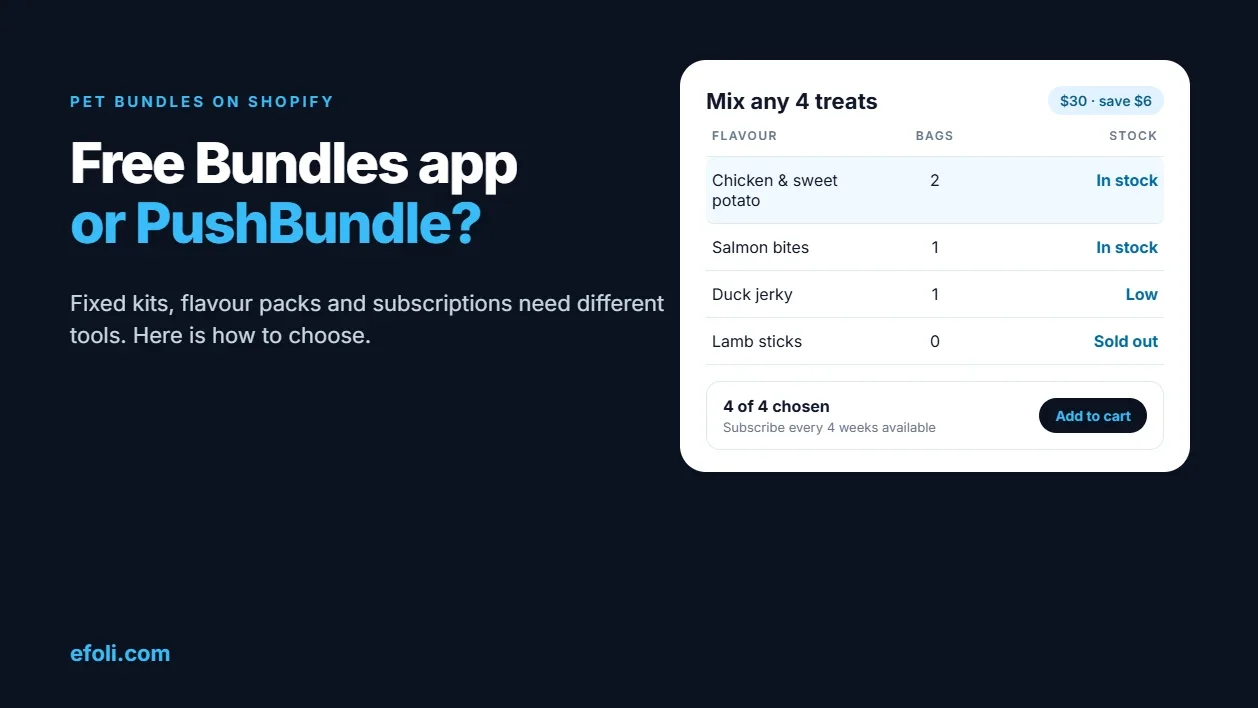
Pawsome Pantry sells twelve flavours of dog treats. They want "any 4 bags for $30". Shoppers choose which four.
Verdict: PushBundle (or another mix-and-match app). Shopify Bundles doesn't support mix-and-match, so the shopper can't choose flavours inside one bundle. A mix-and-match bundle lets them pick any four from the twelve, at a set price.

A mix-and-match pack lets shoppers pick flavours and pack size. Source: PushBundle App Store listing.
It also handles stock better. If one flavour sells out, only that flavour disappears from the choices. With fixed bundles, you'd need a separate bundle for each combination, and each one would go offline when any of its flavours ran out.
Scenario 3: The "build your cat's box"
Pawsome Pantry wants a cat box where shoppers pick by life stage: kitten, adult or senior. Then they choose a wet food (from three), a dry food (from four), a treat and a toy. Different products show for different life stages.
Verdict: PushBundle. This is a multi-step build-a-box with different products per step and limits per step. Shopify Bundles can't do it.
Pawsome Pantry added a short note on the food steps: "Changing food? Most pet food makers recommend switching gradually over about a week. Follow the advice on the pack or ask your vet." It's general advice, and it saved them a few "my cat won't eat it" returns.
Scenario 4: Monthly food and treat subscription
Regular customers want their dog food and two bags of treats delivered every four weeks, with a saving. Some want to change treat flavours each month.
Verdict: PushBundle with a subscription app. Shopify's help centre says Shopify Bundles isn't compatible with purchase options like subscriptions. PushBundle supports mix-and-match subscriptions when a subscription app manages the selling plans, and the bundle price applies to renewals as well as the first order. Touhid's post on how to sell mix-and-match bundles as subscriptions walks through the setup.
Before you commit, check your subscription app works with your bundle app. Not every combination does. Anika's post on subscription bundle compatibility has a checklist for exactly this.
One more note: if you sell subscriptions in the shop as well as online, mix-and-match subscriptions aren't available on Shopify POS through PushBundle yet. Online subscriptions are fine.
Scenario 5: Bulk packs for multi-pet homes and rescues
Some customers buy for several animals, or for a foster network. They want bigger packs with bigger savings: 2 bags of litter saves 5%, 4 saves 10%, 6 saves 15%.
Verdict: Either, depending on the pack. If it's one product in fixed quantities (a 3-pack and a 6-pack of the same litter), Shopify Bundles multipacks work. If you want a tiered saving that grows as the quantity grows, a volume discount in a bundle app or a pricing app is easier. DiscountRay, for example, offers quantity tiers and a discount table on its free plan, so the shopper can see tiered savings on bigger packs right on the product page.
For households with dogs and cats together, Anika's post on multi-pet household shopping covers how to organise the store around the household rather than the animal. For shelters and rescues buying at real volume, see bulk pet supplies for shelters.

Five common pet packs and which tool fits each.
Stock: the issue pet stores feel most
Pet products have a lot of flavours, sizes and life stages, and popular ones sell out. That makes stock behaviour the most practical difference between the two options.
In a fixed bundle, Shopify sets the bundle's availability from the lowest-stock component. Shopify's help centre also notes that components set to "continue selling when out of stock", or not tracked at all, are left out of that calculation. So:
If your puppy kit includes a chew toy with 3 units left, you can only sell 3 kits.
When the toy sells out, the kit shows as sold out, even if you have plenty of food, collars and bowls.
You can manage this by keeping fixed bundles to products you always have in stock. Or use a mix-and-match pack where the shopper picks from several options, so one sold-out item only removes one choice.
Admin time: five bundles versus fifty
Shopify Bundles is simple to set up one at a time. But its help centre notes there's no import, export or bulk edit for bundles. That's fine for a handful of kits. If you create a bundle for each food brand, life stage and size, you could end up with dozens, each edited by hand when a product changes.
A mix-and-match or build-a-box pack replaces many fixed bundles with one flexible one. Pawsome Pantry's treat pack replaced what would have been dozens of fixed combinations.
Cost: what you actually pay
Shopify Bundles | PushBundle | |
|---|---|---|
Monthly cost | Free | Free plan; Growth $14/month |
Fixed bundles | Included | Included |
Mix and match, build-a-box | Not available | Growth plan |
Subscriptions | Not compatible | Needs a subscription app (its own cost) |
At $14 a month, a mix-and-match treat pack only needs to sell a few extra bags a month to pay for itself. But if all you need is two fixed kits, the free app is the sensible choice.
A simple decision rule
Ask three questions about each pack:
Does the shopper choose any of the contents? If yes, you need a mix-and-match or build-a-box app.
Will it be sold on subscription? If yes, Shopify Bundles won't work. Use an app that supports subscriptions with your subscription app.
Will you have more than about ten bundles? If yes, think about the admin time without bulk editing.
If the answer to all three is no, start with Shopify Bundles. If any is yes, use a bundle app for that pack.

Three questions that decide which tool a pet pack needs.
Can you use both?
Yes, and plenty of stores do. Pawsome Pantry kept its puppy and kitten starter kits in Shopify Bundles, because they're fixed and rarely change. The treat pack, the cat box and the subscriptions run in PushBundle.
If you do this, keep a simple list of which bundles live where, so nobody edits the wrong one. And test that a discount code behaves the same way on both. Bundles from different tools can react differently to the same discount settings.
Setting up the treat pack: a quick walkthrough
For the mix-and-match treat pack in Scenario 2, here's roughly what Pawsome Pantry did:
Grouped the twelve treat flavours into one collection.
Created a mix-and-match bundle using that collection, with a pack size of 4.
Set the bundle price to $30 (the bags are $8.99 each, so a full pack saves about $6).
Added a second tier: 8 bags for $56.
Added the bundle to each treat product page with "Mix any 4 and save".
Set the bundle not to combine with the new customer code.
Placed a test order and checked that each chosen flavour's stock dropped by one.
The Shopify mix and match bundle app setup took under an hour. Most of the time went on writing the product description and taking a nice photo of four bags together.
Mistakes pet stores make with bundles
Fixed bundles for things with sizes. Collars, harnesses, beds and coats have sizes. A fixed bundle locks in one. Use a builder or keep sized items out of fixed kits.
Bundles built on slow stock. A kit that includes a toy you reorder twice a year will spend most of its life sold out.
No diet-change note. Food bundles that switch a pet's diet should carry a short, general note to switch gradually and follow the maker's or vet's advice.
Hidden savings. Show the saving in dollars on the product page, not just a percentage.
Forgetting the shop. If you sell in store, check your bundles work on POS before you put up the shelf sign.
What the shopper sees: making a pet pack easy to buy
Whichever tool you use, the pack page decides whether it sells. Pawsome Pantry tested a few versions and kept these habits:
Lead with the animal, not the products. "For puppies 8 to 16 weeks" or "For senior cats" tells the shopper at once whether the pack is for them.
Show what's inside in one photo. Pet owners want to see the actual bags and toys, not a lifestyle shot alone.
State the saving as an amount. "Save $6.50" is clearer than "Save 12%".
Show sizes and weights. A "food pack" with a 2 kg bag and a 12 kg bag are very different buys. Put the weight in the pack name.
Explain swaps. For fixed kits, say what to do if the shopper wants a different item ("Want a different collar size? Build your own kit here"). Link to the builder.
Keep it short on phones. Most pet shoppers reorder on their phones. Put the add-to-cart button high on the page.
Pricing pet packs without giving away margin
Pet food has thin margins, and treats and toys usually carry more. That changes how you price packs:
Don't discount food heavily. A 10% saving on a pack that's mostly food can wipe out the margin on the food. Put the saving on the higher-margin items, or keep it small.
Use toys and treats to make the pack feel generous. A free chew toy in a food pack often feels like better value to shoppers than 5% off, and costs you less.
Set a floor. Before launching a pack, work out the cost of every item inside it, including packaging and shipping, and check the pack price is comfortably above it.
Check stacking. If a pack saving combines with a new-customer code and free shipping, add them up. Decide which combinations you'll allow.
Pawsome Pantry's treat pack works because treats carry a healthy margin. Their food subscription works because the saving is modest and the repeat orders are reliable.
Seasonal and gift pet packs
Pet owners buy gifts for their pets, and for other people's pets. Holiday stockings, birthday boxes and "welcome home" kits for adopted animals are popular. Most of these are fixed packs, so Shopify Bundles handles them well, and you can unpublish them when the season ends.
If you want shoppers to build a gift box ("pick 3 toys and 2 treats for a friend's new dog"), that's build-a-box again, and you'll need an app. Add a gift note field and test that the note reaches the packing slip.
Questions to ask before installing any bundle app
If you decide you need an app, ask these before you install, whichever app you're considering:
Does it support mix-and-match and build-a-box, or only fixed bundles?
How does it handle stock? Is the bundle one cart line, and does each item's stock drop correctly?
Does it work with my subscription app, if I sell subscriptions?
Does it work on Shopify POS, if I have a shop?
How does it interact with my discount codes?
Can I set limits on how many of each item a shopper picks?
What happens to existing bundles if I uninstall it?
Is there a free trial, and does support answer quickly?
Write down the answers for two or three apps. The right one is usually obvious after that.
What to measure
Once your packs are live, check monthly:
Pack orders as a share of all orders. Rising means shoppers find the packs useful.
Average order value with and without packs.
Packs shown as sold out. If a fixed bundle is often unavailable, rebuild it with better-stocked items or switch it to mix-and-match.
Subscription pack retention. How many subscribers are still active after three months?
Most-picked flavours in mix-and-match packs. These tell you what to reorder deeper, and what to drop.
Setting up the puppy kit with Shopify Bundles
For the fixed kit in Scenario 1, Pawsome Pantry's setup was short:
Installed the free Shopify Bundles app.
Created a bundle called "New Puppy Starter Kit".
Added the components: puppy food 2 kg, adjustable collar, lead, chew toy and a steel bowl.
Set the price at about 10% below buying everything separately.
Wrote a description that lists each item with its size and weight.
Added a note: "Want a different collar size? Build your own kit" with a link to the builder.
Placed a test order and checked that each component's stock dropped by one.
The only snag was the chew toy. It was a slow reorder from a small supplier, so the kit kept showing as sold out. They swapped it for a toy they always had in stock, and the problem went away.
Moving from native bundles to an app later
Many stores start with Shopify Bundles and outgrow it. If you move to an app later, plan the switch so customers don't notice:
List every native bundle, with its components, price and URL. There's no export, so this is a manual list.
Decide which ones stay native. Simple fixed kits that sell well can stay where they are.
Rebuild the rest in the app, test each one, then unpublish the old version.
Redirect old bundle URLs to the new ones, so links in emails and social posts keep working.
Check subscriptions. If any customers subscribe to the products inside a bundle you're replacing, make sure their subscriptions aren't affected.
Tell your shop staff, if you sell bundles on POS, so they ring up the new versions.
Doing it in a quiet month makes it much easier. January and late summer tend to be calmer for pet stores than November and December.
Food dates and fresh items in packs
Pet food and treats have best-before dates, and some products, like fresh or frozen food, have short ones. Packs make this trickier, because one item with a short date can hold back the whole pack.
A few rules that help:
Keep fresh and frozen items out of mix-and-match packs that ship by standard post. Sell them as their own products with the right shipping method.
Pick stock for packs with the shortest acceptable date first, but set a minimum ("at least six months left") so customers don't receive food close to its date.
If a pack sits on a subscription, check dates on every renewal, not just the first order.
How Pawsome Pantry decided
In the end, Pawsome Pantry's decision took about ten minutes once they wrote down their packs. Two fixed starter kits went into Shopify Bundles for free. The treat pack, the cat box and the food subscription needed choices or subscriptions, so they went into PushBundle on the Growth plan. Their rule for any new pack is now simple: if the shopper picks anything, or it repeats, it goes in the app. If it never changes, it stays native. That rule has held up for every new pack they've added since, including seasonal stockings and a rescue welcome kit.
The bottom line
Shopify's free Bundles app is a good tool for fixed pet packs: starter kits, multipacks and gift sets. It can't let shoppers choose flavours, build a box by pet size, or sell a bundle on subscription. For those, a bundle app like PushBundle is the practical choice. Start free where you can, and use a Shopify mix and match bundle app for the packs where the shopper picks.
Pawsome Pantry is a fictional store, and the prices are illustrative. Feature details come from Shopify's help centre and the PushBundle App Store listing at the time of writing.
FAQ
Can Shopify's free Bundles app do mix-and-match pet packs?
Can I sell a pet food bundle on subscription in Shopify?
Why does my pet bundle show as sold out?
Is a bundle app worth it for a small pet store?
Can I use Shopify Bundles and PushBundle together?
Do pet bundles work in my physical shop?

Anika Anamta Mehnaz
This article is written by Anika Anamta Mehnaz, a Content Writer and Content Marketing Strategist specializing in Shopify, eCommerce, and SaaS. With over four years of content writing experience, she creates SEO and AI search-optimized content that helps Shopify merchants make better business decisions through practical, research-backed insights. Her work covers Shopify apps, product variants, bundles, discounts, B2B commerce, and conversion-focused strategies. Outside of work, Anika enjoys watching anime, reading John Grisham novels, and discovering new ideas in digital marketing and e-commerce. If you enjoy discussing Shopify, content marketing, or online growth, feel free to connect with her. Twitter: https://x.com/mehnaz2201 Medium: https://medium.com/@mehnaz_78932
Keep reading
View all articles →
Manufacturing RFQs on Shopify: How Far Native Tools Go, and Where a Quote App Takes Over
November 24, 2026 • 17 min read
One Buyer, Three Businesses, Three Price Lists: Where Shopify B2B Pricing Gets Stuck
November 24, 2026 • 17 min read
Wellness Wholesale on Shopify: Why Clinics, Gyms and Health Stores Stop Reordering
November 24, 2026 • 17 min read