Manufacturing RFQs on Shopify: How Far Native Tools Go, and Where a Quote App Takes Over
Shopify can handle simple manufacturing RFQs natively: a contact form to collect the request, a draft order with custom line items to send the price, and B2B "submit orders as drafts for review" for repeat buyers.
On this page
- Key takeaways
- Why manufacturers sell through RFQs
- The six stages of an RFQ
- What native Shopify can do at each stage
- Stage 1: Request
- Stage 2: Review and estimate
- Stage 3: Proposal
- Stage 4: Revision
- Stage 5: Acceptance
- Stage 6: Order and repeat
- Where a quote app takes over
- Three manufacturer scenarios
- Scenario 1: Mostly catalogue, a few custom requests
- Scenario 2: A real RFQ desk
- Scenario 3: Contract manufacturer with repeat B2B accounts
- Speed: the part buyers notice most
- Lead times in the quote
- Cost comparison
- A simple rule
- Making native work better, if you stay native
- Mistakes manufacturers make with RFQs on Shopify
- What a good manufacturing RFQ form asks for
- Writing a proposal buyers can say yes to
- Handling confidential drawings
- What to measure once RFQs run through Shopify
- Objections you'll hear when moving RFQs online
- Where to put the RFQ button
- The bottom line
- FAQ
Short answer: Shopify can handle simple manufacturing RFQs natively: a contact form to collect the request, a draft order with custom line items to send the price, and B2B "submit orders as drafts for review" for repeat buyers. It struggles when requests need structured fields, drawing uploads, revisions, approvals or partial acceptance. That's where a quote app like QuotWay takes over. If you get a handful of simple RFQs a month, start native. If RFQs are a core sales channel, use an app.
Key takeaways
Draft orders are Shopify's built-in quoting tool. They let you add custom line items, set prices, add payment terms and send an invoice.
Shopify B2B can send orders from chosen company locations to review as drafts before they're confirmed, which suits repeat buyers on negotiated prices.
What native Shopify lacks for RFQs: a structured request form with file uploads, a quote history the buyer can see, counter-offers, approvals and partial acceptance.
Manufacturing RFQs carry drawings, materials, tolerances, finishes, certifications and dates. If your intake can't capture those, you'll quote slowly or wrongly.
Speed matters. Paperless Parts, citing Thomasnet, reports that 53% of industrial buyers expect contact within 24 hours of an RFQ.
The decision depends on RFQ volume, complexity and who needs to approve a quote.
Why manufacturers sell through RFQs
Many manufacturers can't put a price on a product page. The price depends on the part: its drawing, material, quantity, finish, tolerances and how fast the buyer needs it. A laser-cut bracket in mild steel at 50 pieces is one price. The same bracket in stainless at 500 pieces with powder coating is another.
So the store becomes an RFQ desk. Buyers send the details, the manufacturer estimates, and a quote goes back. If the buyer accepts, it becomes an order.
Shopify wasn't designed as an RFQ system, but it has more native tools for it than many merchants realise. This post walks through what Shopify can do on its own, where it runs out, and when an app is worth it.
We'll use a fictional job shop, Northfield Fabrication, which does sheet-metal cutting, bending and finishing, plus a small catalogue of standard brackets and enclosures that sell at fixed prices.
If you're weighing an app against a custom-built RFQ system, Anika's post on QuotWay vs a custom RFQ covers that decision. This one is one step earlier: do you need anything beyond Shopify at all?
The six stages of an RFQ
Every manufacturing RFQ moves through roughly the same stages. Looking at each one separately makes the decision clearer.

The six stages of a manufacturing RFQ, from request to repeat order.
Request. The buyer sends what they need: drawings, material, quantity, finish, dates.
Review and estimate. Your team checks feasibility and works out a price and lead time.
Proposal. The quote goes to the buyer, with prices, terms and validity.
Revision. The buyer asks for changes: a different quantity, material or date.
Acceptance. The buyer agrees, sometimes to only part of the quote.
Order and repeat. The accepted quote becomes an order. Repeat parts are reordered later.
What native Shopify can do at each stage
Stage 1: Request
Native option: your theme's contact form, or a product page with a "Request a quote" link to it.
Limits: the standard theme contact form collects text fields, but doesn't include a file upload for drawings. Buyers end up emailing drawings separately, and your team has to match the email to the form. There's no structure for material, finish or tolerance either, unless you customise the form.
What a manufacturing RFQ usually needs is well documented. Xometry's production RFQ asks for CAD files or drawings, quantities, materials and processes, certifications and inspection needs, dates and ship-to details. Fictiv's guidance says drawings should call out critical dimensions, tolerances and finishing, and that certificates and inspection reports need a drawing. A plain contact form won't collect most of that reliably.
Stage 2: Review and estimate
Native option: this happens outside Shopify, in your estimating spreadsheet or ERP. Shopify doesn't estimate manufacturing costs.
Limits: none from Shopify's side. But there's no place in Shopify to track that an RFQ is "being estimated", who's working on it, or when it's due back. Many shops use a shared inbox or a spreadsheet.
Stage 3: Proposal
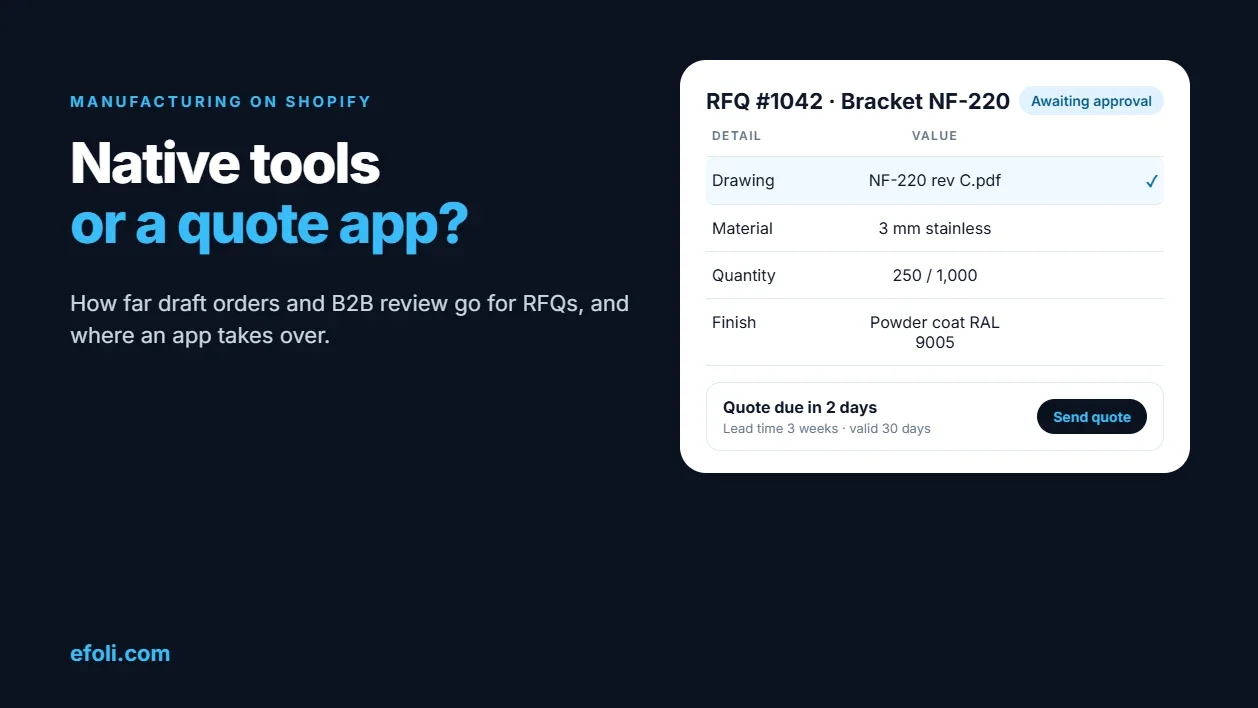
Native option: draft orders. You can create a draft order for the buyer, add custom line items (for example, "Bracket NF-220, 3 mm stainless, powder coat RAL 9005"), set the price, add payment terms and send it as an invoice. For B2B customers, draft orders apply the company's prices and terms, and you can lock prices.
Limits: a draft order is an invoice, not a proposal. It doesn't show alternatives ("500 pcs at $X, 1,000 pcs at $Y"), validity dates or notes in a proposal layout unless you add them as text. The buyer can pay it or not. There's no "ask for changes" button.
Stage 4: Revision
Native option: edit the draft order and resend it, or reply by email.
Limits: there's no record of what changed between versions, and no way for the buyer to counter-offer inside the store. It all happens in email.
Stage 5: Acceptance
Native option: the buyer pays the invoice, or you mark the draft as paid on terms and create the order.
Limits: no partial acceptance (accept the brackets, decline the enclosures) without editing the draft by hand. No internal approval step before a quote goes out, for example if quotes over $10,000 need a manager to sign off.
Stage 6: Order and repeat
Native option: this is where native Shopify is strongest. For repeat parts at agreed prices, you can set buyers up as B2B companies with catalogs, so they order online at their price. For orders that still need a check, Shopify B2B lets you set a company location to "submit orders as drafts for review". The order lands as a draft with prices locked, no payment is taken at checkout, and your team confirms it. On Shopify Plus, you can also set rules for which orders go to review. Shopify Flow has an action to set locations to submit orders for review, too.
Limits: few, for standard repeat parts. The gap is between the first quote and the repeat order.

What native Shopify covers at each RFQ stage, and what a quote app adds.
Stage | Native Shopify | QuotWay |
|---|---|---|
Request | Contact form, no file upload by default | RFQ button, custom fields, attachments (Starter) |
Review | Outside Shopify | Quote list with status; approvals (Professional) |
Proposal | Draft order invoice | Proposal editor, PDF proposals (Starter) |
Revision | Edit and resend; email | Counter-offers (Starter) |
Acceptance | Pay invoice or mark as paid | One-click draft order; partial acceptance (Professional) |
Repeat | B2B catalogs; submit for review | B2B companies, terms, Flow and API (Enterprise) |
Cost | Included in your plan | Free for 10 quotes/month; paid plans from $29 |
Where a quote app takes over
QuotWay is a Shopify quote request app built by the eFoli team. According to its App Store listing:
Lite (free): up to 10 quotes a month, an RFQ button on products, a proposal editor, one-click conversion to a draft order, a magic link so guests can view their quote, and the option to hide add-to-cart.
Starter ($29 a month): counter-offers, hidden prices, custom fields, attachments (up to three files of 5 MB each) and PDF proposals.
Professional ($79 a month): approval workflows, partial acceptance and split orders.
Enterprise ($199 a month): B2B companies, locations and payment terms, Shopify Flow and an API.

A quote request form with built-in and custom fields. Source: QuotWay App Store listing.
For a manufacturer, the features that matter most are custom fields (material, finish, tolerance, certification needs), attachments (drawings), counter-offers (revisions) and approvals (internal sign-off).
Other quote apps exist. Whichever you consider, check them against the six stages above, not against a feature list.
Three manufacturer scenarios
Scenario 1: Mostly catalogue, a few custom requests
A maker of standard enclosures sells 90% of its products at fixed prices. A few times a month, someone asks for a custom size.
Verdict: native is enough. A "Need a custom size?" link to the contact form, a reply by email, and a draft order invoice. The volume is too low to justify extra tools. If drawings are needed, ask for them by email and note it on the form.
Scenario 2: A real RFQ desk
Northfield gets 60 to 80 RFQs a month. Most include drawings. About a third ask for revisions. Quotes over $5,000 need the owner's sign-off.
Verdict: a quote app. At this volume, matching emailed drawings to form entries and tracking revisions in email costs hours every week. Northfield needs custom fields, attachments, counter-offers and approvals, which puts them on QuotWay's Professional plan. They still use draft orders, but the app creates them from the accepted quote.

An approval step before a quote goes out. Source: QuotWay App Store listing.
Scenario 3: Contract manufacturer with repeat B2B accounts
A contract manufacturer has 30 regular customers on agreed prices, plus a steady flow of new-part quotes.
Verdict: both. Repeat parts go through Shopify B2B catalogs, with locations set to submit orders for review where needed. New parts go through the quote app. Once a new part is accepted and repeats, it moves into the customer's catalog. For repeat parts with batch sizes, you can set minimums and quantity steps for repeat parts with a bulk order app like MultiVariants, so buyers can't order 37 when your batch size is 50.
Anika's post on part number search on Shopify shows how repeat buyers find their parts quickly once they're in a catalog.
Speed: the part buyers notice most
Whatever tools you choose, speed of response wins RFQs. Paperless Parts, citing Thomasnet research, reports that 53% of industrial buyers expect contact within 24 hours of sending an RFQ.
That doesn't mean a full quote in 24 hours. It means acknowledging the request, asking for anything missing and giving a date for the quote. Native or app, set up:
An automatic acknowledgement that says when they'll hear back.
A check for missing information within one working day.
A target turnaround by complexity: simple parts in two days, complex ones in five.
Clear intake helps most. A request with the drawing, material, quantity and date is faster to quote than one that needs three emails to complete. Anika's post on industrial parts quotes covers the buyer side of this in more detail.
Lead times in the quote
A manufacturing quote is only as good as its lead time. Buyers compare dates as closely as prices. Make lead time a required field in every proposal, and make sure the team uses the same definitions. "Lead time" to your shop floor may mean production time, while the buyer means time to delivery. Jahangir's post on lead time vs processing time vs transit time is worth sharing with your estimators.
If quotes are accepted faster than you can make them, capacity becomes the problem. Anika's post on manufacturing order capacity covers how to stop online orders outrunning the shop floor.
Cost comparison
Native Shopify | QuotWay | |
|---|---|---|
Monthly cost | Included in plan | Free (10 quotes); Starter $29; Professional $79; Enterprise $199 |
Setup time | Hours (form edits, draft order templates) | Hours (install, fields, templates) |
Ongoing admin | High at volume (email matching, manual tracking) | Lower (quotes, files and versions in one place) |
Best for | Few, simple RFQs | Regular RFQs with drawings and revisions |
Check prices on the App Store listing before you decide, as plans change.
A simple rule
Use native Shopify if all of these are true:
You get fewer than about ten RFQs a month.
Most don't need drawings.
Revisions are rare.
Nobody else needs to approve quotes.
Use a quote app if any of these are true:
You get regular RFQs and they're a real sales channel.
Most need drawings or structured technical details.
Buyers often ask for changes.
Quotes need internal approval or buyers accept only part of them.

When native tools are enough, and when a quote app pays off.
Making native work better, if you stay native
If you start native, a few tweaks help a lot:
Add the right fields to your contact form. Ask your theme developer to add material, quantity, finish, required date and a note saying "Email drawings to rfq@yourdomain with your company name in the subject".
Create draft order templates. Duplicate a "quote" draft order with your standard notes on validity, lead time and terms.
Track RFQs in one place. A shared spreadsheet with request date, buyer, status and due date is better than nothing.
Use B2B for repeat customers. Move accepted, repeating parts into catalogs so they stop being RFQs.
Set an acknowledgement email. Even a simple auto-reply sets expectations.
Mistakes manufacturers make with RFQs on Shopify
Hiding the RFQ option. If buyers can't find "request a quote" on a product or service page, they won't send one.
Collecting too little. A request without material, quantity or date can't be quoted.
Collecting too much. A 30-field form scares off buyers with simple requests. Make only the essentials required.
No follow-up. Quotes that go quiet are often lost to a faster competitor. Follow up after a few days.
Never moving repeat parts out of RFQ. If a buyer orders the same bracket every month, give them a catalog price.
What a good manufacturing RFQ form asks for
Whether you stay native or use an app, the request form decides how fast you can quote. Northfield split its fields into required and optional, based on what their estimators actually needed to give a price.
Required:
Company name, contact name, email and phone.
Part description or part number.
Drawing or CAD file (or a note saying it will follow).
Material and thickness.
Quantity, and whether it's a one-off or a repeat.
Required delivery date.
Delivery postcode or country.
Optional but useful:
Finish (powder coat colour, plating, brushed).
Tolerances that differ from your standard.
Certification or inspection needs, such as material certificates or a first article inspection report.
Target price or budget.
Alternative quantities to price ("also quote 250 and 1,000").
Asking for alternative quantities up front saved Northfield a revision round on roughly a third of their quotes. Buyers often want to see how the price changes with volume before they commit.
Keep the required list short. Every extra required field loses some buyers with simple requests. If an estimator can work around a missing detail with a quick email, make it optional.
Writing a proposal buyers can say yes to
A price alone isn't a proposal. Buyers compare quotes side by side, often from three or four suppliers, and the clearest one has an advantage. Northfield's proposals now always include:
Part reference and revision. Quote exactly the drawing revision the buyer sent, so nobody argues later about which version was priced.
Unit price at each quantity. A small table: 50, 250 and 1,000 pieces.
One-off costs shown separately. Tooling, programming or setup charges on their own line, so the buyer can see why small runs cost more per piece.
Lead time from order to dispatch, plus how long delivery usually takes.
What's included. Finish, packaging, certificates, inspection.
What's not included. Freight, duties, testing beyond your standard.
Validity. "Prices valid for 30 days" protects you when material costs move.
Payment terms. Deposit, net 30 or payment before dispatch.
How to accept. One clear action: pay the invoice, click accept, or reply with a PO number.
With native Shopify, most of this goes into the draft order notes and line item titles. It works, but it's harder to read than a proper proposal layout. That's one of the first things merchants notice when they move to a quote app with PDF proposals.
Handling confidential drawings
Many buyers send drawings that are commercially sensitive. Some will ask you to sign a non-disclosure agreement before they send anything. A few practical points, whichever setup you use:
Say on your RFQ page how you store and use drawings, and who can see them.
Keep drawings in one place with limited access, not scattered across personal inboxes.
If a buyer needs an NDA first, have a standard one ready so it doesn't delay the quote by a week.
Delete or archive files you no longer need, according to your own policy.
This is general practice, not legal advice. Your obligations depend on your agreements and where you operate.
What to measure once RFQs run through Shopify
After a couple of months, check these numbers each month:
Time to first response. Aim for within one working day.
Time to full quote, split by simple and complex parts.
Win rate. The share of quotes accepted. A sudden drop often means prices or lead times are out of line.
Revisions per quote. Many revisions usually means the request form is missing something.
Quotes that went quiet. Follow these up. Some will still convert.
Repeat parts still being quoted. These are candidates for a catalog price.
Northfield found that a third of their "new" RFQs were repeat parts from existing customers. Moving those into B2B catalogs freed up their estimators for genuinely new work.
Objections you'll hear when moving RFQs online
Some buyers and some of your own team will resist moving RFQs into the store. These are the usual ones.
"I'd rather just email you the drawing." That's fine at first. Reply with a link to the form and say it gets them a quote faster, because nothing is missed. Most buyers switch once they see the turnaround improve.
"Our quotes are too complex for a form." Some are. Keep a "complex project? talk to us" route for those. A form doesn't need to handle every RFQ to save time on most of them.
"Buyers will compare our prices more easily." They compare them anyway. A clear, fast quote is usually more persuasive than a slow one, even if the price is a little higher.
"Our estimators work in a spreadsheet." They can keep doing that. The store or app handles intake, proposals and orders. Estimating stays wherever it works best.
"We can't show prices online." You don't have to. Quote apps can hide prices and add-to-cart on chosen products, so buyers see the product and request a quote instead.
Where to put the RFQ button
Placement matters more than most manufacturers expect. Northfield tested a few spots and kept three:
On every custom service page ("Laser cutting", "Powder coating"), at the top and again at the bottom.
On standard catalogue products, as "Need a different size or material? Request a quote". This captured buyers who found a near match.
In the main menu, labelled plainly as "Request a quote", not "Contact".
They removed it from the home page hero, where it competed with the catalogue, and from the footer, where nobody used it. The aim is simple: wherever a buyer realises a standard product won't do, the quote option should be one click away.
Whichever route you choose, write down who owns each stage. An RFQ that nobody owns sits in an inbox. Northfield names one person for intake, one for estimating and one for follow-up, even though two of those are the same person on quiet weeks. Ownership is free, and it's often the fastest fix of all.
The bottom line
Native Shopify can take you further with RFQs than you might expect: contact forms for intake, draft orders for proposals and B2B review for repeat orders. It runs out when RFQs need structured technical fields, drawings, revisions, approvals or partial acceptance. If RFQs are a core part of how you sell, a quote app saves hours every week and makes you faster to respond, which is often what wins the job. If they're occasional, start native and switch when the email trail gets too long.
Northfield Fabrication is a fictional job shop, used to illustrate the decision. App details are from the QuotWay App Store listing, and Shopify details from Shopify's help centre at the time of writing.
FAQ
Can Shopify handle requests for quotation without an app?
Can buyers upload drawings to a Shopify contact form?
What does "submit orders as drafts for review" do in Shopify B2B?
When is a quote app worth it for a manufacturer?
How fast should manufacturers respond to an RFQ?
Can accepted quotes become repeat orders in Shopify?

Anika Anamta Mehnaz
This article is written by Anika Anamta Mehnaz, a Content Writer and Content Marketing Strategist specializing in Shopify, eCommerce, and SaaS. With over four years of content writing experience, she creates SEO and AI search-optimized content that helps Shopify merchants make better business decisions through practical, research-backed insights. Her work covers Shopify apps, product variants, bundles, discounts, B2B commerce, and conversion-focused strategies. Outside of work, Anika enjoys watching anime, reading John Grisham novels, and discovering new ideas in digital marketing and e-commerce. If you enjoy discussing Shopify, content marketing, or online growth, feel free to connect with her. Twitter: https://x.com/mehnaz2201 Medium: https://medium.com/@mehnaz_78932
Keep reading
View all articles →
One Buyer, Three Businesses, Three Price Lists: Where Shopify B2B Pricing Gets Stuck
November 24, 2026 • 17 min read
Pet Essentials Bundles on Shopify: When the Free Bundles App Is Enough, and When It Isn't
November 24, 2026 • 17 min read
Wellness Wholesale on Shopify: Why Clinics, Gyms and Health Stores Stop Reordering
November 24, 2026 • 17 min read