On this page
- Key takeaways
- How a uniform order really happens
- Four people, one order
- Where uniform orders break
- 1. The catalogue isn't the programme
- 2. Sizes are collected outside the store
- 3. Entering sizes one by one
- 4. Logo minimums show up after the order
- 5. One address, one invoice
- 6. Nobody knows who's allowed to order what
- 7. New starters wait for the next bulk order
- 8. Exchanges are slow
- Who pays: three payment models
- Handling allowances on Shopify
- Fixes that work
- Fix 1: One company per employer, one location per site
- Fix 2: Show each employer only their programme
- Fix 3: Collect sizes in the store, not in email
- Fix 4: Show and enforce logo minimums before ordering
- Fix 5: Decide who approves
- Fix 6: Make new-starter kits a product
- Fix 7: Invoice the way finance works
- Fix 8: Make exchanges fast
- Sizing a whole workforce
- Seasonal kits and reorders
- When someone leaves
- Before and after: Brightwater's second order
- What it's worth to the supplier
- Questions to ask a new uniform client
- How this differs from teamwear
- Yeah, but…: objections from workwear suppliers
- The checklist
- The bottom line
- FAQ
Who this is for: workwear suppliers selling uniform programmes to employers on Shopify. Last checked: 25 November 2026.
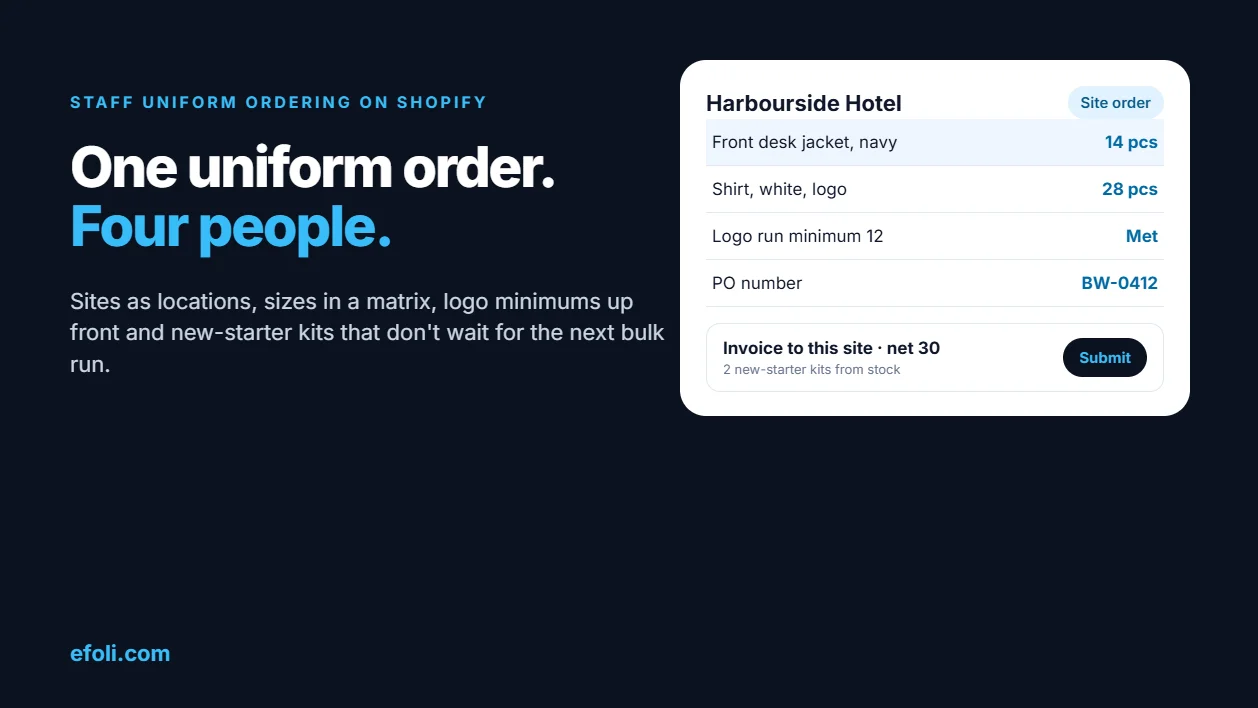
Short answer: Staff uniform ordering stalls on Shopify because one order involves four people: HR sets the rules, site managers collect sizes, employees need a good fit and finance wants an invoice per site. Set each employer up as a company with sites as locations, take sizes in a matrix, show logo minimums before ordering and make new-starter kits a product.
Key takeaways
The employer, not the employee, is your customer, but the employee decides whether the uniform "works".
Most delays come from sizes. Collecting them by email from 40 people is where uniform orders go to die.
Logo decoration usually has minimums. If the store doesn't show them, the order fails after it's placed.
Decide the payment model up front: company-paid, allowance or employee purchase. Each needs different store features.
New starters are a steady, year-round stream. Treat them as a product, not an exception.
How a uniform order really happens
Brightwater Hotels (fictional, like everyone in this post) runs eight hotels. Its operations director wants new front-of-house uniforms for spring: a jacket, two shirts and a name badge for each of about 160 staff, with the hotel logo embroidered on the jacket and shirts.
The supplier is Harbour & Hale Workwear, which sells on Shopify. Harbour & Hale's store works beautifully for a small café buying six aprons. Here's what happened with Brightwater.
The operations director emailed the eight hotel managers asking for staff sizes. Five replied within a week. Two replied with "S, M, L" but no fit (regular or tall). One didn't reply at all.
Meanwhile, the operations director built the order on Harbour & Hale's website, using a spreadsheet to add each size one by one. At checkout, she realised the order would ship to one address, the head office, and come with one invoice. Finance asked for eight invoices, one per hotel, each with its own PO number.
She called Harbour & Hale. They split the order manually into eight draft orders. Then the embroidery team flagged that the shirt order for two hotels was below the minimum for a logo run. Three weeks after the first email, the order was still being rebuilt.
None of this is unusual. Uniform orders are slow by nature. But most of the slowness here came from the store asking the wrong person to do everything.
Four people, one order

Four people touch one uniform order, and each needs something different.
Uniform orders involve four kinds of people, and each of them gets stuck somewhere different.
HR or operations sets the programme: which garments, which colours, who gets what, and who pays. They want control and consistency. They get stuck when the store can't hold the programme, so every order starts from a blank catalogue.
Site managers collect sizes, approve requests and receive deliveries. They want something simple they can do between shifts. They get stuck chasing sizes and re-entering them.
Employees need clothes that fit and are comfortable on a ten-hour shift. They get stuck when they have to guess a size from a chart, or when an exchange takes a month.
Finance needs invoices that match how the business is set up: per site, per cost centre, with a PO number. They get stuck when one big order comes with one big invoice.
A uniform store that works serves all four. That sounds complicated, but most of it is account structure, not custom code.
Where uniform orders break
1. The catalogue isn't the programme
A workwear supplier might list 600 products. The employer's programme uses six of them, in two colours, with one logo. If the employer's buyers see all 600, someone will order the wrong shade of navy. The fix is a catalogue per employer that contains only their programme.
2. Sizes are collected outside the store
Collecting sizes by email or spreadsheet is usually the biggest delay. Every reply in the wrong format adds a day. Every missing reply adds a week.
3. Entering sizes one by one
Even with the sizes collected, a standard product page makes the buyer pick size, add to cart, pick the next size, add to cart, 40 times per garment. That's tedious and error-prone.
4. Logo minimums show up after the order
Embroidery and printing often have minimums per design, per run. Many decorators set them, and they vary. If the store doesn't show the minimum, or can't enforce it, small sites will place orders that can't be fulfilled as decorated.
5. One address, one invoice
Standard checkout ships to one address and creates one order. Multi-site employers need delivery to each site and an invoice per site or cost centre.
6. Nobody knows who's allowed to order what
Can a site manager order a jacket for a new starter, or does it need head office approval? Can an employee order their own replacement shirt? If the rules live in someone's head, orders either stall or overspend.
7. New starters wait for the next bulk order
Hotels, retailers and care providers hire all year. If new starters wait for the next big order, they work in their own clothes for weeks, which is exactly what the uniform programme was meant to stop.
8. Exchanges are slow
Some sizing mistakes are almost certain. When an exchange means emailing head office, waiting for approval and waiting again for a decorated replacement, staff give up and wear the wrong size.
Who pays: three payment models

Three ways employers pay for uniforms, and what each needs from the store.
Before you set anything up, ask the employer how uniforms are paid for. There are three common models, and each changes what your store needs to do.
Company-paid issue | Allowance | Employee purchase | |
|---|---|---|---|
How it works | Employer orders and pays for set items per person | Each employee gets a budget to spend on approved items | Employees buy approved items themselves |
Who orders | HR, ops or site managers | Employees, within limits | Employees |
Store needs | Company account, catalogue, invoices, PO numbers | Per-person budget, approved item list | Approved item list, maybe an employee discount |
Watch out for | Over-ordering, no visibility of who has what | Tracking each balance | Wage rules (see below) |
In the US, there's a legal point employers need to know, and suppliers should be aware of it too. The Department of Labor's Fact Sheet #16 says that if an employer requires employees to pay for a uniform, the cost can't reduce the employee's pay below the federal minimum wage.
Some states go further. That's one reason many employers choose company-paid issue or an allowance rather than employee purchase. It's the employer's decision, not yours, and this isn't legal advice, but it's worth knowing when an HR manager asks why their options are what they are.
Handling allowances on Shopify
Shopify doesn't have a dedicated "uniform allowance" feature. Suppliers usually do one of three things:
Gift cards per employee. The employer buys a gift card for each person's allowance, and employees spend it on the employer's catalogue. Simple and native, though gift cards can be spent on anything in the store unless you restrict what employees can see.
Company-paid issue with a fixed kit. Instead of a budget, each role gets a defined kit ("2 shirts, 1 jacket per year"). Easier to manage, less flexible.
A specialist app or portal. If the employer needs per-person balances that reset annually, an app built for allowances may be worth it.
For most small and mid-sized employers, the fixed kit is the cleanest. It's easier for HR to approve and easier for you to fulfil.
Fixes that work
Fix 1: One company per employer, one location per site
Shopify B2B, available on Basic, Grow, Advanced and Plus, lets you create the employer as a company and each site as a location. Each location can have its own shipping address, payment terms, tax ID and catalogs. That solves "one address, one invoice": each site orders for itself, and each order is invoiced to that site.
A customer can be added to one company but to several locations, with a role such as Ordering only or Location admin. So the operations director can be a Location admin at all eight hotels, while each hotel manager orders only for their own site.
If you supply many employers and each has different garments or prices, note that plans below Plus can have only three active catalog assignments across B2B markets, and assigning catalogs directly to company locations is a Plus feature. Our post on Shopify B2B catalog pricing rules walks through the limits.
If you outgrow them, a company-specific pricing app such as DiscountRay (company and customer list pricing is on its Pro plan, $29 a month at the time of writing) can set prices per employer, and you can control product visibility with your theme or customer tags.
Fix 2: Show each employer only their programme
Build the employer's catalogue first: the garments, the colours, the logo position and the price. Hide everything else from their buyers. It sounds obvious, and it removes a whole class of mistakes.
Fix 3: Collect sizes in the store, not in email
Two approaches work well:
Site managers enter sizes in a size matrix. A size matrix order form such as MultiVariants shows every size and colour of a garment in one table. The manager types "3" under Medium Regular and "1" under Large Tall and adds them all at once.

One table for every size and colour, with a running total. Source: MultiVariants App Store listing.
Employees choose their own size. For larger employers, a simple size request page (or a private product page per employer) lets each employee choose a size, which the site manager then approves and orders in one go.
Either way, put a fit guide on the product page, with garment measurements, not just body measurements. Better still, send each site a size set to try on before the launch order. It costs a few garments and saves dozens of exchanges.
Fix 4: Show and enforce logo minimums before ordering

A minimum on the combined total, so a logo run can mix sizes. Source: MultiVariants App Store listing.
If your decorator needs a minimum of, say, 12 pieces per design per run, show that on the product page: "Embroidered with your logo. Minimum 12 across any sizes." Then enforce it on the total across sizes, not per size. Shopify B2B quantity rules apply per variant, which works for case packs but not for "12 across any sizes".
MultiVariants can set a minimum on the combined total across variants, so a site can order 4 Small, 5 Medium and 3 Large and meet a 12-piece minimum. Our comparison of Shopify quantity rules vs apps covers the difference in detail.
For sites that can't reach the minimum alone, offer a pooled run: head office places one decorated order for several sites, and each site gets its share. That needs a little manual work, but it beats a failed order.
Fix 5: Decide who approves
If every order needs head office approval, Shopify B2B can set a company location to submit orders as drafts for review. Buyers see "Submit for approval" at checkout, and nothing is final until the draft is turned into an order. Note that this approval sits with you, the supplier, not with the employer's head office. If the employer wants to approve internally, a simpler route is roles: only Location admins at head office can order jackets; site managers can order shirts and replacements.
Fix 6: Make new-starter kits a product

A new-starter kit flow that doesn't wait for a bulk order.
Create a "new starter kit" per role, per employer: "Front desk starter: 2 shirts, 1 jacket, 1 badge." Site managers order it with sizes in a single step. Decorated stock is the hard part, since nobody wants to run a logo job for one person. Many suppliers keep a small buffer of pre-decorated items in core sizes for each large employer, replenished when it falls below a set level. Agree who pays for the buffer before you hold it.
Fix 7: Invoice the way finance works
Ask finance three questions at the start: invoice per site or per cost centre? Is a PO number required? Card or payment terms? Shopify B2B supports PO numbers at checkout and payment terms such as net 30 per location. If you agreed contract prices for a period, our guide to contract-based discounts covers how to keep them consistent.
Fix 8: Make exchanges fast
Publish an exchange window and a simple rule: unworn, undecorated items can be exchanged freely; decorated items can be exchanged once per person for size. Keep core sizes in decorated stock where you can so an exchange ships the same week.
Sizing a whole workforce
Sizing is where uniform programmes win or lose staff goodwill, and it deserves more thought than a size chart.
Send size sets before the launch order. A box with one of each size in each garment, sent to each site for a week, removes most of the guesswork. Staff try things on between shifts, managers note sizes in a shared sheet or straight into the order form, and the box comes back. It costs a few garments and some postage, and it saves dozens of exchanges.
Offer fits, not just sizes. A workforce has every body type. Regular and tall lengths, a relaxed or straight cut, and, where the employer allows, a choice between fitted and unisex cuts make a bigger difference to comfort than fabric does. If the programme includes trousers, waist and leg length matter more than S, M and L.
Plan for life changes. Maternity options, temporary injuries and adaptive needs come up in every large workforce. Agree with HR in advance how those requests are handled, so a site manager doesn't have to invent a process when it happens.
Think about the job. A housekeeper bends and lifts all day; a receptionist sits and stands; a chef works in heat. Fabric weight, stretch and pocket placement should follow the role. If you're quoting a new programme, ask to spend an hour on site watching people work. It's some of the most useful product research you can do.
Set a replacement rhythm. Uniforms wear out. Agree a standard replacement cycle per garment (for example, two shirts per person per year) and make replacements an easy, pre-approved order. Without a rhythm, replacements arrive as a stream of one-off requests, each needing approval.
Seasonal kits and reorders
Many employers change uniforms with the seasons: a lighter shirt for summer, a fleece or jacket for winter, a branded umbrella for a coastal hotel. Treat each seasonal change as a mini launch: confirm sizes against last year's records, send reminders to site managers four to six weeks before the change, and pre-book the decoration run so it isn't squeezed by your busiest weeks.
Keep a record of each employee's size by garment, if the employer agrees. A size history makes seasonal reorders far faster, because the manager only needs to confirm changes rather than collect every size again. Store it carefully: it's personal data, so agree with the employer what you keep, who can see it and when it's deleted.
Reorders between seasons are smaller but constant. A "reorder last order" button on each location's account, plus a matrix that remembers the last quantities, turns a ten-minute job into a two-minute one.
When someone leaves
Uniform programmes have an end for every employee, and it's worth agreeing what happens. Some employers ask leavers to return uniforms, especially jackets and branded outerwear, so they can't be misused. Others let staff keep them.
If garments come back, decide whether they're cleaned and reissued (common for outerwear in good condition), donated with the logo removed, or recycled. Some workwear suppliers offer a take-back service, which is a useful extra to put in a proposal. And if you hold size records, delete a leaver's details when the employer asks, or on the schedule you agreed.
Before and after: Brightwater's second order
Six months later, Brightwater opens a ninth hotel. This time, Harbour & Hale has set things up properly.
The operations director adds the new hotel as a location in Brightwater's company account. The new hotel manager signs in and sees only Brightwater's programme: three garments in navy with the logo. She enters sizes for 22 staff in one size matrix per garment.
The product page reminds her that the logo run needs 12 or more across sizes, and her order clears that easily. She adds her PO number and checks out on Brightwater's net 30 terms. The invoice goes to the new hotel's address.
Two weeks after opening, a new receptionist starts. The manager orders a "front desk starter kit" in the right sizes, from pre-decorated stock. It arrives in three days.
What it's worth to the supplier
Uniform programmes are some of the most valuable accounts a workwear supplier can win. They reorder for years, they grow when the employer grows, and they're hard for competitors to take once they're set up well. The work you do on account structure pays off every time a new site opens or a new person starts.
The cost of getting it wrong is just as clear: rebuilt orders, failed logo runs, invoice disputes and an operations director who decides the next contract goes to a supplier with a dedicated portal.
Questions to ask a new uniform client
Before you set anything up, ask:
How many sites, and how many staff per site?
Which roles need which garments?
Who pays: company, allowance or employee?
Who can order, and who approves?
Invoice per site, per cost centre or centrally? PO numbers?
How many new starters a month, roughly?
What's the exchange policy for decorated items?
The answers tell you whether native B2B is enough or whether you'll need apps for pricing, size matrices or allowances.
How this differs from teamwear
If you also sell to sports clubs, you'll notice some overlap. Both involve sizes and logos. But a team order is usually a single coach ordering once per season, often with names and numbers, and paying once. A uniform programme is an employer ordering continuously, across sites, with approvals and invoices. We covered the club side in teamwear bulk orders.
If your uniform clients also send branded gifts to staff, the setup in corporate gift orders on Shopify is a natural companion. And if one buyer manages uniforms for several separate businesses, such as a facilities company, see multi-company buyer pricing.
Yeah, but…: objections from workwear suppliers
If you supply uniforms, you may be thinking one of these.
What you might be thinking | A fair answer |
|---|---|
"HR already has a spreadsheet that works." | Import it once. It becomes the size history, and site managers only confirm changes next time. |
"Our clients won't want another login." | Only site managers need one, and they're already ordering by email. One login replaces the email chain, the retyped sizes and the manual invoice split. |
"Logo minimums are the decorator's problem." | The employer sees it as yours when the order fails. Showing the minimum on the product page costs one line of text. |
The checklist

Fifteen checks for workwear suppliers selling uniform programmes.
Accounts
Each employer is a company; each site is a location with its own address.
Roles are set: who orders, who manages, who sees everything.
Payment terms and PO numbers are set per location where needed.
Catalogue and prices
Each employer sees only their programme.
Prices are set per employer and shown while browsing.
Sizes
Sizes are entered in a matrix, not one by one.
Fit guides use garment measurements.
Size sets are offered before launch orders.
Logos
Decoration minimums are shown on the product page.
Minimums are enforced on the combined total across sizes.
Small sites have a pooled-run option.
Ongoing
New-starter kits exist per role.
A decorated buffer is agreed for large clients.
The exchange policy is published.
The payment model (company, allowance or employee) is agreed and set up.
The bottom line
A uniform store fails when it asks one person to do the work of four. Set up the employer, its sites and its people properly, put their programme in front of them, take sizes in a matrix, show logo minimums before the order and treat new starters as a product. Most of that is account structure, not code, and it's what turns a one-off uniform order into a programme that renews every year.
Harbour & Hale Workwear, Brightwater Hotels and their staff are fictional, used to illustrate a common situation. The minimum wage point is general information, not legal advice; state laws may add their own rules.
FAQ
How do I set up staff uniform ordering on Shopify?
Can employees order their own uniforms?
Can employers make staff pay for uniforms?
How do I handle logo minimums on uniform orders?
How do I invoice each site separately?
What's the best way to handle new starters?

Anika Anamta Mehnaz
This article is written by Anika Anamta Mehnaz, a Content Writer and Content Marketing Strategist specializing in Shopify, eCommerce, and SaaS. With over four years of content writing experience, she creates SEO and AI search-optimized content that helps Shopify merchants make better business decisions through practical, research-backed insights. Her work covers Shopify apps, product variants, bundles, discounts, B2B commerce, and conversion-focused strategies. Outside of work, Anika enjoys watching anime, reading John Grisham novels, and discovering new ideas in digital marketing and e-commerce. If you enjoy discussing Shopify, content marketing, or online growth, feel free to connect with her. Twitter: https://x.com/mehnaz2201 Medium: https://medium.com/@mehnaz_78932
Keep reading
View all articles →
Distributor Quote Requests on Shopify: Where Negotiated Deals Stall
November 25, 2026 • 18 min read
Replenishment Bundles on Shopify: Your Refill Customers Didn't Cancel. They Ran Out.
November 25, 2026 • 18 min read
Auto Workshop Parts Ordering on Shopify: The Car Is on the Lift. Why Is the Technician on the Phone?
November 25, 2026 • 18 min read