Auto Workshop Parts Ordering on Shopify: The Car Is on the Lift. Why Is the Technician on the Phone?
Repair shops don't browse. They need the right part, at their price, on the next delivery run. Here's where auto workshop parts ordering breaks on Shopify.
On this page
- Key takeaways
- A Tuesday at Okafor Auto Repair
- How a workshop's day shapes ordering
- Where workshops get stuck: the friction map
- 1. Finding the vehicle
- 2. Trusting the fitment
- 3. Seeing their price
- 4. Ordering the right quantity
- 5. Understanding the core charge
- 6. Knowing when it will arrive
- 7. Who's allowed to order
- 8. Parts that aren't on the website
- What this costs the supplier
- Fixes that work
- Fix 1: Let shops look up the vehicle the way they already do
- Fix 2: Put fitment detail on the listing, not in a PDF
- Fix 3: Give each shop an account with its own prices
- Fix 4: Make pack sizes impossible to misread
- Fix 5: Explain the core charge before checkout and make the return easy
- Fix 6: Show the next delivery run, not "next-day"
- Fix 7: Set up roles for the people in the shop
- Fix 8: Give shops a fast reorder route
- Fix 9: Add a route for parts you don't list
- Returns: wrong part, not needed, warranty
- Before and after: the alternator order
- Rolling it out without losing your phone customers
- What to measure
- A note for agencies and in-house teams
- Yeah, but…: what parts suppliers worry about
- The merchant checklist
- Where to start
- FAQ
Who this is for: parts suppliers selling to independent repair shops on Shopify. Last checked: 25 November 2026.
Short answer: Auto workshop parts ordering breaks on Shopify when a store built for car owners is handed to repair shops, who need the exact part, at their trade price, on the next delivery run. Give them fitment data they can trust, account pricing, clear cut-off times, simple core returns and a quote route for parts you don't list.
Key takeaways
A repair shop orders under time pressure. If your store can't confirm fitment in under a minute, they'll phone the counter.
Fitment is the whole game. Year, make and model isn't always enough; engine, trim and production date often matter too.
Trade buyers expect their own price, their own terms and their own delivery runs. A discount code doesn't feel like an account.
Core charges need to be visible at the time of ordering and easy to reclaim afterwards, or they turn into credit-note admin.
Several technicians may order on one account. Decide who can order, who can see prices and who approves.
A Tuesday at Okafor Auto Repair
Okafor Auto Repair (fictional, like the supplier in this post) is a four-bay independent shop. At 9:40 on a Tuesday, a 2017 hatchback is on bay two with a noisy alternator. The customer wants the car back by 4.
The technician, Dami, opens the website of Kestrel Motor Parts, the shop's main supplier. Kestrel launched a Shopify store last year, mostly aimed at DIY customers. Dami searches "alternator", gets 63 results, filters by make and model, and is left with four.
Two are for petrol engines, two for diesel, and the listings don't say which engine code they fit. The trade price isn't shown until he logs in. When he does, the core charge appears as a separate line at checkout with no explanation. The site says "Next-day delivery".
Dami closes the tab and calls the Kestrel counter. Six minutes later, the part is on the 11:30 van.
Kestrel's store didn't fail because the products were missing. It failed because it was built for a different buyer. If you supply parts to workshops, here's where the same thing happens on your store.
How a workshop's day shapes ordering

A workshop's day decides when parts orders happen. Times are illustrative.
Most independent shops follow a similar rhythm. Cars arrive early. Diagnosis happens in the first hour. Parts orders spike mid-morning, again after lunch, and once more late in the day for the next morning's jobs. Suppliers that run several delivery vans a day plan their runs around those spikes.
That rhythm matters more than a long feature list. A workshop doesn't compare your store with Amazon. It compares your store with the phone call to your counter. If ordering online takes longer, or makes the shop miss the 11:30 van, the phone wins.
So before you think about design, write down three things:
Your delivery runs and their cut-off times.
How long a technician has to place an order before the next run.
What the counter staff ask on every call (usually: registration or VIN, engine, and "is it the one with the pulley?").
Your store needs to answer those questions as fast as the counter does.
Where workshops get stuck: the friction map

Eight places where a retail-first parts store loses the workshop.
1. Finding the vehicle
Consumer parts stores lead with year, make and model, which is a fine start. Workshops often have the VIN or registration in front of them and would rather use that. Even when they use year, make and model, the result can still be four parts, because the deciding detail is the engine code, the trim or a mid-year production change.
2. Trusting the fitment
When a listing says "fits 2015 to 2019 hatchback", a technician wants to know which engine, which gearbox and whether there's a production date split. If the store doesn't say, they assume the risk is theirs, and they'll call to check.
In the US aftermarket, this data usually travels in two industry standards from the Auto Care Association: ACES for fitment and PIES for product information. If your supplier data comes in those formats, use it; most of the trust problem is solved by showing it clearly.
3. Seeing their price
Trade pricing is the reason a workshop has an account. If they have to add a part to the cart and start checkout to see what they'll pay, they'll stop doing it. Prices need to show while browsing, for that account.
4. Ordering the right quantity
Some parts come in singles. Brake pads come as an axle set. Spark plugs might sell singly or in fours or sixes. Oil comes in litres, 5-litre jugs or drums. If quantities aren't obvious, the shop orders one plug when it needed four, or four boxes when it needed four plugs.
5. Understanding the core charge
A core charge, as California's Bureau of Automotive Repair explains, is a deposit held for the return of the used part. Batteries, alternators, water pumps, brake master cylinders and AC compressors commonly carry them. If the core charge appears without explanation at checkout, it looks like a hidden fee. If the return process is unclear, the shop waits weeks for credit and stops trusting the online route.
6. Knowing when it will arrive
"Next-day delivery" means nothing to a shop that needs the part on the 11:30 van. Workshops want to know the next run they'll make, and whether the part is in the local branch or coming from a central warehouse.
7. Who's allowed to order
A four-bay shop might have three technicians, a service adviser and an owner. The owner may want technicians to order, but not see the shop's buying prices, or may want orders over a certain value to be approved. A single shared login can't do any of that.
8. Parts that aren't on the website
No supplier lists everything. Older vehicles, rare parts and special-order items often live only in the counter's system. If the store has no route for "I need this, can you get it?", the shop calls, and probably keeps calling for everything else too.
What this costs the supplier
The friction above doesn't show up as abandoned carts. It shows up as phone calls, and phone calls feel like good service, so nobody notices the cost.
Counter time. Every call the website could have handled takes a few minutes of a skilled counter person's time.
Wrong parts. When fitment isn't clear online, shops either call (cost) or guess (returns). Wrong-part returns tie up stock and van space.
Core admin. Without a clear return flow, cores come back without paperwork and someone matches them to invoices by hand.
Lost orders. A shop that can't get an answer fast enough orders from the supplier who answers first.
Kestrel estimated that its two counter staff spent roughly a third of their day on calls a better website could have handled. That's a rough, fictional figure, but ask your counter team the same question. Their answer will tell you how much the store is really costing.
Fixes that work
Fix 1: Let shops look up the vehicle the way they already do
Offer year, make and model, and add engine and trim where it matters. If your data supports it, accept VIN or registration lookup through a fitment app or your parts data provider. Keep the vehicle "saved" for the session so the technician doesn't re-enter it for every part.

The fitment and product fields a workshop checks before ordering.
Fix 2: Put fitment detail on the listing, not in a PDF
Show the fields a technician checks: engine code, fuel type, transmission, production date range, position (front, rear, left, right), OE reference numbers and any "fits with or without" notes (with air conditioning, without start-stop). Use the OE and interchange numbers as searchable fields. Shopify's built-in search matches SKUs and barcodes, including partial SKU matches from the first character, so it's worth storing reference numbers where search can see them. Our post on part number search on Shopify explains the search behaviour in detail.
Fix 3: Give each shop an account with its own prices
Shopify B2B, which is available on Basic, Grow, Advanced and Plus, lets you set up each workshop as a company with locations, catalogs, payment terms and quantity rules. Plans below Plus are limited to three active catalog assignments across B2B markets, which is fine if you have a few price bands (for example "Trade", "Trade Plus" and "Fleet").
If you price shop by shop, look at how far native catalogs go on your plan first; our Shopify B2B by plan post covers the limits. A tag-based pricing app is the other route.
Either way, the price has to show on collection and product pages for signed-in accounts, not only at checkout.
Fix 4: Make pack sizes impossible to misread
List what's in the box in the title and the quantity selector: "Brake pad set, front axle (4 pads)", "Spark plug, sold singly" or "Spark plug, box of 4". Where a part is sold in fixed multiples, enforce it. Shopify B2B quantity rules let you set minimums, maximums and increments per variant for B2B catalogs.

Singles, packs and bulk quantities on one page. Source: MultiVariants App Store listing.
If you want singles, packs and bulk on one page, or quantity steps that apply to non-B2B accounts too, a bulk order form for trade buyers such as MultiVariants can show every variant in one table with min, max and step rules.
The Professional plan ($29.99 a month at the time of writing) includes per-variant min and max and incremental steps. If you price trade accounts with a wholesale tiered pricing app such as DiscountRay, MultiVariants can show those tiered prices inside the same order table, because the two apps are built to work together.
Fix 5: Explain the core charge before checkout and make the return easy

How a core deposit moves from order to refund.
Show the core charge on the product page next to the price: "Core deposit $45, refunded when you return the old unit within 30 days." (Use your own amount and window.) Add it as a separate line in the cart so the shop's invoice shows it clearly, which matters for the shop's own bookkeeping and, in some states, for how it bills its customer.
For the return, keep it simple:
The driver collects the old part on the next run, or the shop drops it at the branch.
The return is linked to the original order number.
The core is inspected against your acceptance rules (complete, not cracked, same part type).
The deposit is refunded or credited to the account.
How you implement this on Shopify depends on your setup. Some suppliers sell the core deposit as a separate "core" product added automatically with the part; others handle it in their ERP and sync credits back. What matters to the shop is that the deposit is visible, the return is collected without fuss and the credit appears without chasing.
Fix 6: Show the next delivery run, not "next-day"
Display your run times and cut-offs on the cart page: "Order by 11:00 for the 11:30 run." If stock is in another branch or the central warehouse, say so on the product page. If you can, let the shop choose a run at checkout. A shop that knows the part will arrive at 12:15 can tell its customer the car will be ready at 3.
Fix 7: Set up roles for the people in the shop
In Shopify B2B, a customer can be added to one company but several locations, with roles such as Ordering only or Location admin. That's enough for most independent shops: technicians can order, the owner can see every order and manage addresses.
If the owner wants to approve orders, Shopify lets you set a company location to submit all orders as drafts for review, and the buyer sees a "Submit for approval" button at checkout. That puts approval with the supplier, though, not the shop owner, so check it fits how your customers work before turning it on.
Fix 8: Give shops a fast reorder route
Workshops reorder the same consumables constantly: oil, filters, wiper blades, bulbs, brake cleaner. A quick order list or a bulk order form where they can enter quantities for a dozen items at once saves real time. Shopify B2B includes a quick order list on product pages. For a one-page order form across many products, see our post on distributor quick order forms, and for the wider self-service picture, B2B self-service ordering on Shopify.
Fix 9: Add a route for parts you don't list
A "Can't find it? Ask us" form on every search results page and vehicle page keeps the order online even when the part isn't. Ask for the vehicle, VIN, the part needed and when it's needed by. Then reply with a price and availability.
A request a quote app such as QuotWay can turn an accepted quote into a draft order with the price locked, so the shop pays the price you quoted. Its free plan includes 10 quotes a month, which is enough to test whether shops use it.

A quote route for parts that aren't in the online catalogue. Source: QuotWay App Store listing.
This is the same pattern we described for industrial parts quotes, adapted for a faster, same-day world.
Returns: wrong part, not needed, warranty
Workshops return parts for three different reasons, and mixing them up causes friction.
Return type | What happened | What the shop needs |
|---|---|---|
Wrong part | Fitment was wrong or unclear | Quick collection and credit, and better data next time |
Not needed | Diagnosis changed or the customer declined | A clear window and condition rules |
Warranty | The part failed in service | A claim route, often with labour questions |
Keep these separate in your returns process and in your reporting. "Wrong part" returns are a data problem: each one should lead to a fitment fix on the listing. If you track nothing else, track that.
Before and after: the alternator order
Back at Okafor Auto Repair, here's what the same alternator order looks like after Kestrel's changes.
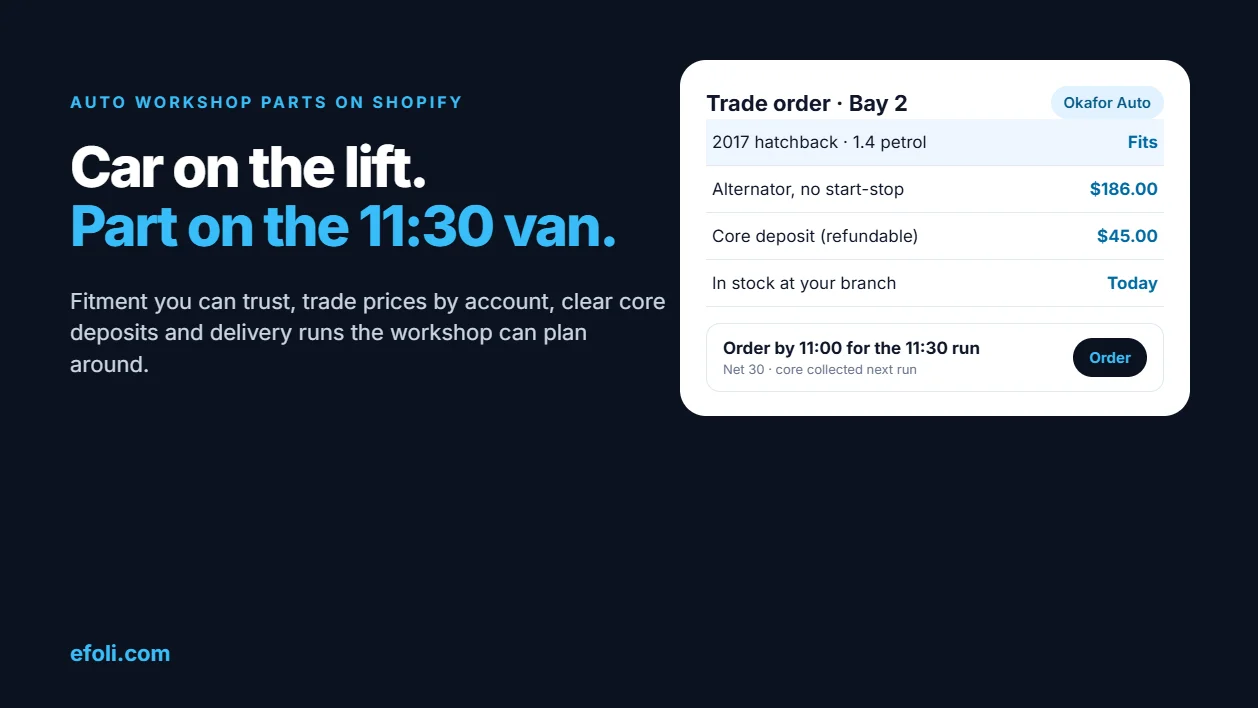
Dami signs in. The shop's saved vehicle list shows the hatchback from the job card. He enters the engine code, and two alternators remain. One listing says "with start-stop", the other "without". The car doesn't have start-stop. The trade price shows on the listing, with "Core deposit $45, refunded on return" underneath. The product page says "In stock at your branch". The cart says "Order by 11:00 for the 11:30 run".
He orders at 9:47. The old alternator goes back on the 11:30 van, tagged with the order number. The credit appears on the account two days later. Nobody picked up the phone.
Rolling it out without losing your phone customers
Most workshops won't switch overnight, and they shouldn't have to. The phone and the counter are part of why they buy from you. The goal is to move the routine orders online so the counter has time for the hard ones.
A rollout that works for many suppliers looks like this:
Pick ten friendly shops. Choose a mix: a busy independent, a small one-person garage, a tyre and exhaust centre, a fleet workshop. Ask them to use the website for a month and tell you what goes wrong.
Start with consumables. Oil, filters, wipers and bulbs are low-risk and high-frequency. If shops reorder these online, they'll learn the account, the prices and the delivery runs without any fitment risk.
Add your top 200 parts with full fitment. Look at last year's counter sales and pick the parts that make up most of the volume. Get the fitment detail right on those before you worry about the long tail.
Ask counter staff to point callers to the site, kindly. "I've put it on the 11:30 run. Next time you can also do this on the website, and you'll see your price straight away." No pressure, just a nudge.
Review every wrong-part return. In the first month, each one tells you about a data gap. Fix the listing, then tell the shop you fixed it. That builds trust faster than any feature.
Open it to everyone. Once the pilot shops are ordering most consumables online and the wrong-part rate is under control, invite the rest of your accounts with a short how-to and the counter's number for anything unusual.
One thing to avoid: launching with an online-only discount that undercuts the counter price. It trains shops to haggle between channels and makes your counter staff look expensive. Keep one trade price per account, wherever they order.
What to measure
You don't need a dashboard with forty numbers. These six tell you whether the store is working for workshops:
Measure | Why it matters |
|---|---|
Share of workshop orders placed online | The headline number; watch it by shop, not just in total |
Calls per day to the counter | Should fall as routine orders move online |
Wrong-part returns per 100 orders | Shows whether fitment data is trusted and accurate |
Average days from core pickup to credit | Long delays erode trust in ordering online |
Orders placed after the last cut-off | Tells you whether run times are clear, and whether you need another run |
Quote requests and how many convert | Shows which parts you should add to the catalogue |
Look at them weekly for the first two months, then monthly. If one shop's online share stays at zero, call them and ask why. The answer is usually small and fixable: a login problem, a missing price band, a technician who never got shown the site.
A note for agencies and in-house teams
Auto parts projects on Shopify often start with the consumer fitment search and add trade later. If you're scoping one, ask about the trade side early: how many workshops, what pricing bands, which delivery runs, how cores are handled and what the counter currently does by phone. The answers often change the data model, not just the front end. Our shortlist of Shopify agencies for auto parts includes teams that have done this work.
Yeah, but…: what parts suppliers worry about
Many suppliers agree with the fixes and still hesitate. Here is what often holds them back.
What you might be thinking | A fair answer |
|---|---|
"Our workshops like the phone." | Many do, and the phone should stay. Move routine consumables online first, so the counter has time for the hard calls. |
"Our fitment data isn't clean enough to show." | Start with your top 200 parts. Accurate fitment on the parts shops order most beats a complete catalogue nobody trusts. |
"Trade prices online will leak to retail customers." | B2B catalogs and tag-based pricing show trade prices only to signed-in trade accounts. Check it in a private browser window before launch. |
The merchant checklist
Vehicle lookup covers year, make, model, engine and trim where needed.
Fitment detail (engine code, position, date range, notes) is on every listing.
OE and interchange numbers are searchable.
Trade prices show while browsing for signed-in accounts.
Pack sizes are in the title and enforced where fixed.
Core deposits are shown on the product page and as a separate cart line.
Core returns are linked to orders and credited without chasing.
Delivery runs and cut-offs show in the cart.
Stock location (branch or central) is visible.
Roles are set for technicians, advisers and owners.
A quick reorder route exists for consumables.
A quote route exists for unlisted parts.
Wrong-part returns are tracked and fixed in the data.
Where to start
If you can only do three things this month, do these: show trade prices while browsing, put fitment detail on your top 200 parts, and show delivery run cut-offs in the cart. Those three remove most of the reasons a technician picks up the phone.
Then ask your counter team which questions they answer most often. Each one is a fix waiting to happen on the website.
Kestrel Motor Parts, Okafor Auto Repair and the figures in this post are fictional, used to illustrate a common situation. Core charge and fitment points are general information; check your own supplier agreements and local rules.
FAQ
Can I sell auto parts to repair shops on Shopify?
How should I show core charges on Shopify?
What fitment data do workshops need?
Can workshops pay on account instead of by card?
How can workshops order parts that aren't on my website?
Do I need Shopify Plus to sell to workshops?

Anika Anamta Mehnaz
This article is written by Anika Anamta Mehnaz, a Content Writer and Content Marketing Strategist specializing in Shopify, eCommerce, and SaaS. With over four years of content writing experience, she creates SEO and AI search-optimized content that helps Shopify merchants make better business decisions through practical, research-backed insights. Her work covers Shopify apps, product variants, bundles, discounts, B2B commerce, and conversion-focused strategies. Outside of work, Anika enjoys watching anime, reading John Grisham novels, and discovering new ideas in digital marketing and e-commerce. If you enjoy discussing Shopify, content marketing, or online growth, feel free to connect with her. Twitter: https://x.com/mehnaz2201 Medium: https://medium.com/@mehnaz_78932
Keep reading
View all articles →
Distributor Quote Requests on Shopify: Where Negotiated Deals Stall
November 25, 2026 • 18 min read
Replenishment Bundles on Shopify: Your Refill Customers Didn't Cancel. They Ran Out.
November 25, 2026 • 18 min read
Staff Uniform Ordering on Shopify: One Order, Four People, Three Weeks of Emails
November 25, 2026 • 18 min read